
 Need help?
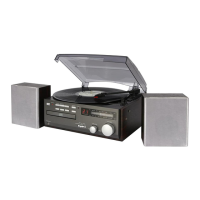
Do you have a question about the SOUNDMASTER TR250 and is the answer not in the manual?
Do not dispose of with household waste. Return for recycling of electrical and electronic devices.
Risk of electric shock and dangerous voltage. Do not open. Refer servicing to qualified personnel.
Handle used batteries responsibly. Keep away from children. Prevent leakage and explosion.
Use in dry, ventilated areas. Avoid heat/humidity. Clean with dry cloth. Do not repair yourself.
Identifies front panel buttons (Mode, Memory, Vol/Sleep) and sockets (USB, DC IN, Headphone), and rear panel ports.
Connect via mains adapter or batteries. Check voltage. Set clock and remove screen protector.
Turn on/off, switch modes (FM/BT/USB), adjust volume, and manage standby.
Switch to FM, auto store, auto tune, manual tune, and recall preset FM stations.
Play MP3/WAV files from USB. Control playback and track selection.
Connect to a Bluetooth device for audio streaming. Control playback and disconnect.
Set the 24-hour clock and configure alarm functions (source, time, snooze).
Set sleep timer to automatically switch off. Stop the alarm and use snooze function.
Connect headphones for private listening. Speakers are muted. Avoid high volume.
Details power requirements, battery type, frequency range, Bluetooth version, and supported file types.
 General
| Brand | SOUNDMASTER |
|---|---|
| Model | TR250 |
| Category | Stereo System |
| Language | English |













 To Next Page