EasyManua.ls Logo

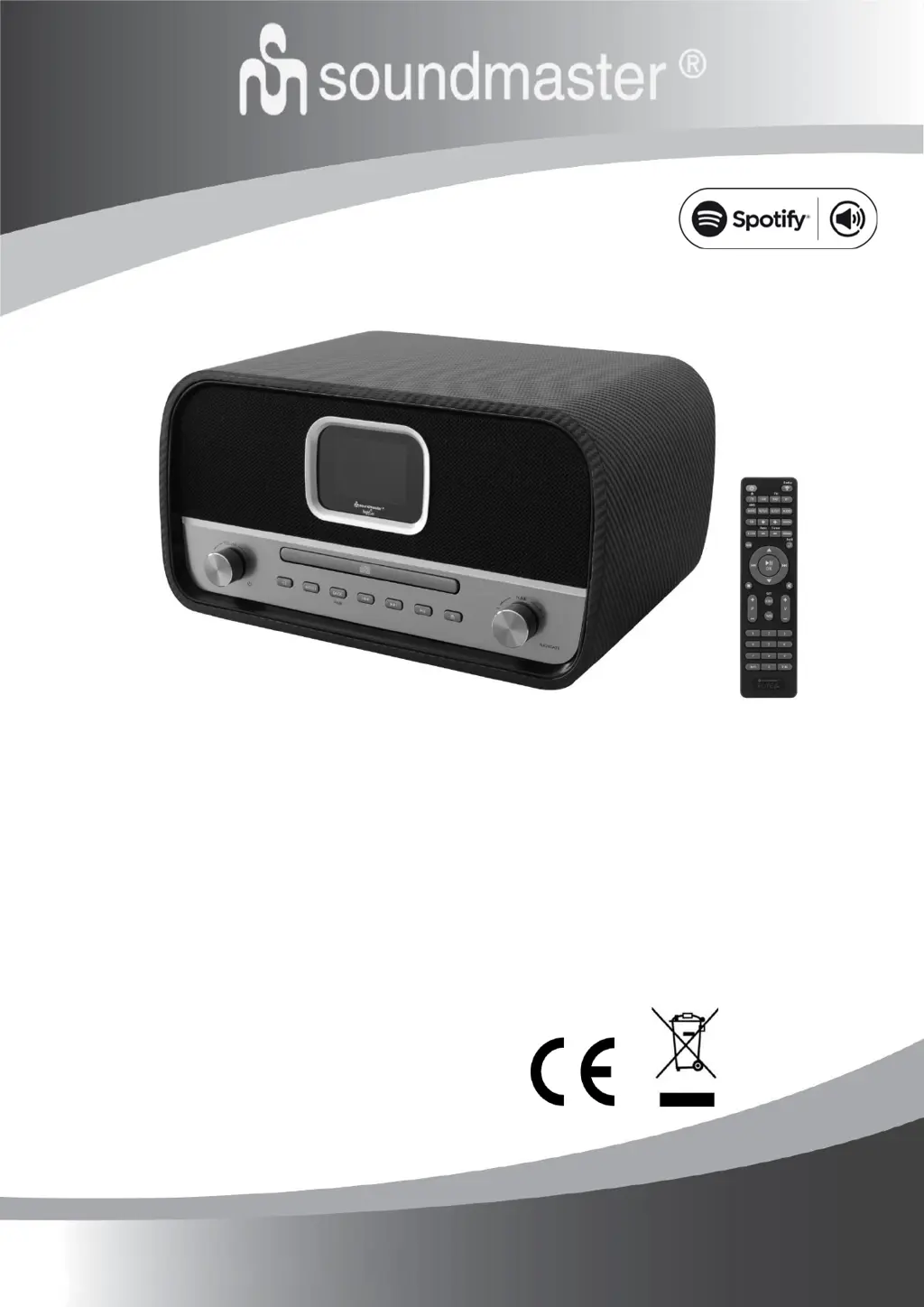
SOUNDMASTER ICD3030 - User Manual

SOUNDMASTER ICD3030
23 pages
Print Icon
To Next Page IconTo Next Page
Loading...
DEUTSCH
ESPANOL
ENGLISH
DANSK
FRANÇAIS
NORSK
NEDERLANDS
SVENSKA
ITALIANO
SUOMI
ICD3030
Hersteller
Wörlein GmbH Tel.: +49 9103/71670
Gewerbestrasse 12 Fax.: +49 9103/716712
D 90556 Cadolzburg Email. info@woerlein.com
GERMANY Web: www.soundmaster.de

Questions and Answers

  • A
    aperezSep 18, 2025
    Why is the USB driver or MP3 player not detected by my SOUNDMASTER Stereo System?
    • B
      brandonmccallSep 18, 2025
      If your SOUNDMASTER Stereo System USB driver or MP3 player is not being detected, ensure that the USB driver or MP3 player is properly plugged in. Note that some USB hard disks require an external power supply, so ensure it's connected. Also, be aware that not all MP3 players can be read directly by the device; try using a USB drive instead.
  • B
    burchfrederickAug 25, 2025
    How to fix SOUNDMASTER ICD3030 Stereo System when WiFi connection cannot be established?
    • T
      tomcarrilloAug 25, 2025
      If you're having trouble establishing a WiFi connection with your SOUNDMASTER Stereo System, verify that the WLAN network is available on your router. Try moving the device closer to the router. Also, double-check that you've entered the correct password.
  • N
    Nicolas AveryAug 26, 2025
    What to do if SOUNDMASTER ICD3030 Stereo System does not switch on?
    • J
      Jennifer HornAug 26, 2025
      If your SOUNDMASTER Stereo System doesn't switch on, check that the power adapter is connected properly.
  • T
    Troy DayAug 27, 2025
    How to fix SOUNDMASTER Stereo System when no network connection can be established?
    • A
      Andrew AndersonAug 27, 2025
      If your SOUNDMASTER Stereo System can't establish a network connection, check the LAN cable or the WLAN function. Try setting an IP address on the device. Activate the DHCP function on the router and try connecting again. Ensure that a firewall isn't blocking access; if so, configure the firewall to allow access. Reboot the router.
  • E
    Edwin BonillaSep 23, 2025
    What to do if NetRemote does not show or connect to ICD3030 on my SOUNDMASTER Stereo System?
    • J
      Jeanne CruzSep 23, 2025
      If you are experiencing issues with the NetRemote not showing or connecting to the ICD3030 on your SOUNDMASTER Stereo System, try reopening the App. If you're streaming from multiple devices simultaneously and it causes a crash, reboot the ICD3030 and/or your device.
  • K
    Kevin AndersonSep 23, 2025
    What happens if my SOUNDMASTER Stereo System malfunctions under the environment with Conducted Immunity disturbance?
    • G
      gregorysnyderSep 23, 2025
      If your SOUNDMASTER Stereo System sample malfunctions under Conducted Immunity disturbance, it will automatically recover to normal when the disturbance stops.
  • P
    Philip WilliamsSep 10, 2025
    What to do if my SOUNDMASTER Stereo System WiFi connection cannot be established?
    • J
      Joseph ThorntonSep 10, 2025
      If your SOUNDMASTER Stereo System isn't establishing a WiFi connection, verify the availability of the WLAN network on your router. Try placing the device closer to the router, and ensure that the password you're using is correct.
  • T
    Tracy GoodmanSep 12, 2025
    What to do if no station is found on my SOUNDMASTER ICD3030?
    • J
      Jessica SmithSep 12, 2025
      If your SOUNDMASTER Stereo System isn't finding any stations, check the network, access point, and firewall. The station might be temporarily unavailable, so try again later or select another station. If manually added, ensure the station link is correct and re-enter it; the station might have changed its link or stopped transmitting.
  • A
    Alicia FarmerSep 3, 2025
    What to do if SOUNDMASTER ICD3030 Stereo System is disturbed by strong Electro-Magnetic Interference?
    • T
      timothysinghSep 4, 2025
      If strong Electro-Magnetic Interference disturbs the normal function of your SOUNDMASTER Stereo System, reset the product to resume normal operation by following the instruction manual.
  • S
    Samantha SmithSep 1, 2025
    What to do if SOUNDMASTER ICD3030 Stereo System has no station is found?
    • M
      markhuntSep 1, 2025
      If your SOUNDMASTER Stereo System isn't finding any stations: 1. Check the network, access point, and firewall. 2. The station may be temporarily unavailable; try again later or select another station. 3. If a manually added station's link is incorrect, ensure it's correct and re-enter it.

SOUNDMASTER ICD3030 Specifications

General IconGeneral
BrandSoundmaster
ModelICD3030
CategoryStereo System
DAB+Yes
FM RadioYes
CD playerYes
USB portYes
Headphone JackYes
Remote ControlYes
Playback MediaCD, USB
Supported formatsMP3
Input Voltage230 V

Related product manuals