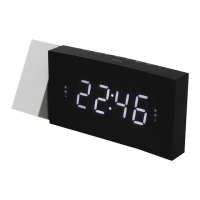
The UR155 is a versatile clock radio designed to provide timekeeping, alarm, and radio functionalities, complemented by a unique projection feature. Its user-friendly interface and thoughtful design make it a practical addition to any bedroom or living space.
Function Description:
At its core, the UR155 serves as a digital clock with a clear LED display, showing the current time. Beyond basic timekeeping, it integrates an FM radio tuner, allowing users to listen to their favorite stations. A key feature is its dual alarm system, which enables the setting of two independent alarms, offering flexibility for different wake-up times or for two users. The alarm can be set to either a buzzer or a radio station, with a gradual volume increase for a gentler wake-up experience.
A distinctive function of the UR155 is its projection clock. This feature allows the time to be projected onto a wall or ceiling, providing an unobtrusive way to check the time, especially in a darkened room. The projection's focus can be adjusted to ensure clarity.
For convenience, the device includes a sleep mode, which automatically turns off the radio after a user-defined period, ranging from 10 to 90 minutes. This is ideal for those who enjoy falling asleep to music or talk radio. The UR155 also incorporates a display auto-off function, which can turn off the main LED display after 15 seconds in radio-off mode, helping to reduce light pollution in a dark room.
Usage Features:
Operating the UR155 is straightforward, with clearly labeled buttons for various functions.
Time Setting:
The device requires two separate time settings: one for the main LED digital clock and another for the projection clock.
- Manual Time Setting (LED Display): With the radio off, press and hold the "SET.MEM / M+" button (7). The "24 Hr" indicator will blink, allowing you to select either 12-hour or 24-hour mode using the "Tune +" (8) or "Tune -" (4) buttons. Press "SET.MEM / M+" again, and the hours will blink. Use "Tune +" (8) or "Tune -" (4) to adjust the hour. Press "SET.MEM / M+" once more, and the minute digits will blink. Adjust the minutes using "Tune +" (8) or "Tune -" (4). Finally, press "SET.MEM / M+" to confirm the time.
- Projection Time Setting: To set the hours for the projection, simultaneously press the "HOUR" button (10) and the "TIME" button (14) until the desired hour is displayed. For minutes, simultaneously press the "MINUTE" button (13) and the "TIME" button (14) until the desired minute is displayed. The focus of the projected time can be adjusted by turning the "FOCUS ADJUSTMENT FOR PROJECTION" knob (12) until the image is clear on the ceiling or wall. The optimal projection range is between 3 and 9 feet, and it is best viewed in a darkened room.
Alarm Setting:
The UR155 supports two alarms.
- To preview an alarm, press the "ALARM" button (3/5) once.
- To set an alarm, hold the "ALARM" button (3/5) for 3 seconds until the hours blink. Use "Tune +" (8) or "Tune -" (4) to set the alarm hour.
- Press the "ALARM" button again, and the minute digits will blink. Adjust the minutes using "Tune +" (8) or "Tune -" (4).
- Press the "ALARM" button once more to select the alarm sound mode (Buzzer or Radio) and adjust the volume using "Tune +" (8) or "Tune -" (4). The alarm volume will gradually increase.
- To delay an active alarm, press "SNOOZE" (6) for approximately 9 minutes of extra sleep. This can be repeated multiple times.
- To stop an alarm, press the "ALARM" button.
- To disarm an alarm for the following day, hold the "ALARM" button until the alarm icon disappears from the display.
Radio Operation:
- To turn on the radio, press the "ON/OFF" button (9).
- To select an FM station, use the "Tune +" (8) or "Tune -" (4) buttons. Pressing and holding either button for one second will initiate an automatic scan to the next broadcasting station.
- To turn off the radio, press the "ON/OFF" button (9).
Radio Presets:
The unit can store up to 10 FM stations as presets.
- Turn on the radio using the "ON/OFF" button (9).
- Tune to the desired FM station using "Tune +" (8) or "Tune -" (4).
- Press the "SET.MEM / M+" button (7); "P02" will blink in the display.
- Press "SET.MEM / M+" (7) again to save the preset. Repeat these steps for additional presets.
- To recall a preset station, press "SET.MEM / M+" (7) to cycle through the stored presets. When "P01-P10" is blinking, use "Tune +" (8) or "Tune -" (4) to select the desired preset number.
Sleep Operation:
- While listening to the radio, press the "SNOOZE / SLEEP" button (6) to enter sleep mode.
- The sleep timer can be adjusted from 90 minutes down to 10 minutes by repeatedly pressing the "SNOOZE / SLEEP" button (6). The radio will automatically turn off after the selected time.
Display Auto Off Function:
- In radio-off mode, press the "DISPLAY AUTO OFF" button (2) to activate this function. The LED display will turn off after 15 seconds, with only the middle two lights remaining on. Press any button to temporarily reactivate the full display for 15 seconds.
- To cancel this function, press the "DISPLAY AUTO OFF" button (2) again.
Maintenance Features:
The UR155 is designed for ease of use and minimal maintenance, but some considerations are important for its longevity and safe operation.
Power and Battery Backup:
The device operates on AC power via the "AC POWER CORD" (16). It also includes a battery backup system, requiring a 3V CR2032 flat lithium battery (not included) in the "BATTERY COMPARTMENT" (18). This battery ensures that the clock and timer memory continue to run during an AC power failure, preventing loss of settings. When AC power resumes, the clock automatically switches back to AC. Ensure the battery is inserted with correct polarity.
Cleaning:
The device should be cleaned with a dry cloth only. Avoid using cleaning agents or abrasive cloths, as these can damage the unit's surface.
Environmental Protection:
The UR155 is designed with environmental responsibility in mind. At the end of its life cycle, it should not be disposed of with normal household waste. Instead, it should be returned to a collection point for the recycling of electrical and electronic devices, as indicated by the symbol on the product, manual, or packaging. The materials used are reusable, and proper recycling contributes to environmental protection. Used batteries are hazardous waste and must be returned to dealers or collection points, not disposed of with household waste.
Safety and Setup Instructions:
- Use the device only in dry indoor environments and protect it from humidity.
- Do not open the device, as there are no user-serviceable parts inside, and doing so carries a risk of electric shock and voids the warranty. Refer servicing to qualified personnel.
- Connect the device to a properly installed and earthed wall outlet, ensuring the mains voltage matches the rating plate specifications.
- Keep the mains cable dry and undamaged. A damaged cable or plug must be replaced by an authorized service center.
- In case of lightning, immediately disconnect the device from the mains supply.
- Children should be supervised when using the device.
- Install the device in a location with sufficient ventilation, away from direct sunlight or other heat sources, and do not cover ventilation openings.
- Place the device on a safe, vibration-free surface, and as far away as possible from computers and microwave units to avoid radio reception disturbance.
Resetting:
If the system becomes unresponsive or exhibits erratic operation, it may be due to an electrostatic discharge or power surge. To reset the unit, disconnect the AC power cord and remove the system backup battery. Wait for at least 3 minutes, then re-setup the unit as if it were new.

 Need help?
 General


 To Next Page