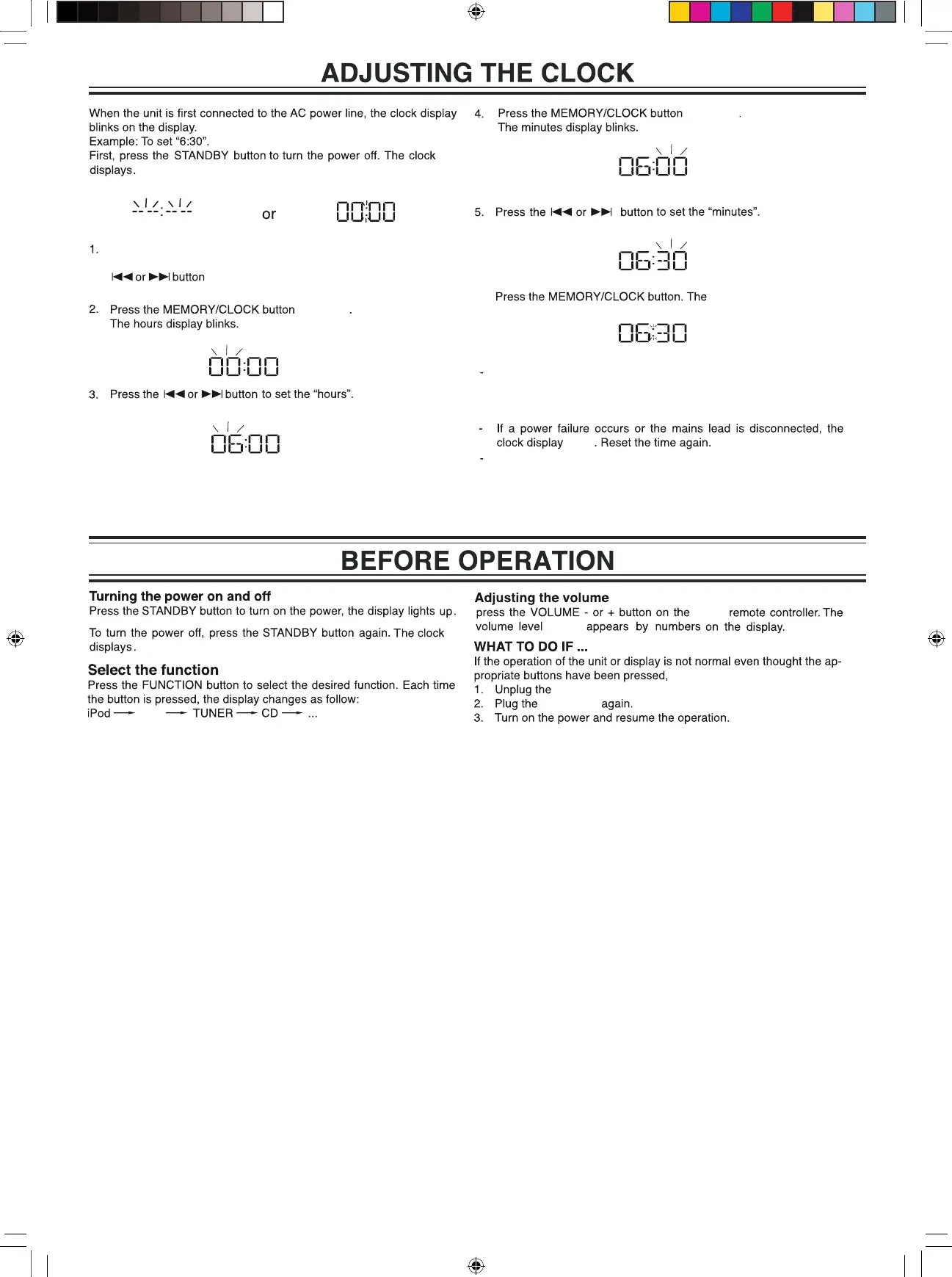
Press the MEMORY/CLOCK button for at least 2 seconds.
“12 HOUR” display with the digits 12 flashing. Press the
to set 24 hour mode.
6.
AUX
unit or
to confirm
to confirm
current clock displays.
4
mains plug.
mains plug
The clock can be synchronized automatically when inserting the
The clock will be 12 hour mode at the first synchronizing. If you want
to set 24 hour mode, please change the hour mode at clock setting
at STANDBY mode.
iPhone/iPod at the first time affer 60s. It can also be set later by
pressing and holding the SYNC/DISPLAY button at iPod mode
with iPhone/iPod docked when a time signal is received affer 60s.
dims
(0~30)



 To Next Page