--·
·----------·~
"""-
~
+RADIO
PLAYER
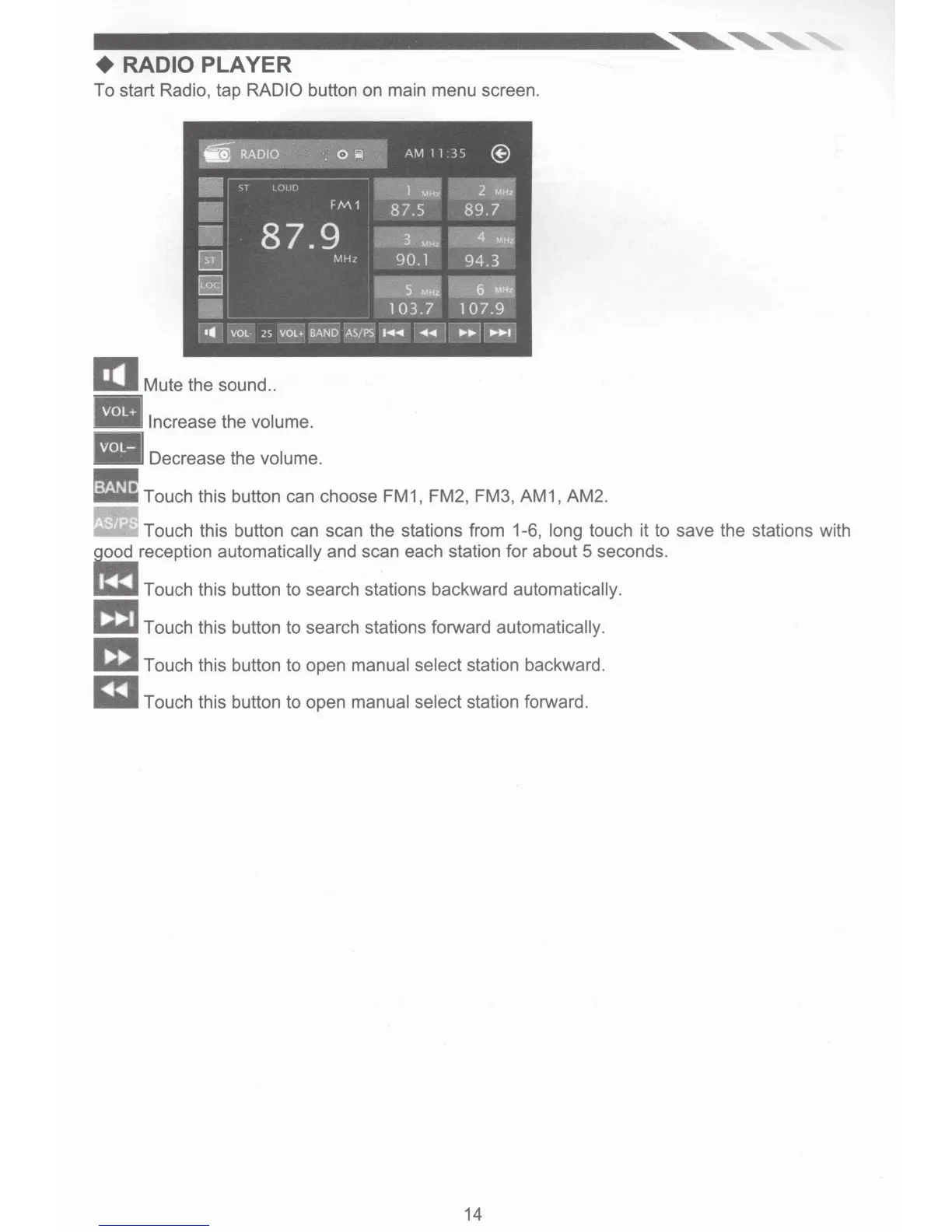
To start Radio, tap RADIO button
on
main menu screen.
IJI Mute the sound
..
• Increase the volume.
Decrease the volume.
• • •
• Touch this button can choose FM1, FM2, FM3, AM1, AM2.
· • Touch this button can scan the stations from 1-6, long touch it to save the stations with
=reception
automatically and scan each station for about 5 seconds.
~Touch
this button to search stations backward automatically.
~Touch
this button to search stations forward automatically.
m Touch this button to open manual select station backward.
m Touch this button to open manual select station forward.
14


 To Next Page