+
►►
I
I
I
◄◄
·
I
►►
It
I
◄◄
-TUN+/
ENT
TFT SCREEN
Note
TV Mode
Press to tune TV channel upward or downward for broadcasting.
Press & hold shortly to tune the TV frequency upward or downward and stop
for broadcasting when a TV channel received.
Radio Mode
Rotate to turn the radio frequency to the upward or downward preset station
for broadcasti
ng.
DVD Mode
At
DVD
menu/title display mode, rotate to select the desired setting/setup and
press to confirm/enter.
(Note: Depends on the input DVD, this function may not
be
available for
operation)
Folder I Playlist Mode
During folder/playlist display at media playback mode, rotate to shift
up
or
down on playlist, press to confirm/enter.
(Note: Depends
on
the input media, these function may not
be
available for
operation)
It shows the status of operation
on
the unit. This screen is also a touch
display - soft touch the screen for different operations of unit (refer to other
parts of this manual for operation details).
The above mentioned symbols / functions / operations & controls show the operations for various
versions of the unit and may not be equipped or available for control
in
this unit. Printings and
symbols on the above may be varied from the exact main unit. Referred to the main unit for exact
functions and features that applied. User is highly recommended to use the touch screen control to
operate. Most of the operations of this unit cannot
be
controlled by the main unit.
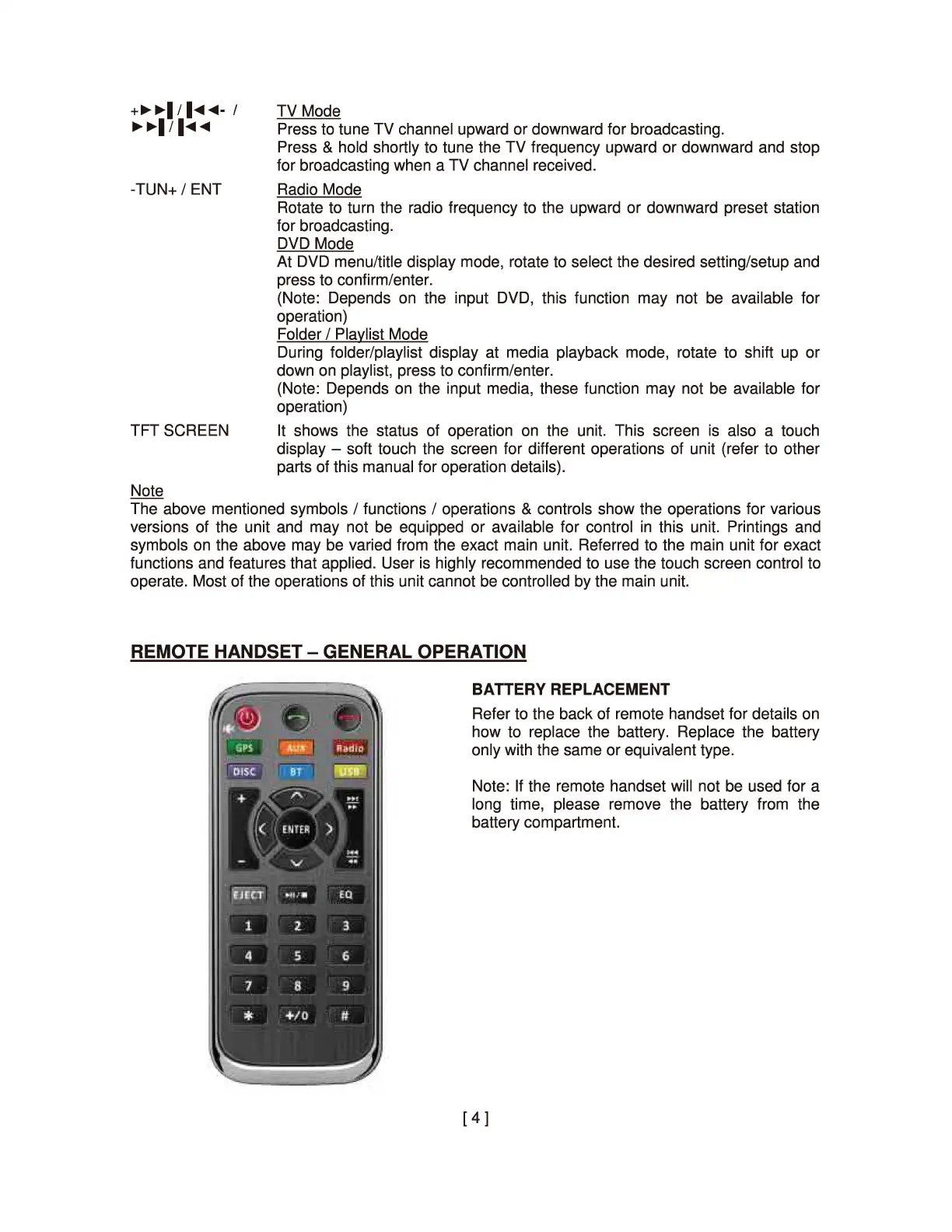
REMOTE HANDSET - GENERAL OPERATION
BATTERY REPLACEMENT
Refer to the back of remote handset for details
on
how to replace the battery. Replace the battery
only with the same or equivalent type.
Note:
If
the remote handset will not
be
used for a
long time, please remove the battery from the
battery compartment.
[
4]


 To Next Page