Source Technologies, LLC ST9630 Secure MICR Printer User’s Guide
11
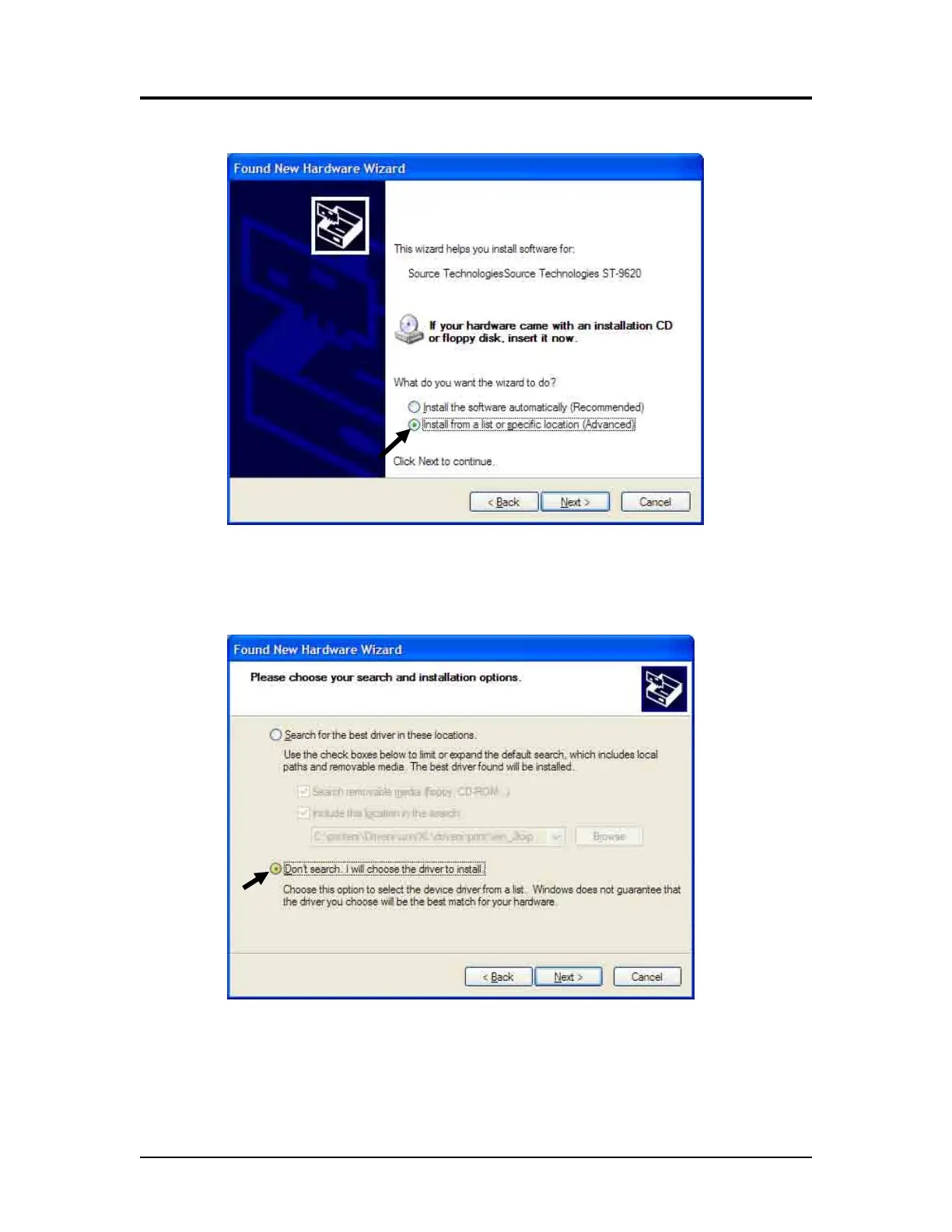
9. Select Install from a list or specific location (Advanced).
10. Click Next >.
11. Click Don’t search, I will choose the driver to install.
12. Click Next >.
13. Scroll down the list and select Printers.
Printer and Driver Installation | 1



 To Next Page