Source Technologies, LLC ST9630 Secure MICR Printer User’s Guide
10
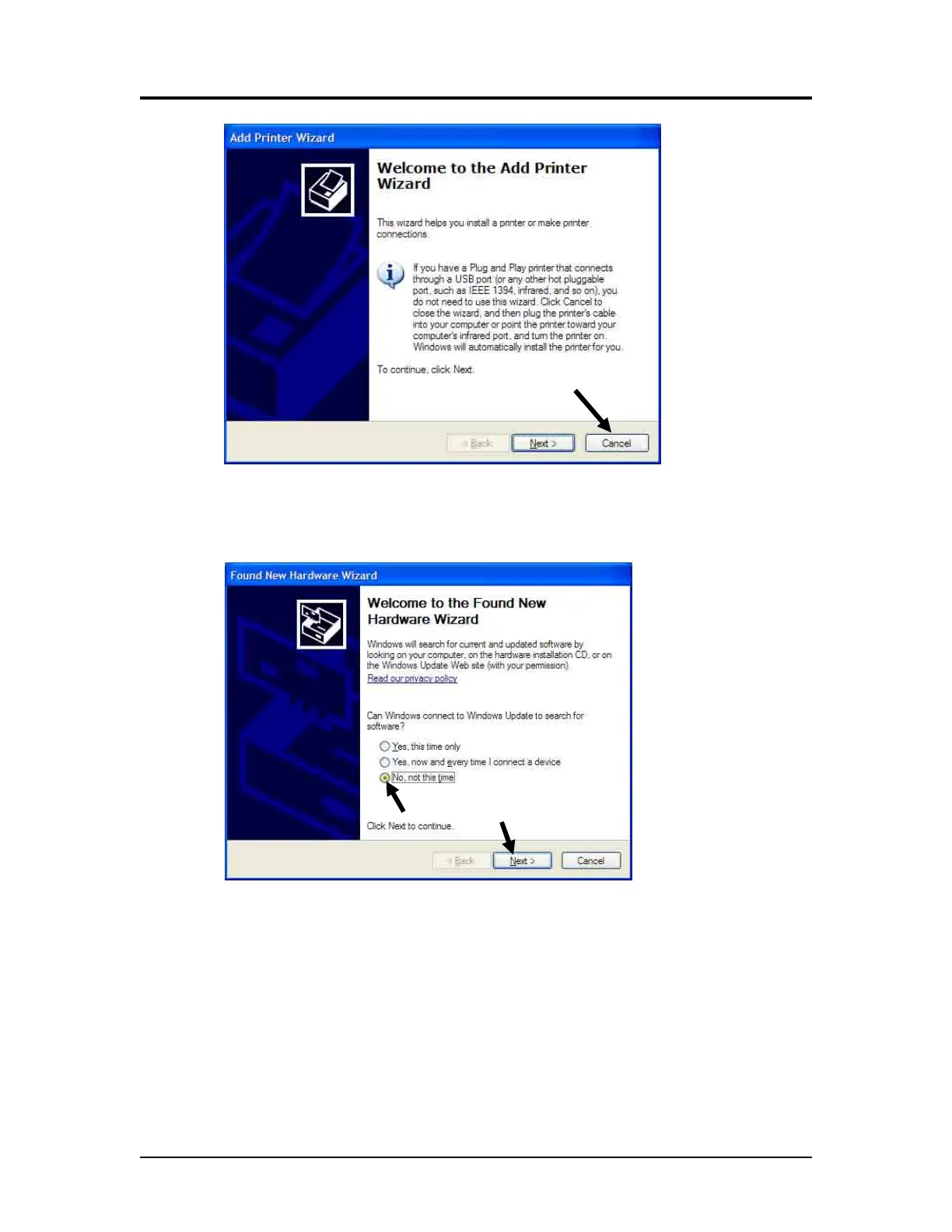
6. Click Cancel if connecting through USB.
7. Power on the printer and wait for the New Hardware Wizard to appear.
8. Select “No, not this time,” then Next >.
Printer and Driver Installation | 1



 To Next Page