Optional configurations
The features described in this section are for reference purposes only. Your router may not support all of these features.
Connecting multiple devices
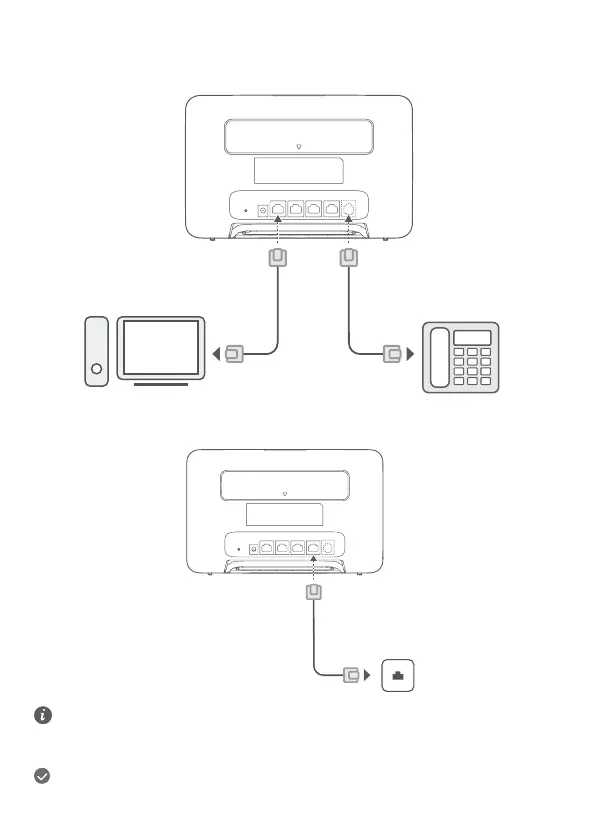
You can connect a computer, or landline phone to the router to access the Internet, make telephone calls, and more.
Accessing the Internet through an Ethernet port
You can connect the router to a wall-mounted Ethernet port using an Ethernet cable to connect to the Internet.
Configure the relevant settings on the web-based management page before connecting to the Internet through an Ethernet
port. For details, please contact your carrier.
The Ethernet cable is an optional accessory. To buy an Ethernet cable, please contact an authorized retailer.
Installing external antennas
In addition to the build-in antenna designed to satisfy your basic needs, you can also install external antenna to the router to
improve signal reception. Please contact your carrier to purchase the antenna. If you only require one antenna, plug it into the
socket.
6


 To Next Page