Hardware Setup
SY-5EHM/5EH5 V1.3
34
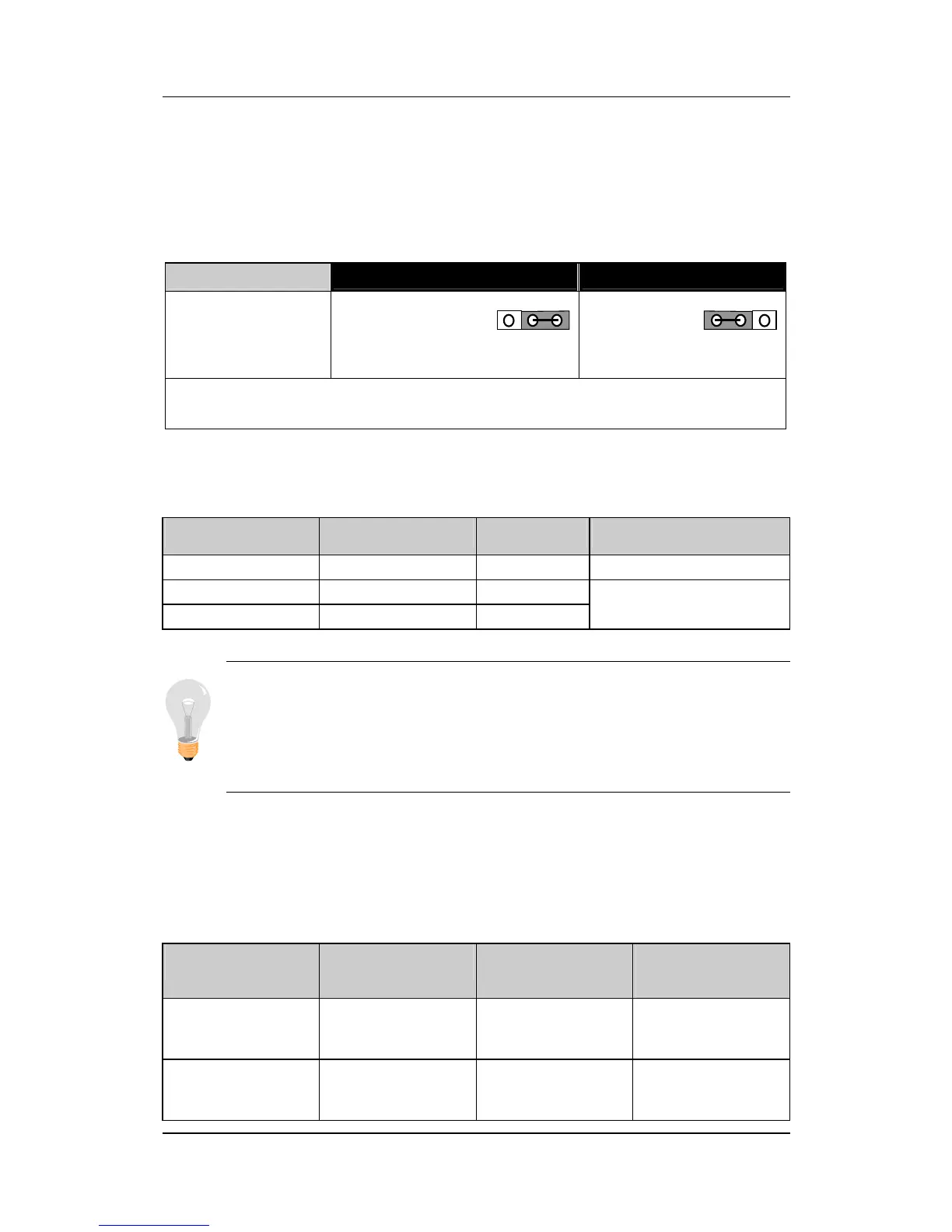
CMOS Clearing (JP5)
After you have turned off your computer, clear the CMOS memory
by momentarily shorting pins 2-3 on jumper JP5, for a few seconds.
Then restore JP5 to the initial 1-2 jumper setting in order to recover
and retain the default settings.
CMOS Clearing Clear CMOS Data Retain CMOS Data
JP5 Setting
Short pin 2-3 for
a few seconds
to clear the
CMOS
Short pin 1-2
to retain new
settings
Note:
You must unplug the ATX power cable from the ATX power
connector when performing the CMOS Clear operation.
Step 17. MULTI I/O ADDRESSES
Default settings for multi-I/O addresses are as follows:
Port I/O Address IRQ Status
LPT1
378H 7 ECP + EPP
COM1
3F8H 4
COM2 2F8H 3
Warning: If a default I/O address conflicts with other I/O
cards such as sound card, you must change one of the I/O
addresses to remedy to this address conflict. (I/O addresses
can be adjusted from the BIOS Setup Utility)
Step 18. CACHE CONFIGURATION
This Motherboard has a built-in 512KB/1MB Level 2 Pipelined Burst
cache onboard to improve the system performance.
The cache size and RAM locations are specified as follows:
Cache Size Cache RAM TAG RAM
Cacheable
Range
1 MB
64K x 64
on U23,U16
32K x 8
on U18
WT: 256 MB
WB: 128MB
512 KB
64K x 64
on U23
32K x 8
on U18
WT: 128 MB
WB: 64 MB
321321


 To Next Page
 Loading...







