Hardware Installation
SY-K7VEM+
30
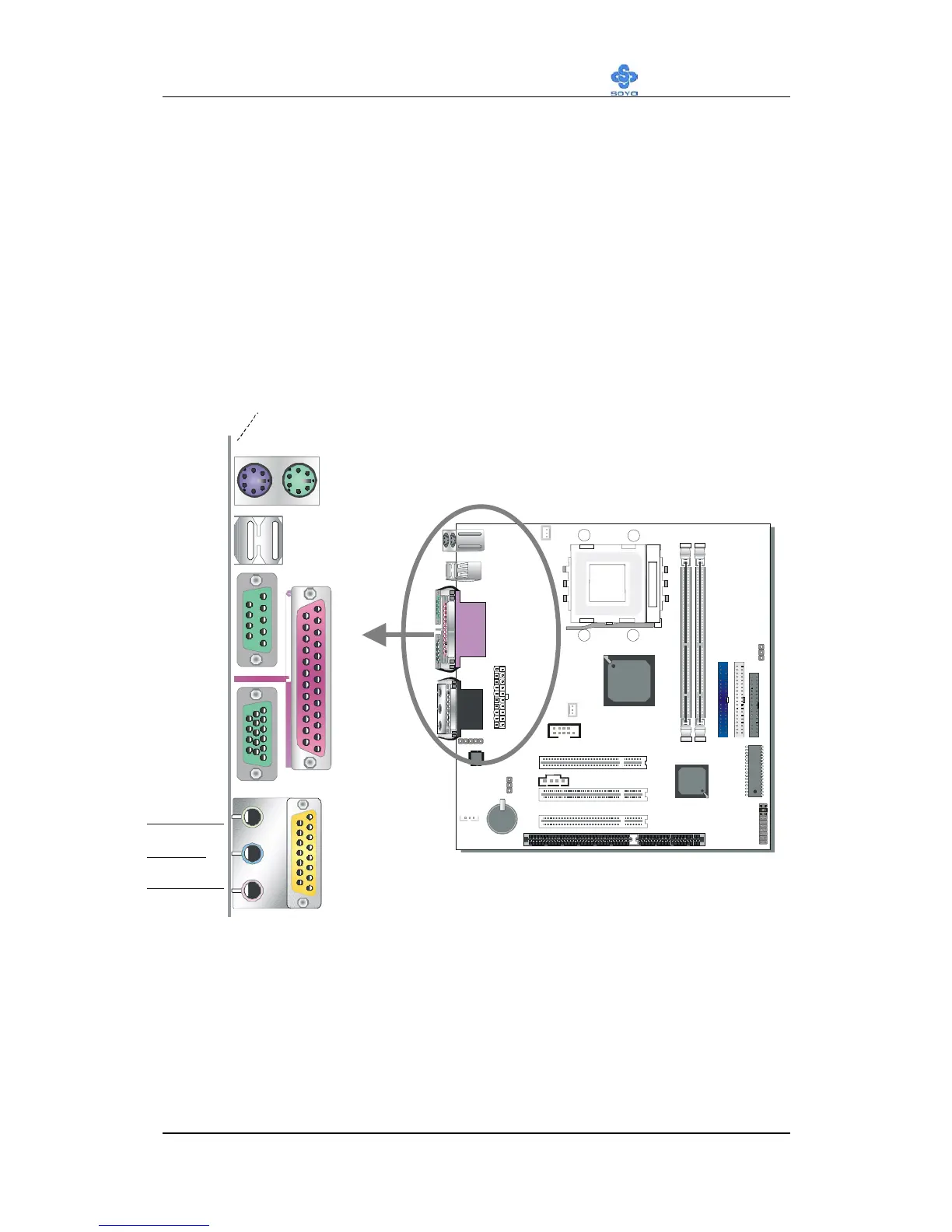
2-3.3.4 Back Panel Connections
All external devices such as the PS/2 keyboard, PS/2 mouse, printer,
modem, USB can be plugged directly onto the Motherboard back panel.
Only after you have fixed and locked the Motherboard to the computer
case can you start connecting the external peripheral devices.
When connecting an external device, use the following figure to locate and
identify which back panel connector to plug the device to.
Intel
82802AC
USB 1
USB 2
PS/2 KB
Connector
PS/2 Mouse
LINE-OUT
LINE-IN
MIC JACK
GAME
PRT
COM 1
VGA



 To Next Page