NasalFreshMD | 5
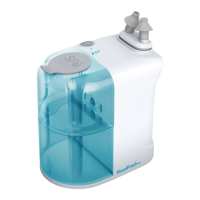
1. Connect the USB Cable. Plug one end of the USB cable into the USB port on
your power adapter. Lift up the silicone protective strip over the Charging Port on
the Mechanical Module and connect the other end of the cable to the Charging
Port.
2. Monitor Charging. Once connected, the Device should start charging. Observe
the charging indicator on the top of the Device next to the Power Button. Red
indicates the Device is charging. The charging indicator light will turn Green
when the Device is fully charged. Avoid leaving your Device connected to the
USB charger for extended periods to prevent overcharging.
3. Fully Charged – Disconnect. Once your NasalFresh MD is fully charged,
disconnect it from the USB charger. Leaving it connected can lead to
unnecessary power consumption and potential damage. The charged battery
should provide up to 1 hour of use before needing to be recharged.


 To Next Page