3-1
Contents
2Troubleshooting
Problem Solving Checklist
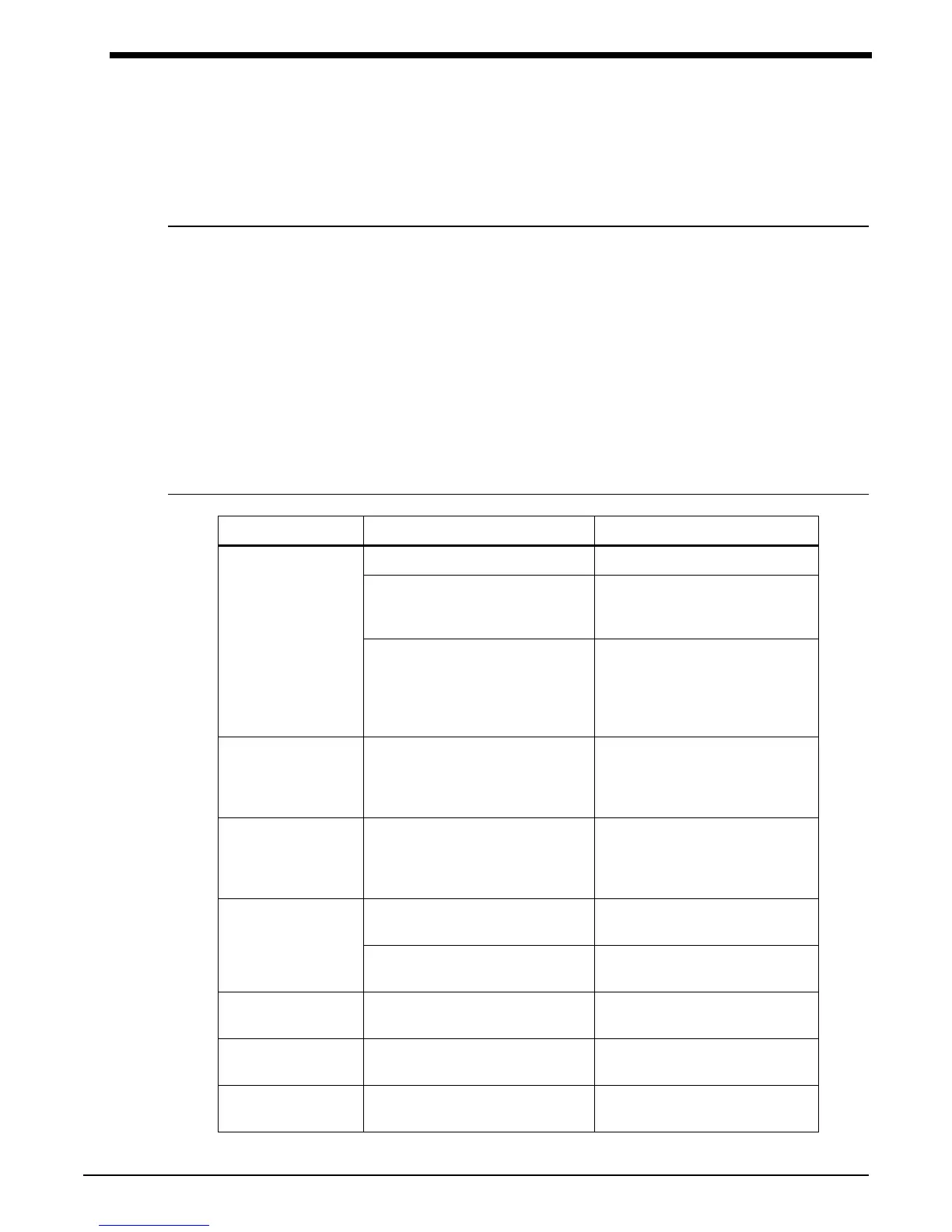
Problem Possible Cause Solution
Monitor display is
incorrect
Data not retained Replace backup battery
Low or no power Check the batteries for a full
charge; if needed, replace or
recharge the batteries
May be one of the following: time-
out, no reading due to air leak in
the system, improper cuff size,
cuff not properly attached to the
monitor
Isolate cause and correct
Monitor displays
“LLL” and alarm
sounds
Low main battery condition Turn off monitor immediately.
Replace batteries within 60
seconds after removal to
continue monitoring.
Monitor displays
event code Lbb
during self-testing
(90207 only)
Low backup battery condition Replace backup battery before
continuing.
Cuff too tight Cuff placed on the patient too
tightly
Reposition the cuff
Air pump staying on too long Return unit to Spacelabs Medical
for service
Cuff too loose Cuff placed on the patient too
loosely
Reposition the cuff
Air pump not staying on long
enough
Return unit to Spacelabs Medical
for service
Incorrect time dis-
played
Batteries removed for more than
one minute (90207 only)
Re-initialize monitor
Problem Solving Checklist . . . . . . . . . . . . . . . . . . . . . . . . . . . . . . . . . . . . . . . . . . . . . . . . . . . . . . . . . . . . . . . . . . . 1
Servicing . . . . . . . . . . . . . . . . . . . . . . . . . . . . . . . . . . . . . . . . . . . . . . . . . . . . . . . . . . . . . . . . . . . . . . . . . . . . . . . . 2



 To Next Page