90207/90217 ABP Monitors
1-4
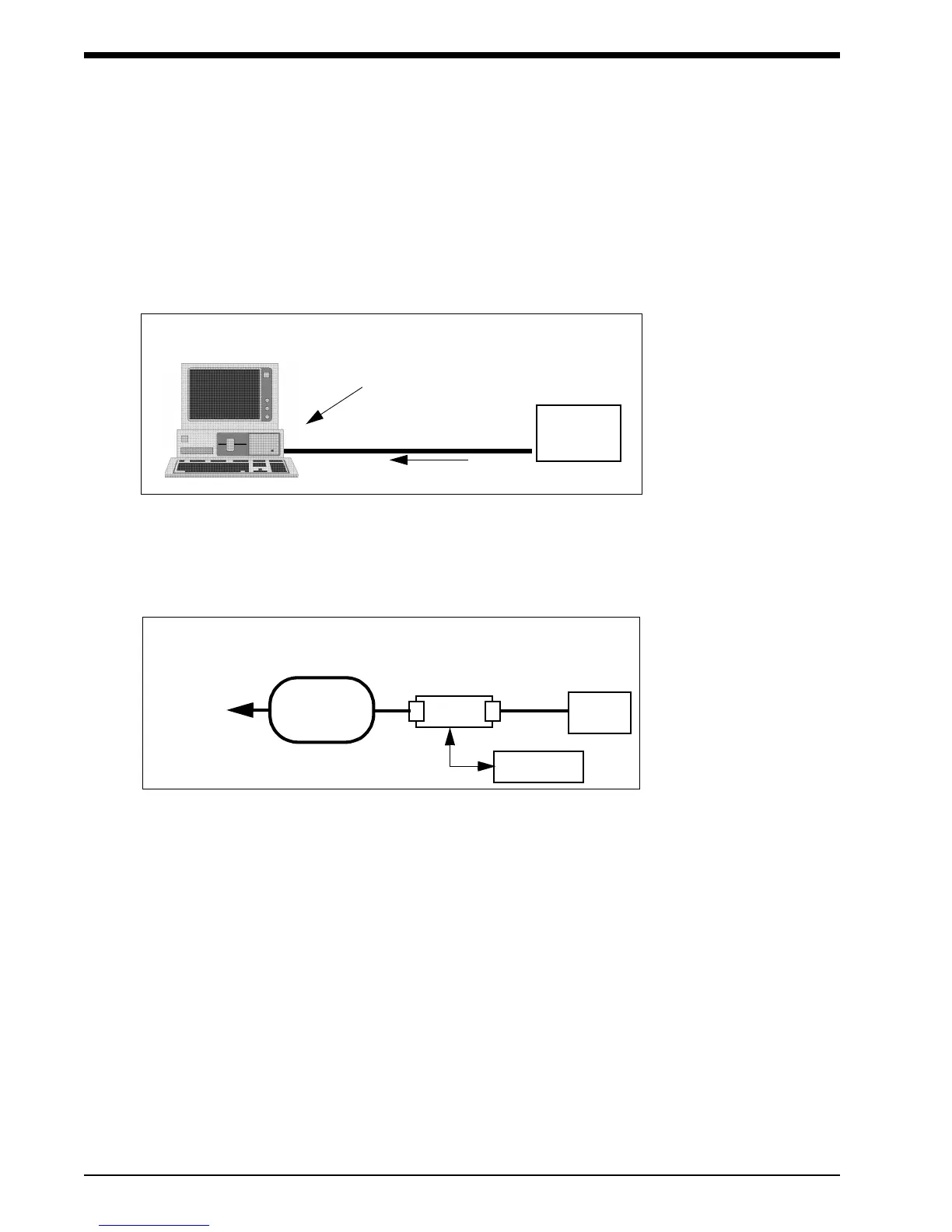
Connecting Directly to the PC Interface
For a direct connection to a PC-compatible computer via a Model 90121,
90219-02, or 90219-03:
Connect the ABP interface cable to the serial port on the 90219 or 90121 system and to the
monitor. Refer to the 90121 ABP Report Management System Operations Manual for more
information on the report management system.
Connecting to the Base Station via Modem
For a modem connection to a remote IBM XT/AT/PS2 (or equivalent) base station, refer to the
following figure.
!
• The actual initialization procedure is discussed in the 90219 ABP PC
Interface/Base Station Operations Manual (P/N 070-0238-XX).
PC INTERFACE DIRECT CONNECT CONFIGURATION
cable to serial port
ABP
Monitor
90219 or 90121 System
ABP
Monitor
MODEM CONNECTION CONFIGURATION
MODEM
PHONE
PUBLIC
TELEPHONE
NETWORK
TO
BASE
STATION
MODEM
cable to
serial port



 To Next Page