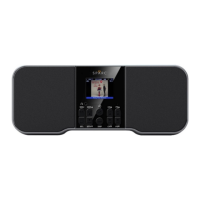
How to view the battery level
Install the batteries. Do not connect the AC adapter to the Radio.
Power on the Radio, turn the volume up to a reasonable listening
level, and allow the Radio to run for a few minutes. Look at the
battery icon in the upper-right corner of the display and observe
the battery bars.
Four (4) Bars: Batteries are Full
One (1) Bar: Batteries are Low (consider replacing the batteries)
X-Battery icon
You will see the X-battery icon when the SHD-ITR2BT is powered by
the AC adapter only: in this case, no batteries are installed.
You may see the X-battery icon when the SHD-ITR2BT is powered
by the AC adapter and batteries are installed: in this case, the
batteries are low.
Consider replacing the batteries. For an accurate battery level
reading, refer to the section named “How to View the Battery
Level”.
Low batteries
You may see the battery icon blinking when the SHD-ITR2BT is
powered with batteries only.
A blinking battery icon means that the batteries are very low and
the Radio will power off in 30 seconds. Install new batteries to
resume normal operation.
USB charging
The USB charging feature is only available when the SHD-ITR2BT is
powered by the AC adapter. Charging will not occur when the
SHD-ITR2BT is powered by batteries only.
Primarily designed for charging smartphones; however, charging
may not occur for some devices.


 To Next Page