Chapter 3 Validating and Enhancing Data
Quick Start Guide - 14 - v 1.2.3
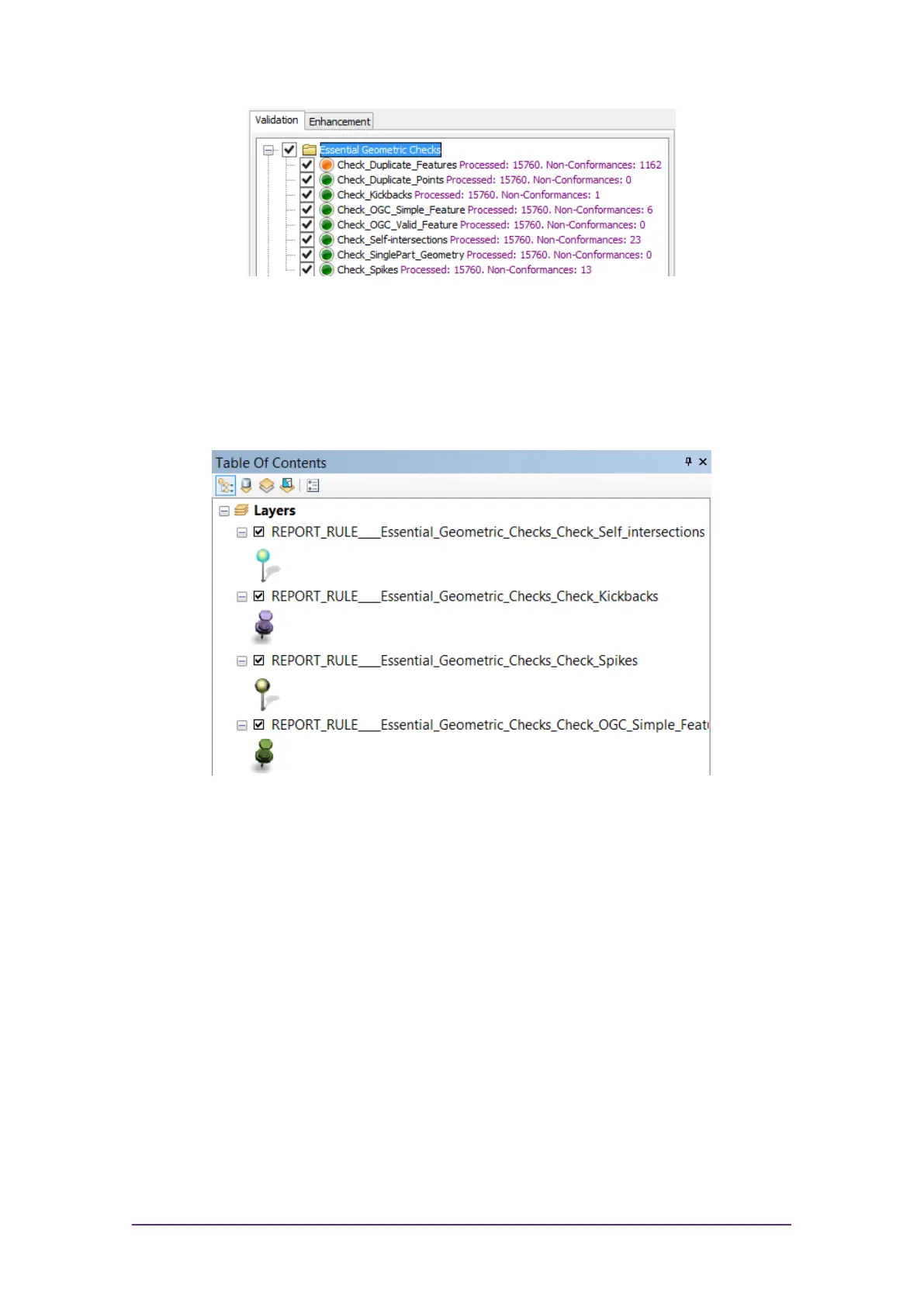
Figure 3-11: Validation results
All non-conformances are marked in your dataset with a pin.
The non-conformances for each rule are grouped with a similar pin style.
These groups are displayed as Layers within the Table of Contents window,
and can be hidden or displayed as required.
Figure 3-12: Validation layers



 To Previous Page