Chapter 3 Validating and Enhancing Data
Figure 3-1: Widget logo
Running Rules
Rules can be run across a specific area of your dataset, or the visible extent.
Note: When running rules in the Web AppBuilder Widget, the default
extent to be processed is limited to the data visible within your data
frame. If you want to process the entire dataset, make sure you are
zoomed out so that the full extent is visible.
Run rules over the visible extent:
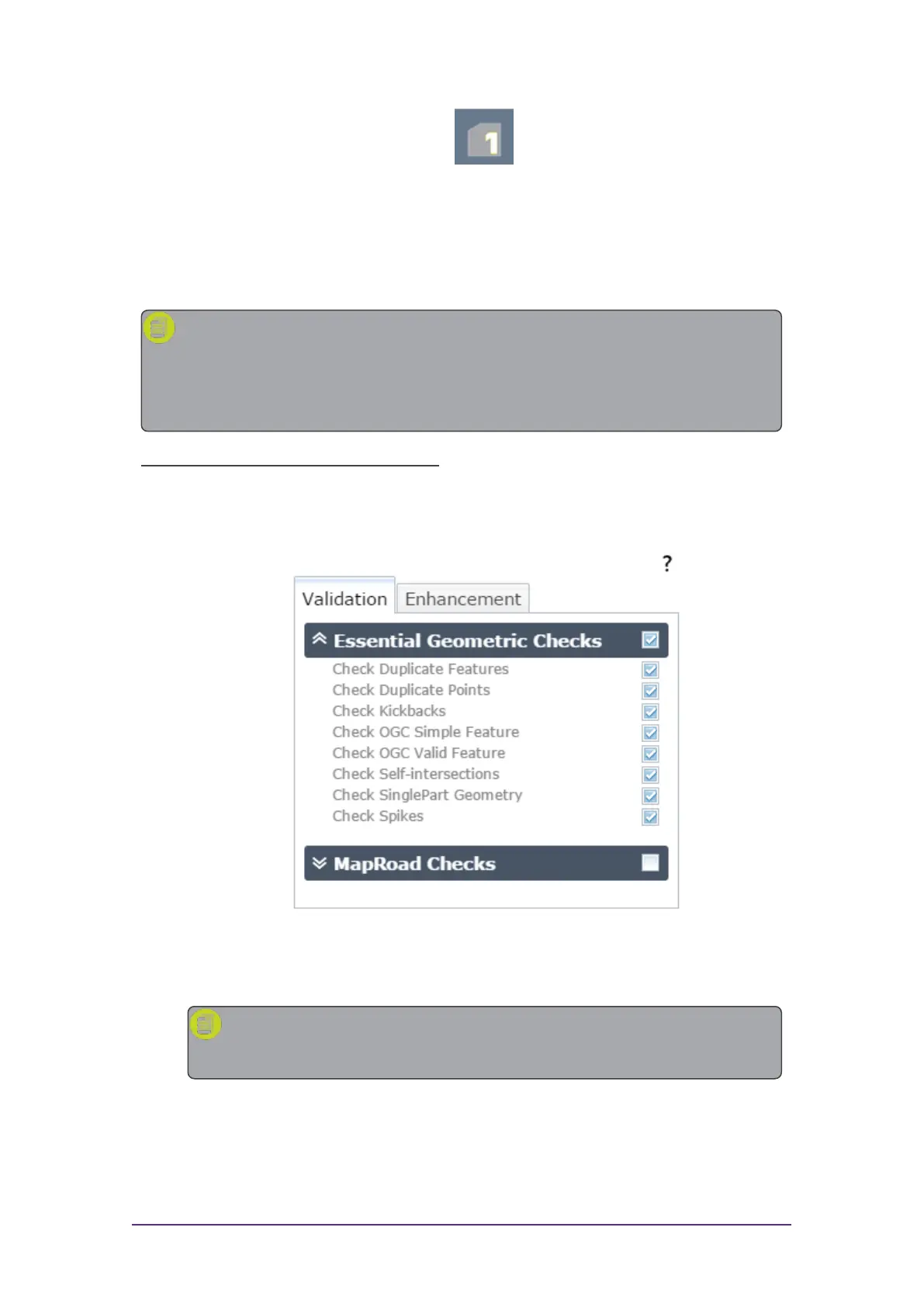
1. Select one or more rules by clicking on their checkboxes.
Packages (groups)of rules can be selected using the group checkbox.
Figure 3-2: Selecting rules to run
2. Click Process Extent to run the selected rules on the visible extent.
Note: If at any time you wish to cancel the current process, press
the Stop button.
A progress bar will display whilst the rules are being run.
Quick Start Guide - 9 - v 1.2.3



 To Next Page