22
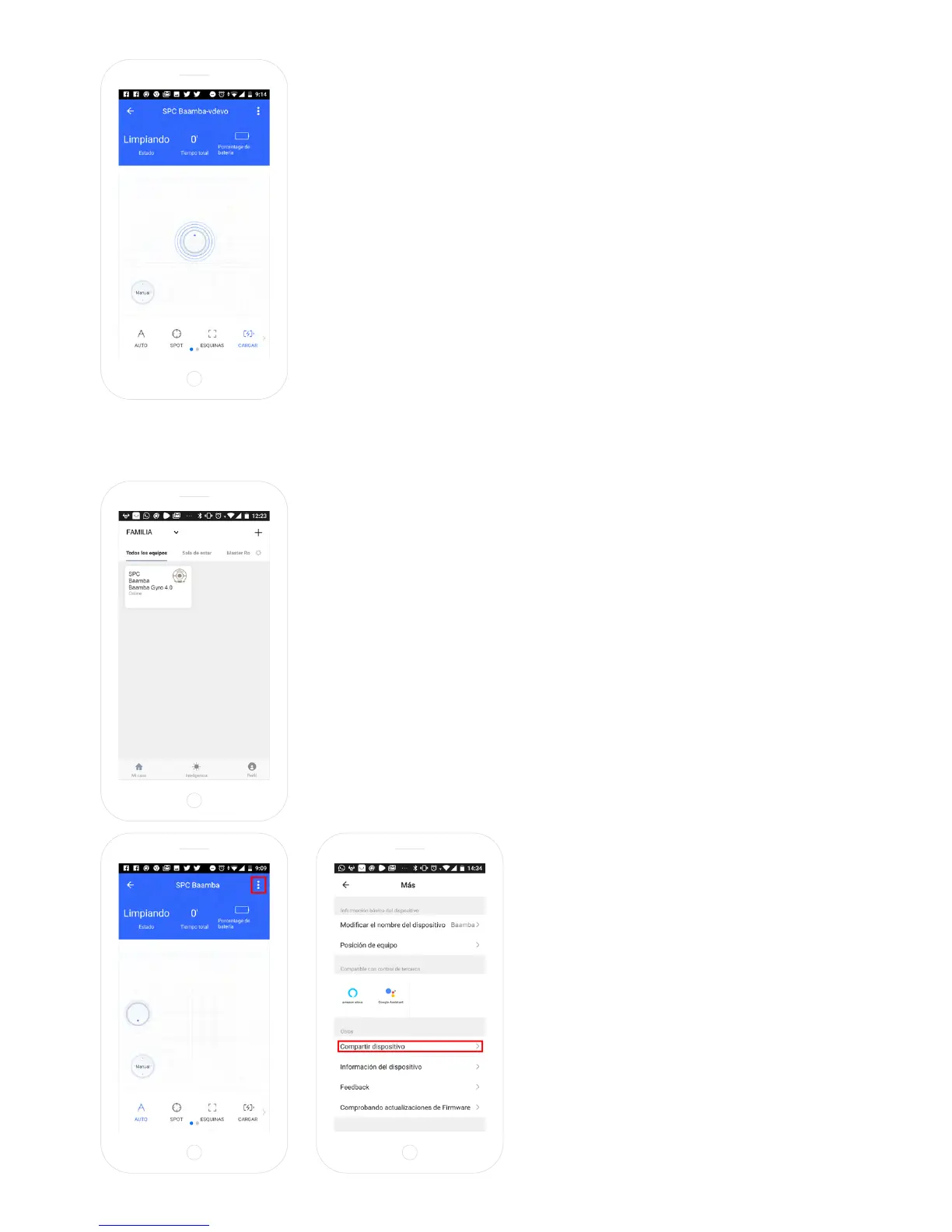
Click on “CHARGE” so the smart robot vacuum cleaner searches for
the charging base and starts automatically charging.
SHARE THE DEVICE
If you want to share one of the SPC IoT devices with a family
member:
Go to the control panel of the device you wish to share from the
added devices panel.
Select the option more settings and the
options in the upper right hand corner of
the control panel.
Select the function “Share device”.



 To Next Page