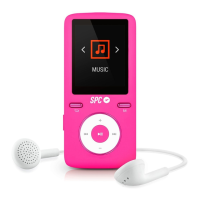
show the message “Connecting” and if the connection
has been successful the “Connection OK” message.
- Once connected the BT speaker, you can start playback
of music going to the “Music” menu (instructions on how
do it in the next section).
- To switch off the BT, press and hold
(3) in the devices
screen. To reconnect it, press and hold
(6).
- To disconnect the device connected, from the screen of
connected devices, select the device to disconnect and
click on
(4), then “Yes”. To disconnect and remove
thedevice from the list, select the device to disconnect
and click on M (7), then on “Yes”.
NOTE: It is only possible to play music through Bluetooth, it is not
possible to play videos or use the FM radio.


 To Next Page