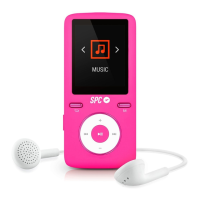
Preset: Play the preset-channels through the auto-search.
Go ahead through the saved radio-stations by
(3) and
(6)
keys.
Mem: Save the current radio station in the selected channel
order.
Del: Delete from the saved channel list.
Auto: Scan automatically all the FM band, the player will do
an automatic scan
Scans automatically band FM, the player will do automatic
scanning for the entire range of frequencies, and memorized
stations with sufcient signal.
During the playback, press
(4)
to silence the playback.
NOTE: They are available 30 memories, so, when the player search
all of them, the player will stop the quest.


 To Next Page