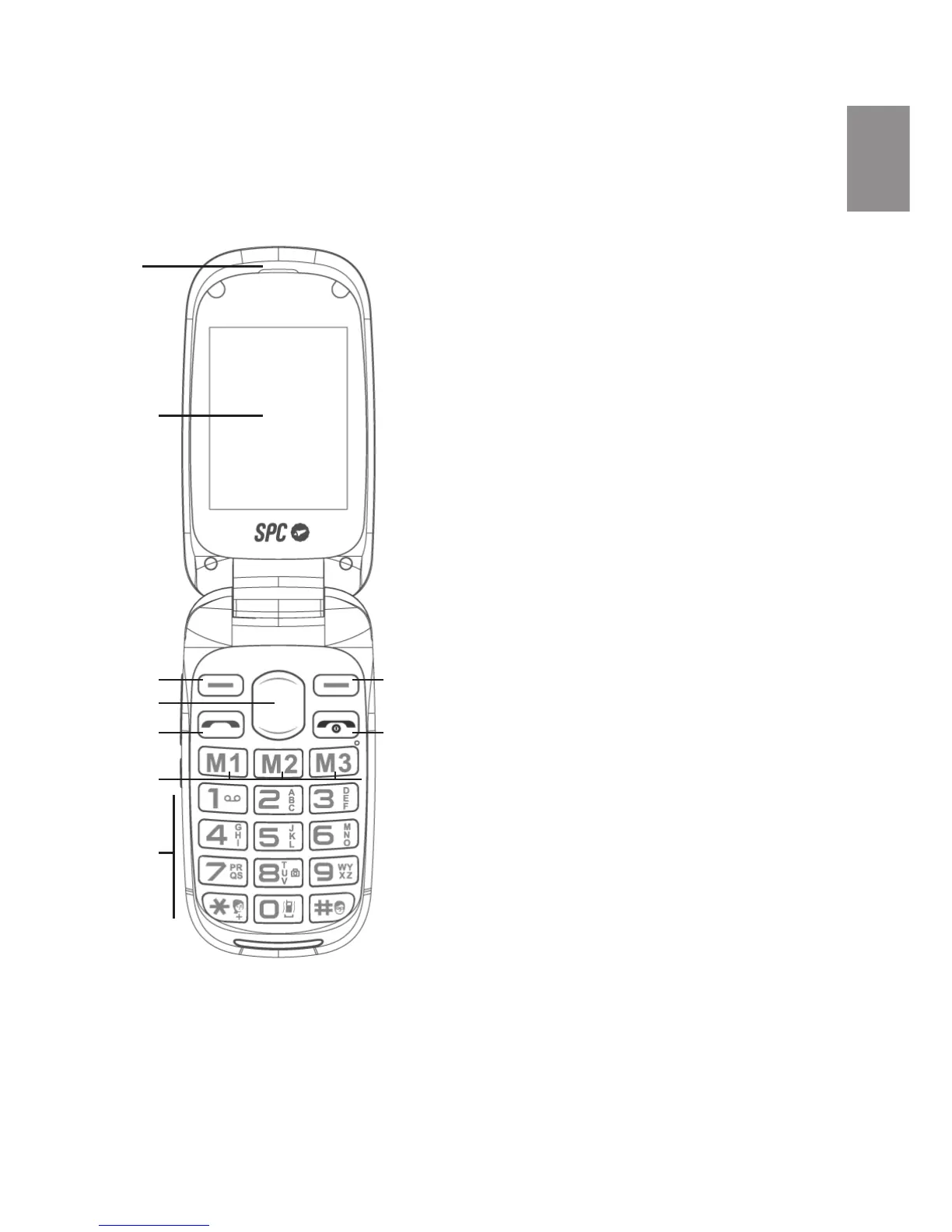
UNIT AND CONTROLS
1. Earphones
2. Screen
3. Left Soft Key
4. Navigation key up / down
5. Key to be pressed / Pick up
6. Direct memories M1 - M2 - M3
7. Numeric Keypad: Key 8 – camera activated,
click to capture
Key 0 – press and hold the key to toggle
between Silent profile and general profile
8. Power key / Off / Ending a call / Reject /
Return to home Screen
9. Right softkey
10. Audio volumen control key / bell
11. Flashlight key – to activate keep
pressed / turn off the flashlight
12 . External screen
13 . Headphone connector
14. Feeder connector
15 . Camera
16 . SOS Key
17. ASpeakers
18 . Memory card slot microSD
19 . Slot for SIM 1
20. Slot for SIM 2
1
2
3
4
5
6
7
9
8



 To Next Page