EasyManua.ls Logo

Speakman SA-1002 - User Manual

Speakman SA-1002
2 pages
Print Icon
To Next Page IconTo Next Page
Loading...
INSTRUCTIONS FOR MODELS
92-SA-1002-02
For additional assistance or service please contact:
SPEAKMAN
®
Company
400 Anchor Mill Road
New Castle, DE 19720
800-537-2107
customerservice@speakman.com
www.speakman.com
SA-1002
HELPFUL TOOLS & SUPPLIES:
TOOLS AND SUPPLIES
Level
Measuring
Tape
Phillips
Screwdriver
Pencil
Drill
Drill Bit
1/4”
Tile Drill Bit
1/4”
Mounting Hardware
(included)
Hex Key
Wrench
Additional warranty information can be found at:
www.speakman.com
WARRANTY
MAINTENANCE
Cover your drain to prevent loss of parts. Be sure
to follow all tool manufacturers safety guidelines.
Use caution when drilling into walls to avoid
electrical and plumbing lines hidden within
the wall.
SAFETY TIPS
IMPORTANT
Do not over-tighten any connections or damage
may occur.
Be sure to read instructions thoroughly before
beginning installation.
• This item is NOT designed for use as a grab bar.
Do not mount in locations where product is likely
to be used as a grab bar.
Your new Speakman Product is designed for years of
trouble-free performance. Keep it looking new by
cleaning it periodically with a soft cloth. The use of harsh
chemicals and abrasives on any of the Speakman custom
finish products may damage the finish and void the
product warranty. Please be sure to only use approved
cleaners. Please contact Speakman for any clarification
of acceptable cleaners.
1
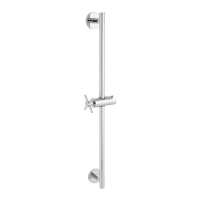
Loosen Set Screws with supplied Allen Wrench,
and remove Mounting Brackets from both ends
of Slide Bar assembly.
2
Place Slide Bar Assembly on to wall in the
desired mounting position. Take care that the
Slide Bar is oriented in a vertical position. Using
a pencil, lightly trace outline of end brackets on
to wall.
3
Center Mounting Bracket within traced outline.
Mark the 2 locations with a pencil.
4
Drill 1/4” hole in marked locations. If drilling
into tile, be sure to use a drill bit designated for
tile. If mounting directly into stud or wood wall,
secure lower end bracket to wall with mounting
screws withouth drilling holes.
Ø 1/4”
X4
5
Push the Plastic Anchors (x4) into the drilled
holes. Ensure the plastic anchors are flush with
the wall. (Note: Plastic Anchors provided may
not be suitable for all types of wall construction,
seek professional help if in doubt).
X4
6
Secure Mounting Plate with the Mounting Screws
provided. Ensure Recess Area of Mounting Plate
is aligned vertically as shown below.
RECESS AREA
7
Install Slide Bar assembly over Mounting
Brackets, and secure with Set Screws using
supplied Allen Wrench.
X2
8
Orient the Hand Held Shower Bracket to your
desired position. Adjustments are made by
rotating the Cross Handle counter-clockwise to
release the position, and clockwise to lock into
the desired position.
9
Note: If the Hand Shower Holder no longer
holds position, Loosen the Set Screw (1) from
underneath the Bracket using the supplied Allen
Key. Tighten the Screw (2) in the Shower Holder
using a Philips Head Screwdriver. Then,
re-tighten the Set Screw (1) from below.
Question and Answer IconNeed help?

Do you have a question about the Speakman SA-1002 and is the answer not in the manual?

Summary

Tools and Supplies

Required Tools

Lists essential tools like screwdrivers, drills, and wrenches for installation.

Helpful Tools

Suggests additional helpful items such as measuring tape and level.

Important Safety and Care Information

Important Warnings

Advisories against over-tightening and using the product as a grab bar.

Safety Tips

Guidelines for safe installation, including drain protection and drilling.

Maintenance Recommendations

Instructions for cleaning to maintain product finish and performance.

Warranty Information

Guidance on where to find additional warranty details online.

Installation Steps

Step 1: Prepare Slide Bar

Loosen set screws and remove mounting brackets from the slide bar assembly.

Step 2: Position and Trace

Place slide bar assembly vertically and trace end bracket outlines on the wall.

Step 3: Mark Bracket Locations

Center mounting brackets within traced areas and mark screw hole positions.

Step 4: Drill Holes

Drill 1/4" holes at marked locations, using a tile bit if necessary.

Step 5: Install Anchors

Insert plastic anchors flush with the wall at drilled locations.

Step 6: Mount Plates

Secure mounting plates with screws, aligning the recess area vertically.

Step 7: Attach Slide Bar

Install slide bar assembly over mounting brackets and secure with set screws.

Step 8: Adjust Shower Bracket

Orient the hand shower bracket and lock its position using the cross handle.

Step 9: Holder Adjustment

Adjust hand shower holder position by tightening/loosening internal screws.

Product Details

Repair Parts

Lists part numbers and descriptions for replacement components.

Rough-In Diagram

Provides dimensional specifications and a visual representation of the installed product.

Speakman SA-1002 Specifications

General IconGeneral
ModelSA-1002
Product TypeShower Head
Flow Rate2.5 GPM
MaterialBrass
Spray PatternAdjustable
FinishChrome
Connection1/2 Inch NPT
WarrantyLifetime

Related product manuals