D1BD User’s Guide
Rev. 1.0 (Dec 6, 2013)
20
4.3. Windows Vista or Windows 7
Windows Vista and Windows 7 users need to configure UAC (User Access Control) and Privilege Level for
proper recording and still video capture in Speco-NVR and Web Viewer.
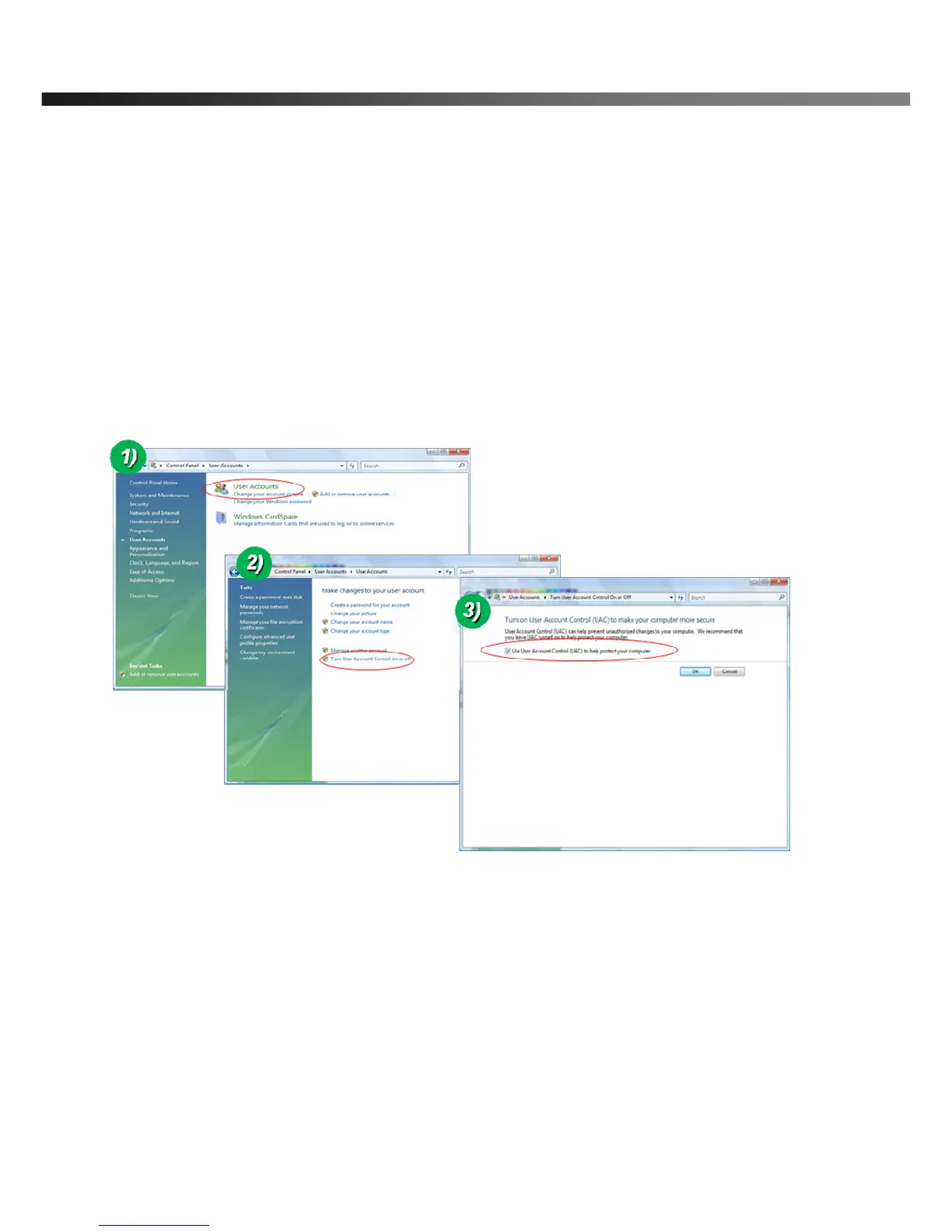
<Windows Vista>
1. UAC (User Access Control) configuration
1) Double-click “User Accounts” in control panel
2) Double-click “Turn User Account Control on or off”
3) Uncheck “Use UAC to help protect your computer”
2. Privilege Level Control
1) Select “NVR” icon on the desktop
2) Click right mouse button and select “Properties”
3) Check “Privilege Level” in “Compatibility” tab



 To Next Page