37
- D-ZOOM : You can use the digital zoom with x1~x8 magnification. The higher the digital zoom
magnification is, the lower the resolution is.
- ACE [LOW/MIDDLE/HIGH] : Intelligent lightn level control to over come even strong backlight conditions.
- DEFOG [ON, OFF] : This fuction helps to recognize the object in a dusty weather condition.
ON, a submenu appears where you can make finer adjustments.
- SHADING [ON, OFF] : Compensates the shading effects of lenses when the lens is set to a very wide
angle. This function will reduce the brightness difference between the centre and the edges. If you select
ON, a submenu appears where you can make finer adjustments.
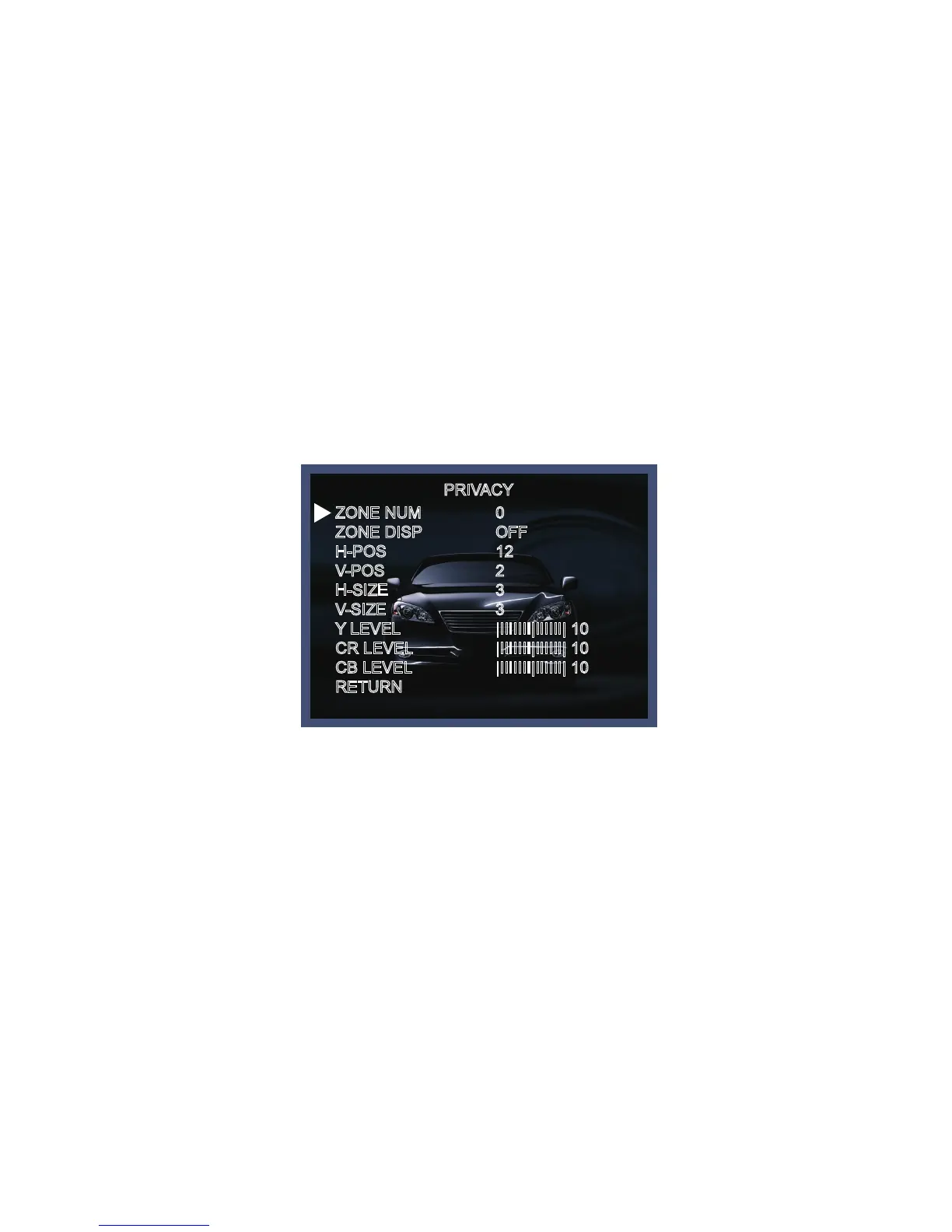
◆ PRIVACY [ON, OFF] : This is used to hide certain areas on the monitor. You can designate each different
16 area. The size of a designated area can be adjusted. The color of a privacy area can be selected
various colors. When you select the return, the setting values in this function menu are saved, then get
out of this menu.
- ZONE NUM [0~15] : Select a mask out of the 16 mask areas and set the options below for the selected
mask.
- ZONE DISP [ON, OFF] : Choose ON to activate privacy masks and press OFF to deactivate masks.
- H-POS [0~60] : Define the horizontal start position of the privacy mask.
- V-POS [0~33] : Define the vertical start position of the privacy mask.
- H-ZISE [0~60] : Define the horizontal size of the privacy mask.
- V-SIZE [0~33] : Define the vertical size of the privacy mask.
- Y LEVEL [0~20] : Define the brightness of the mask color.
- CR LEVEL [0~20] : Define the red amount of the mask color.
- CB LEVEL [0~20] : Define the blue amount of the mask color.
PRIVACY
ZONE NUM
ZONE DISP
H-POS
V-POS
H-SIZE
V-SIZE
Y LEVEL
CR LEVEL
CB LEVEL
RETURN
0
OFF
12
2
3
3
|IIIIIII|IIIIII| 10
|IIIIIII|IIIIII| 10
|IIIIIII|IIIIII| 10



 To Next Page