36
IMAGE
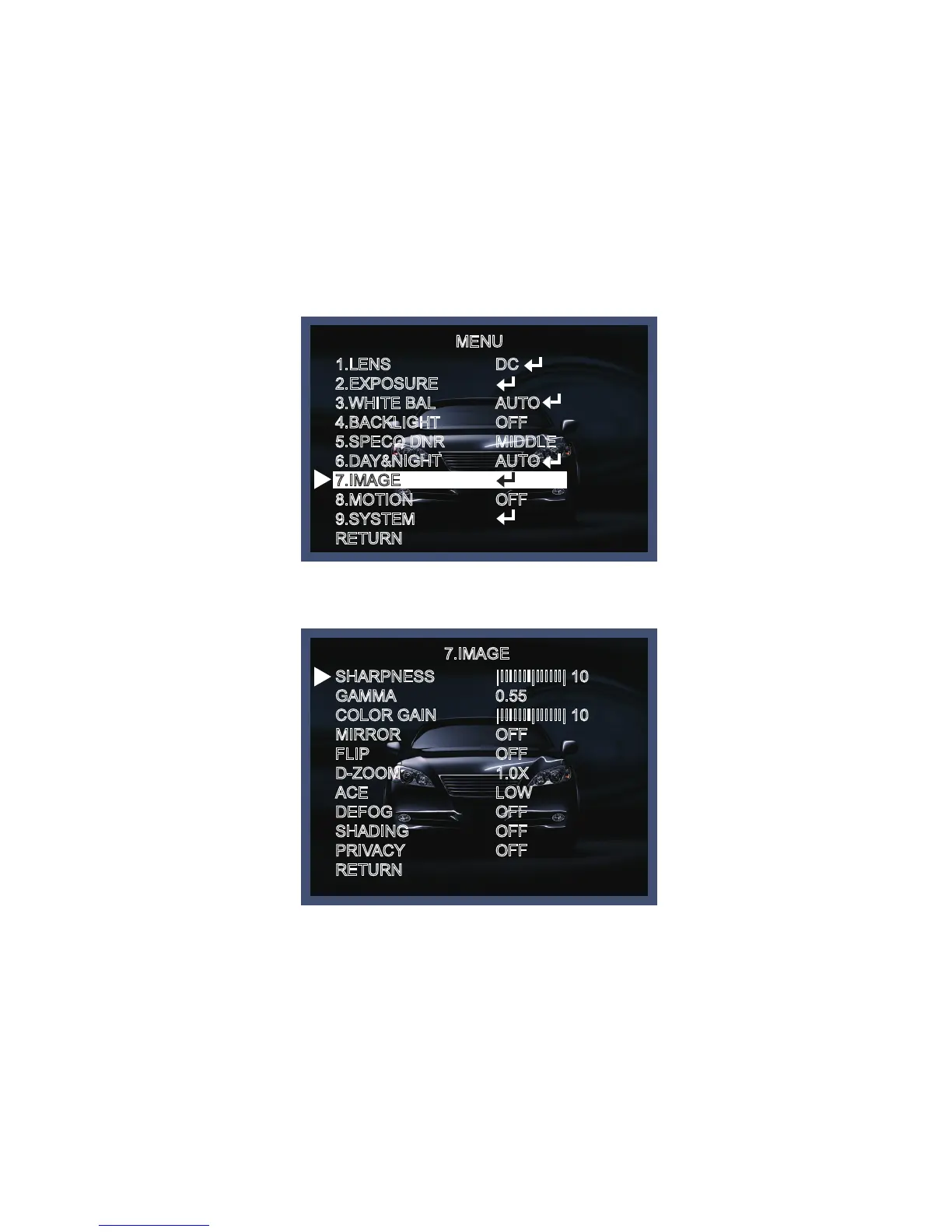
When selecting, the following submenu will appear.
Here you can optimise the image quality by adjusting different options.
MENU
7.IMAGE
1.LENS
2.EXPOSURE
3.WHITE BAL
4.BACKLIGHT
5.SPECO DNR
6.DAY&NIGHT
7.IMAGE
8.MOTION
9.SYSTEM
RETURN
SHARPNESS
GAMMA
COLOR GAIN
MIRROR
FLIP
D-ZOOM
ACE
DEFOG
SHADING
PRIVACY
RETURN
DC
AUTO
OFF
MIDDLE
AUTO
OFF
|IIIIIII|IIIIII| 10
0.55
|IIIIIII|IIIIII| 10
OFF
OFF
1.0X
LOW
OFF
OFF
OFF
- EXTERN S/W [LOW/HIGH] : Set the external signal for switching between COLOR and B/W.
- DELAY [LOW/MIDDLE/HIGH] : Set the delay time for switching between color and B/W .
- SHARPNESS [1 ~ 20] : Adjusts the image sharpness. If the level goes up excessively, it may affect the
video image and generate a noise.
- GAMMA [0.45 ~ 0.65] : Changes the gamma curve of the camera.
- COLOR GAIN [0 ~ 20] : Changes the color gain of the camera.
- MIRROR [ON, OFF] : Mirrors the image horizontally on the screen.
- FLIP [ON, OFF] : Flips the image vertically on the screen.



 To Next Page