2 Device Installation
2.1 Installation Steps
Note:
Before installation, please make sure the installation surface can support a minimum of 3
times the weight of the camera
Please cut off the device power and turn off the device before installing Micro SD card.
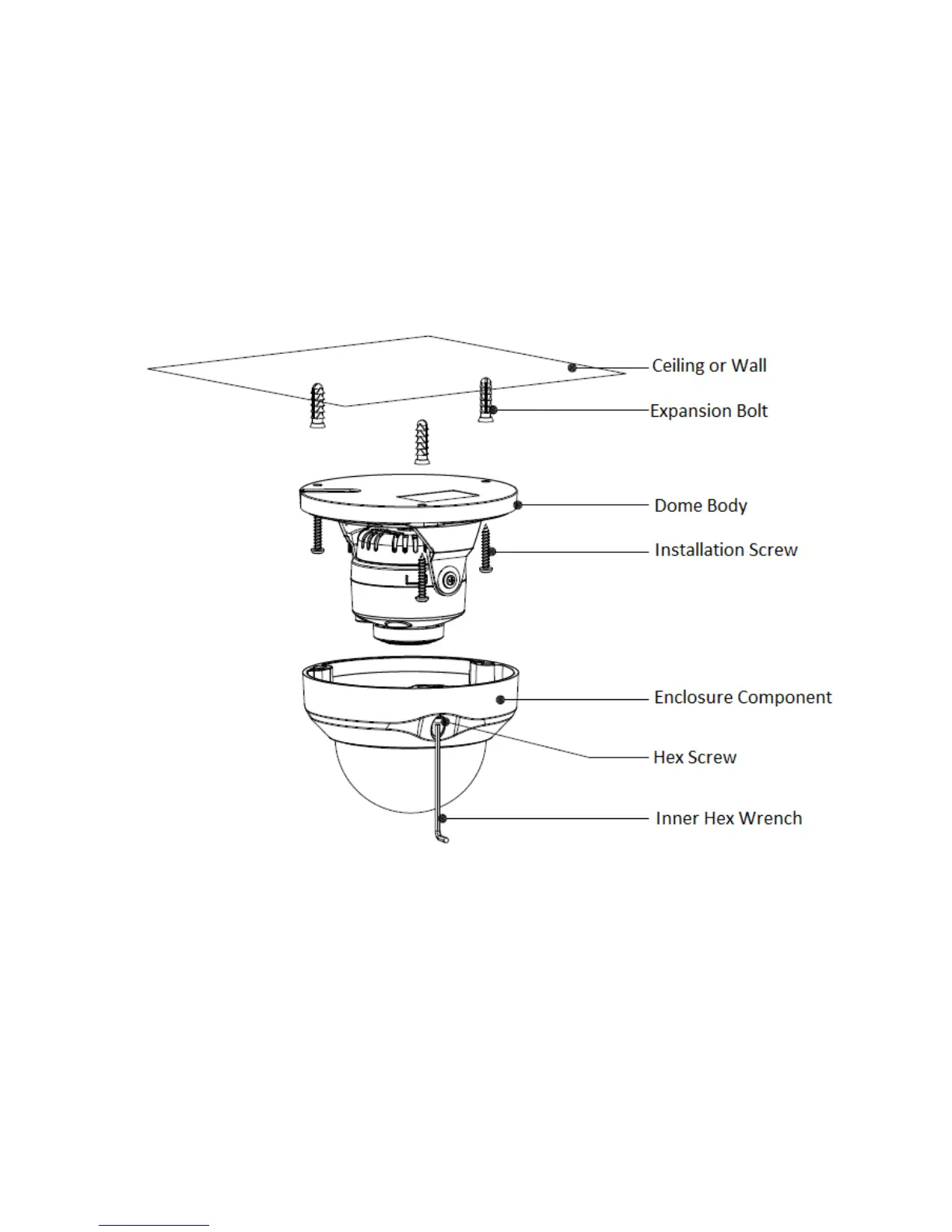
Figure 2-1 Motorized Varifocal Camera
Step 1
Use inner hex wrench in the accessories bag to open dome enclosure by unfastening three inner
hex screws on the enclosure.


 To Next Page