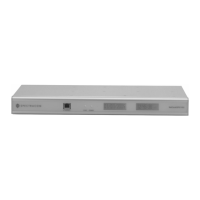
Product Configuration Page: 34 Network Configuration Explains how to configure the unit's network settings via the rear panel setup port or Ethernet port.
Initial Network Setup Details the initial network setup process, including logging in and configuring IP, subnet mask, and gateway.
Login Describes the available login modes (Configuration, Administrator) and their respective privileges.
Alarms Details how to monitor operational status via alarms using relay outputs or web interface.
Event Timer Explains how to configure 128 events to control rear panel relays via the web browser interface.
Front Panel Display Describes the display type and configurable options for the NetClock's front panel LCD displays.
GPS Guides on configuring the GPS receiver for improved accuracy and faster startup via web interface.
Set System Mode Explains the two operating modes: single satellite mode and standard mode.
GPS Signal Status Provides insight into GPS receiver operation and signal quality from satellites.
Interface Setup Details configuration parameters like Baud Rate, Data Format, Request Char, and System Clock for ports.
Set To Defaults Explains how to return Serial Port, Front Panel, IRIG, and Frequency Outputs to their factory default settings.
IRIG Port Describes options for IRIG B/E code, amplitude control, signature control, time zone, and DST corrections.
Time Zone and DST Explains how to define different Time Zone and DST rules for interfaces and front panel displays.
Logs Provides descriptions and characteristics of various logs, including Alarm, Dialout, Event Relay, GPS Qualification, Operational, and Oscillator.
NTP;SNTP Guides on setting up the unit as an NTP server via its web browser user interface.
NTP Statistics Displays overall and client statistics for NTP activities, including requests and errors.
Relays Explains how to remotely monitor status and assign functions like Major Alarm, Minor Alarm, or Event Timer to relays.
Security Covers login accounts, password support, and security features like OpenSSH and OpenSSL.
Configuring SSH Details configuring SSH, including managing host keys for server authentication.
Configuring HTTPS Explains how OpenSSL provides encryption for HTTPS and managing certificates.
Installing Certificates Guides on installing issued certificates via the web browser user interface or file transfer.
SNMP Details how to configure the device's SNMP agent and options like SNMPv1, v2c, and v3.
Spectracom MIB Describes Spectracom's MIB for time and frequency products, obtained via email or FTP.
SNMP Support Explains how to obtain Spectracom's private enterprise MIB files via FTP or email.
System Status Displays uptime, internal temperature, alarm status, time sync status, and time source.
System Test Results Lists the results of internal tests performed on various hardware components and ports.
System Time Allows viewing and manually setting the system time using UTC or defined Local Clocks.
Variable Holdover Configures the holdover period, which defines how long the unit maintains time sync after reference loss.
SERIAL DATA FORMATS Page: 159 Format 0 Details Format 0, including its structure, time sync status, day of year, and time zone offset.
Format 1 Describes Format 1, which provides a fully decoded time stream with day of week, month, and day of month.
Format 2 Details Format 2, offering millisecond resolution with time sync, quality, leap second, and DST indicators.
Format 3 Explains Format 3, including format ID, time sync status, date, time, time zone, DST, and leap second indicators.
Format 4 Describes Format 4, providing format ID, time sync status, modified Julian date, UTC time, and leap second indicator.
Format 7 Details Format 7, offering millisecond resolution with time sync, leap second, and DST indicators.
Format 8 Explains Format 8, including format ID, time sync status, year, day of year, and time zone offset.
Format 90 Describes Format 90, providing NMEA 0183 GPGGA GPS Fix data format.
RS-232 SETUP PORT COMMANDS Page: 173 fpd Command Command to display and configure front panel LCD display settings.
frq Command Command to display and configure Signature Control for frequency output.
help Command Displays a summary of available commands and detailed help information.
IRIG Commands Commands to configure IRIG output settings, including format, amplitude, and signature control.
login Command Command to change the current security level and log in with specified credentials.
logout Command Command to change the current security level back to the user level.
ltc Commands Command to create and manage up to five Local clocks for time zone and DST settings.
mdo Commands Commands for modem configuration, logging, and statistics.
net Commands Command to configure network interface settings, including IP, subnet mask, and gateway.
net gateway Command Command to display, enable/disable, or set the IP address of the default gateway.
net help Command Displays a list of available 'net' subcommands and their brief usage summaries.
net ip Command Command to statically configure the unit's IP address for network access.
net show Command Command to display current network parameters like IP address, gateway, and MAC address.
net http Command Command to enable or disable the HTTP protocol for accessing the unit.
opt Command Command to show or enable/disable product options using a hash.
reboot Command Command to warm-boot the unit or reboot into the bootloader for software upgrades.
rem Commands Command to configure rear panel Remote output settings like baud rate, format, and clock.
sec Commands Command to configure security features, including user accounts, levels, and passwords.
sec help Command Lists sec sub-commands and provides detailed information based on the current security level.
ser Commands Command to configure rear panel Serial ports for baud rate, format, request character, and clock settings.
update Commands Command set to install new bootloader, CSL image, application, or kernel.
update app Used to update the unit's application image via FTP or secure copy.
update boot Used to update the unit's bootloader image via FTP or secure copy.
update csl Used to update the CSL image for the unit via FTP.
update kern Used to update the kernel image for the unit via FTP.
update help Lists available update subcommands and provides brief usage summaries.
OPTIONS Page: 209 Option 3: Modem Provides details on the modem option for dial-out capabilities, including its use as a primary or backup time reference.
Option 3 Basics Explains the modem's interface via the Serial Setup port and its dual functionality.
Modem Installation Guides on the physical installation of the modem, including cable connections.
Modem Dial-Out Setup Details how to configure the dial-out modem feature using the web browser interface.
Product Configuration Page: 34 Network Configuration Explains how to configure the unit's network settings via the rear panel setup port or Ethernet port.
Initial Network Setup Details the initial network setup process, including logging in and configuring IP, subnet mask, and gateway.
Login Describes the available login modes (Configuration, Administrator) and their respective privileges.
Alarms Details how to monitor operational status via alarms using relay outputs or web interface.
Event Timer Explains how to configure 128 events to control rear panel relays via the web browser interface.
Front Panel Display Describes the display type and configurable options for the NetClock's front panel LCD displays.
GPS Guides on configuring the GPS receiver for improved accuracy and faster startup via web interface.
Set System Mode Explains the two operating modes: single satellite mode and standard mode.
GPS Signal Status Provides insight into GPS receiver operation and signal quality from satellites.
Interface Setup Details configuration parameters like Baud Rate, Data Format, Request Char, and System Clock for ports.
Set To Defaults Explains how to return Serial Port, Front Panel, IRIG, and Frequency Outputs to their factory default settings.
IRIG Port Describes options for IRIG B/E code, amplitude control, signature control, time zone, and DST corrections.
Time Zone and DST Explains how to define different Time Zone and DST rules for interfaces and front panel displays.
Logs Provides descriptions and characteristics of various logs, including Alarm, Dialout, Event Relay, GPS Qualification, Operational, and Oscillator.
NTP;SNTP Guides on setting up the unit as an NTP server via its web browser user interface.
NTP Statistics Displays overall and client statistics for NTP activities, including requests and errors.
Relays Explains how to remotely monitor status and assign functions like Major Alarm, Minor Alarm, or Event Timer to relays.
Security Covers login accounts, password support, and security features like OpenSSH and OpenSSL.
Configuring SSH Details configuring SSH, including managing host keys for server authentication.
Configuring HTTPS Explains how OpenSSL provides encryption for HTTPS and managing certificates.
Installing Certificates Guides on installing issued certificates via the web browser user interface or file transfer.
SNMP Details how to configure the device's SNMP agent and options like SNMPv1, v2c, and v3.
Spectracom MIB Describes Spectracom's MIB for time and frequency products, obtained via email or FTP.
SNMP Support Explains how to obtain Spectracom's private enterprise MIB files via FTP or email.
System Status Displays uptime, internal temperature, alarm status, time sync status, and time source.
System Test Results Lists the results of internal tests performed on various hardware components and ports.
System Time Allows viewing and manually setting the system time using UTC or defined Local Clocks.
Variable Holdover Configures the holdover period, which defines how long the unit maintains time sync after reference loss.
SERIAL DATA FORMATS Page: 159 Format 0 Details Format 0, including its structure, time sync status, day of year, and time zone offset.
Format 1 Describes Format 1, which provides a fully decoded time stream with day of week, month, and day of month.
Format 2 Details Format 2, offering millisecond resolution with time sync, quality, leap second, and DST indicators.
Format 3 Explains Format 3, including format ID, time sync status, date, time, time zone, DST, and leap second indicators.
Format 4 Describes Format 4, providing format ID, time sync status, modified Julian date, UTC time, and leap second indicator.
Format 7 Details Format 7, offering millisecond resolution with time sync, leap second, and DST indicators.
Format 8 Explains Format 8, including format ID, time sync status, year, day of year, and time zone offset.
Format 90 Describes Format 90, providing NMEA 0183 GPGGA GPS Fix data format.
RS-232 SETUP PORT COMMANDS Page: 173 fpd Command Command to display and configure front panel LCD display settings.
frq Command Command to display and configure Signature Control for frequency output.
help Command Displays a summary of available commands and detailed help information.
IRIG Commands Commands to configure IRIG output settings, including format, amplitude, and signature control.
login Command Command to change the current security level and log in with specified credentials.
logout Command Command to change the current security level back to the user level.
ltc Commands Command to create and manage up to five Local clocks for time zone and DST settings.
mdo Commands Commands for modem configuration, logging, and statistics.
net Commands Command to configure network interface settings, including IP, subnet mask, and gateway.
net gateway Command Command to display, enable/disable, or set the IP address of the default gateway.
net help Command Displays a list of available 'net' subcommands and their brief usage summaries.
net ip Command Command to statically configure the unit's IP address for network access.
net show Command Command to display current network parameters like IP address, gateway, and MAC address.
net http Command Command to enable or disable the HTTP protocol for accessing the unit.
opt Command Command to show or enable/disable product options using a hash.
reboot Command Command to warm-boot the unit or reboot into the bootloader for software upgrades.
rem Commands Command to configure rear panel Remote output settings like baud rate, format, and clock.
sec Commands Command to configure security features, including user accounts, levels, and passwords.
sec help Command Lists sec sub-commands and provides detailed information based on the current security level.
ser Commands Command to configure rear panel Serial ports for baud rate, format, request character, and clock settings.
update Commands Command set to install new bootloader, CSL image, application, or kernel.
update app Used to update the unit's application image via FTP or secure copy.
update boot Used to update the unit's bootloader image via FTP or secure copy.
update csl Used to update the CSL image for the unit via FTP.
update kern Used to update the kernel image for the unit via FTP.
update help Lists available update subcommands and provides brief usage summaries.
OPTIONS Page: 209 Option 3: Modem Provides details on the modem option for dial-out capabilities, including its use as a primary or backup time reference.
Option 3 Basics Explains the modem's interface via the Serial Setup port and its dual functionality.
Modem Installation Guides on the physical installation of the modem, including cable connections.
Modem Dial-Out Setup Details how to configure the dial-out modem feature using the web browser interface.