14215700-IG, Edition 15.0
May 2020, Original document
284
Firmware Compatibility (Redundancy)
For using a redundant server solution, it is required that the backup Spectralink IP-DECT/Virtual IP-
DECT Server has the same firmware revision and licensed features as the master Spectralink IP-
DECT/Virtual IP-DECT Server to be able to connect to the master.
In case a backup server tries to connect with a different firmware version or other licensed features
than the master server, an error message will be logged and the backup server will be rejected.
For latest SW available, please go to http://support.spectralink.com/.
Note:
Provisioning of server firmware it not possible in a redundant setup.
Design of Redundant Server Solution
This section describes how to design a redundant Spectralink IP-DECT Server 6500/Spectralink Vir-
tual IP-DECT Server One solution.
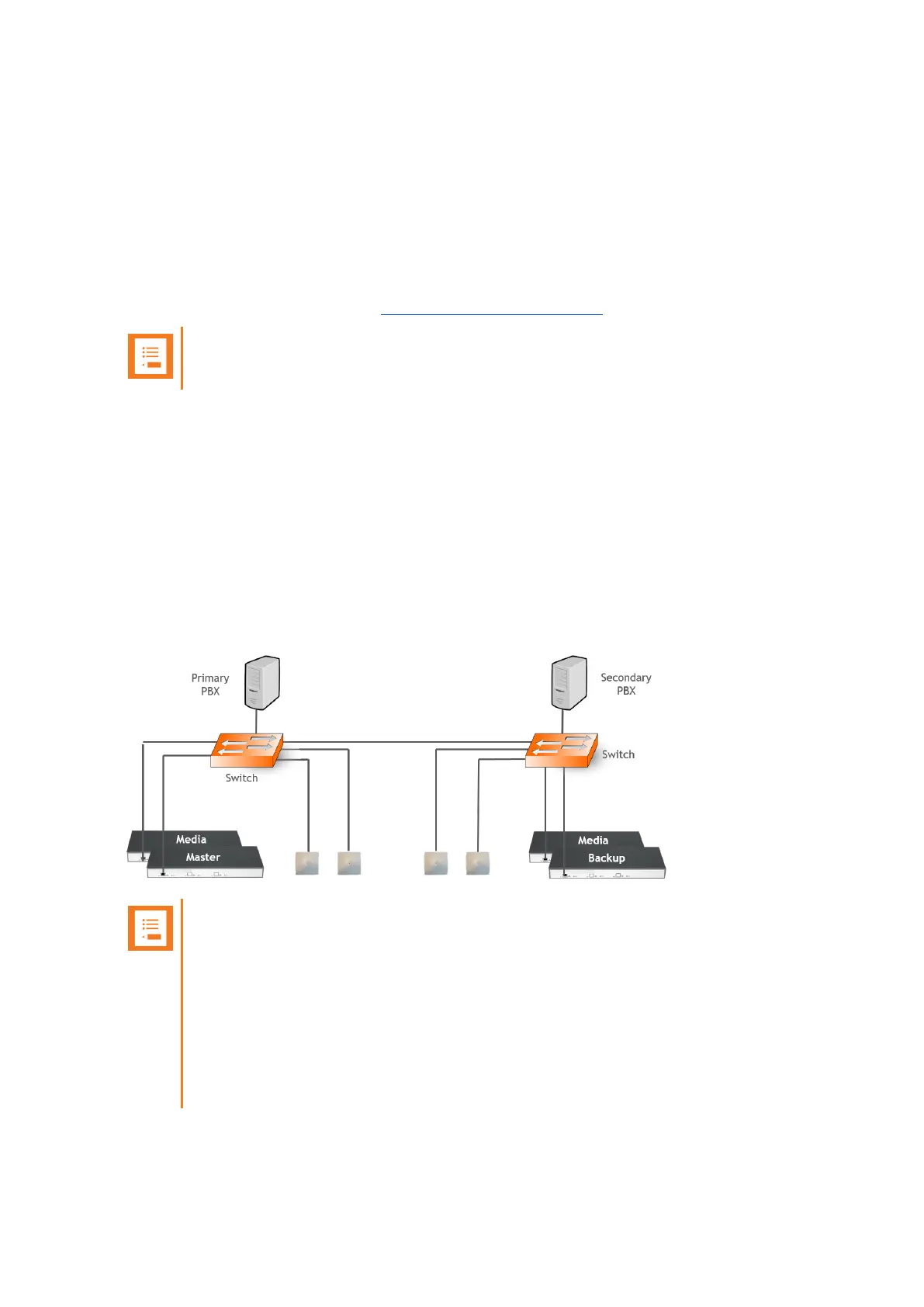
Designing a redundant Spectralink IP-DECT/Virtual IP-DECT Server solution is very similar to
designing any other redundant network service. In a redundant Spectralink IP-DECT/Virtual IP-
DECT Server solution, the servers should be connected to separate switches, power groups etc.
Below is an example design of a redundant Spectralink IP-DECT Server 6500 solution including a
master Spectralink IP-DECT Server 6500 and a redundant backup Spectralink IP-DECT Server.
Note:
l Use separate switches, power groups and servers in a redundant setup.
l Master server and backup server must have same firmware version.
l When upgrading firmware on base stations, servers and media resources, only
reboot when all devices have been upgraded.
l Keep-alive packets using TCP on port 50017 are sent between the master server
and backup server. Network administrators should make sure that this port is
open.
Spectralink IP-DECT Server 200/400/6500 and Virtual IP-DECT Server One Installation and Configuration Guide



 To Next Page