14205603-IG, Edition 11.0
May 2020, Original document
20
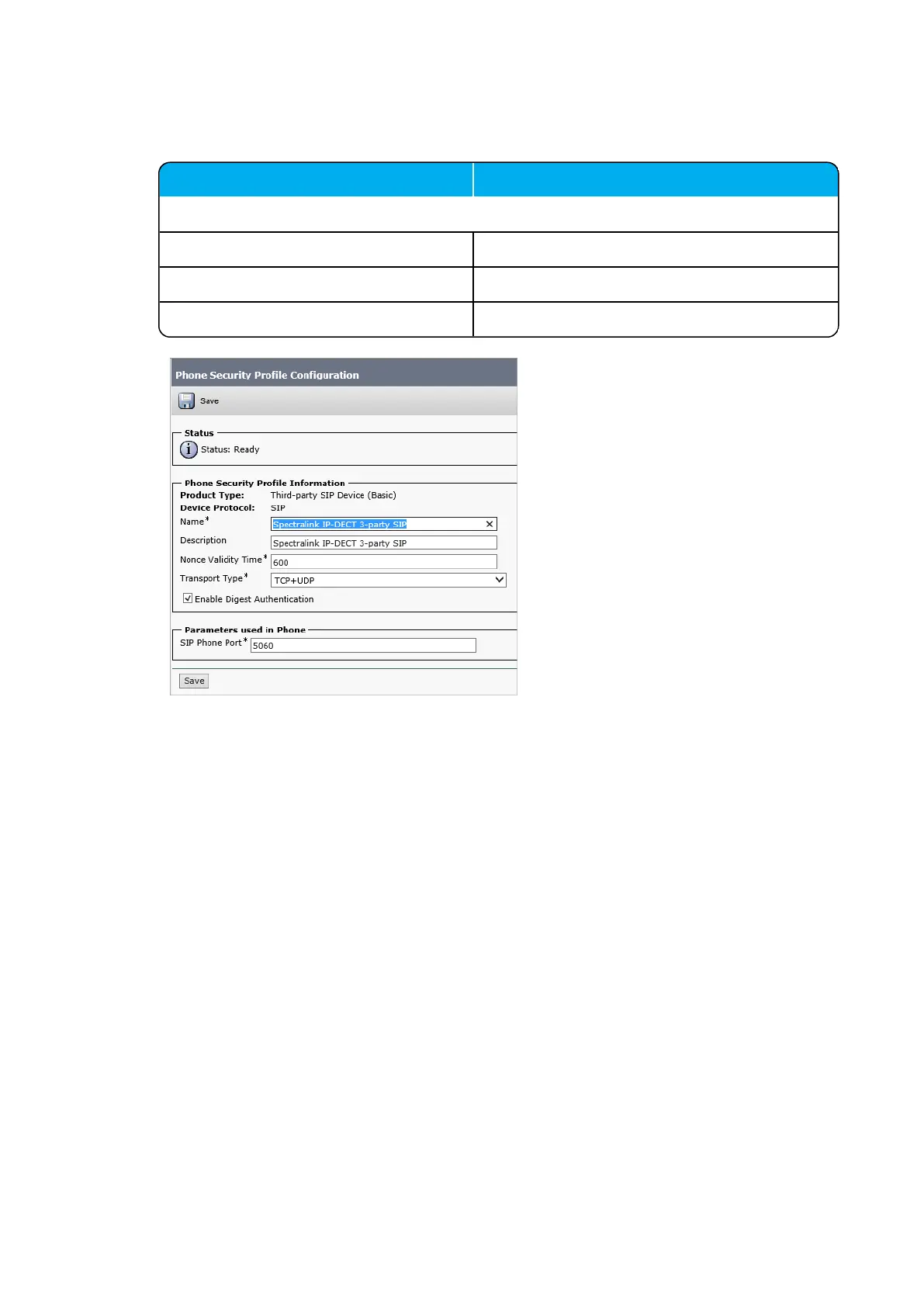
4. On the Phone Security Profile Configuration page, enter relevant data in the following
fields:
Field Setting
Device Protocol
Name Enter the relevant name.
Description Enter description.
Enable Digest Authentication Enable.
5. Click Save.
Spectralink IP-DECT Server 200/400/6500, Virtual IP-DECT Server One and DECT Server 2500/8000 Interoperability Guide



 To Next Page