14215700-IG, Edition 15.0
May 2020, Original document
262
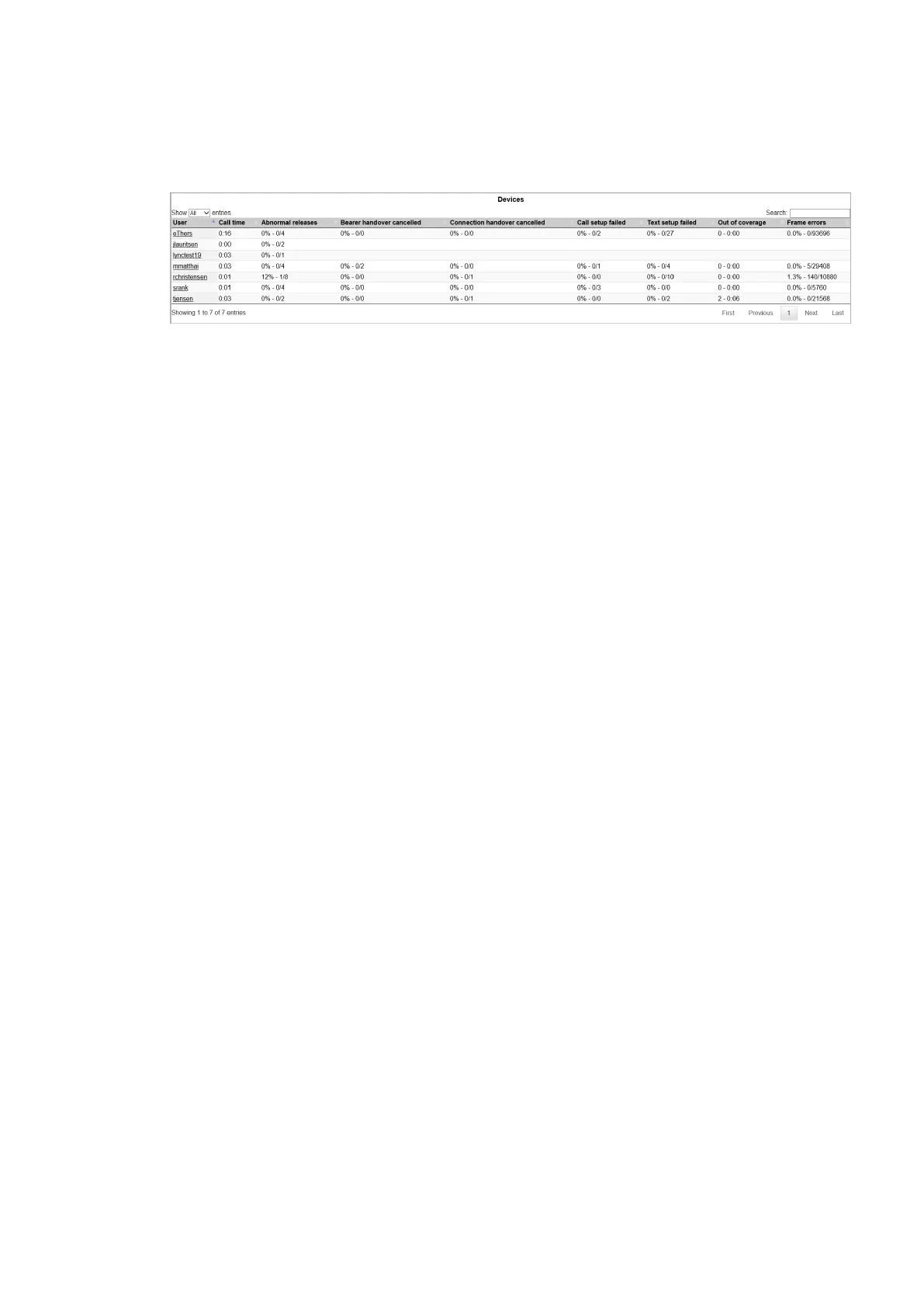
Statistics of Devices
l Click Statistics, and then click Device. The Devices page appears.
l User: Identifies the handset owner.
l Call time: Shows the accumulated call time per handset.
l Abnormal releases: Shows how many calls that were abnormally terminated. This num-
ber should not be more than 1 - 2 %.
l Bearer handover cancelled: Shows how many times a handset has attempted handover
and cancelled. Bearer handover cancelled can be as high as 30 %. If higher, it usually indic-
ates high traffic and few vacant channels or interference from a foreign radio source.
l Connection handover cancelled: Shows how many times a handset has attempted han-
dover and cancelled. Connection handover cancelled can be as high as 30 %. If higher, it
usually indicates high traffic and few vacant channels or interference from a foreign radio
source.
l Call setup failed: Call setup failed is an unintentional terminated call. This usually hap-
pens because the handset is not granted a vacent channel from any of the surrounding
base stations.
l Text setup failed: Refers to failed message, e.g. call waiting, message waiting, text mes-
sage, handset out of charger and similar.
l Out of coverage: The handset has not been able to maintain connectivity with the IP-
DECT system for a given period of time. This is typically caused by the user when walking
to e.g. the parking lot or a remote area with no coverage.
l Frame errors: Frame errors are typically caused by interference and in high traffic areas.
Occurence should be below 2 %.
Spectralink IP-DECT Server 200/400/6500 and Virtual IP-DECT Server One Installation and Configuration Guide





 To Next Page