EasyManua.ls Logo

Spectranetics CVX-300-P - User Manual

Default Icon
56 pages
Print Icon
To Next Page IconTo Next Page
Loading...
1
7030-0068-26
28Jul16
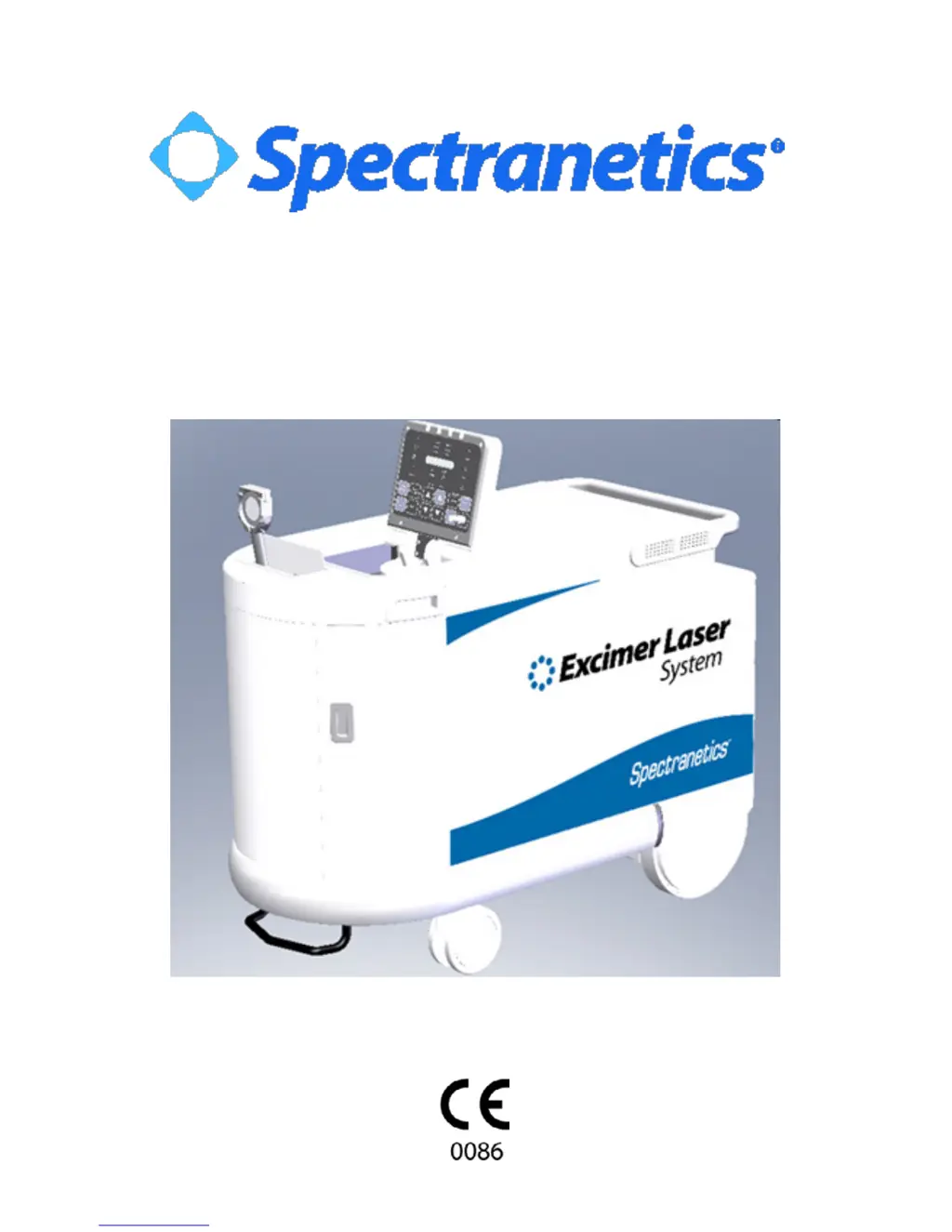
CVX-300®
CVX-300®-P
Excimer Laser System
Operators Manual
Version 26

Questions and Answers

  • J
    joneschristopherAug 12, 2025
    How to turn on Spectranetics Measuring Instruments CVX?300?
    • C
      cartermichaelAug 12, 2025
      If the keyswitch on your Spectranetics Measuring Instruments won't turn ON the CVX?300, make sure the power cord is properly connected. Check that the main circuit breaker on the lower back panel is in the ON position. Also, ensure the interlock plug is correctly inserted into its receptacle on the lower back panel. Release the emergency button by turning it clockwise. Allow the CVX?300 time to complete its warm-up. Insert a fiber optic catheter into the coupler, plug in the footswitch, and set the fluence and pulse repetition rate. Calibrate the system and depress and hold the footswitch down until lasing stops and the Cal OK indication is illuminated. Finally, try turning the keyswitch OFF and then ON again to reset the system.
  • R
    Raymond Cochran Jr.Aug 16, 2025
    What to do if Spectranetics Measuring Instruments system reached 95% of maximum energy output?
    • L
      Lee HatfieldAug 16, 2025
      If your Spectranetics Measuring Instruments system has reached 95% of its maximum energy output, typically, system operation isn't affected initially. Contact Spectranetics to schedule service. Test the system using the Reference Catheter. If the unit operates normally and calibration is successful, proceed with the desired fiber optic catheter. If calibration fails, record the Fault Code and contact Spectranetics Customer Service.
  • D
    Derrick BakerAug 23, 2025
    Why is the fiber indicator illuminated on Spectranetics Measuring Instruments?
    • K
      Kimberly MorganAug 25, 2025
      If the Spectranetics Measuring Instruments fiber indicator is illuminated, ensure that the fiber optic catheter handle is fully inserted into the coupler.
  • B
    Bridget JonesAug 30, 2025
    What to do if Spectranetics Measuring Instruments detects a system error?
    • H
      harrischristyAug 30, 2025
      If the Spectranetics Measuring Instruments detects a system error, record the Fault Code and call Spectranetics Customer Service.
  • S
    Susan BarkerSep 3, 2025
    What to do if Spectranetics Measuring Instruments says fiber optic catheter handle improperly inserted?
    • P
      plongSep 3, 2025
      If the Spectranetics Measuring Instruments detects that the fiber optic catheter handle is improperly inserted, remove the fiber optic catheter and reinsert it. If the fault repeats, contact Spectranetics Customer Service.
  • K
    katrina24Sep 7, 2025
    How to fix no energy detected at detector head on Spectranetics Measuring Instruments?
    • Q
      qstoneSep 7, 2025
      To address the issue of no energy being detected at the detector head of your Spectranetics Measuring Instruments, begin by cleaning the fiber optic catheter tip. Then, recalibrate at the recommended settings (45/25 for ELCA devices; 60/40 for SLS devices), ensuring the device is pointed at the center of the energy detector, one to two inches away. If calibration is unsuccessful, try calibrating with the Reference Catheter. If that works, try a new fiber optic catheter. If calibration of the Reference Catheter is unsuccessful, record the Fault code and call Spectranetics Customer Service.
  • A
    avilamarkNov 18, 2025
    What to do if Spectranetics Measuring Instruments detects internal energy deviation?
    • M
      Maria LangNov 18, 2025
      If your Spectranetics Measuring Instruments display the 'Internal energy deviation detected' message, first, remove the fiber from the treatment area and aim it at the center of the detector, ensuring it's one to two inches away. Depress the footswitch and lase for up to 10 seconds. If the Power Error indicator turns off, reintroduce the fiber device and continue; report the incident to Spectranetics after the case is complete. If the Power Error indicator remains illuminated, turn the unit OFF and then ON again, bypassing the warm-up period by pressing the RESET and STANDBY buttons simultaneously (only if the system hasn't been OFF for more than 30 seconds). Attempt to calibrate with the Reference Catheter, and if successful, calibrate the fiber optic catheter to be used in the patient. P...
  • C
    Christopher ThomasNov 26, 2025
    What to do if Spectranetics Measuring Instruments calibration did not occur within the unit’s pre-set pulse limit?
    • N
      Nicole BenderNov 26, 2025
      If your Spectranetics Measuring Instruments calibration did not occur within the unit’s pre-set pulse limit, with the beam attenuator at maximum opening and a Fiber Power Monitor test error, clean the Energy Detector Surface with an alcohol prep. Clean the fiber optic catheter tip and recalibrate at the recommended settings (45/25 for ELCA devices; 60/40 for SLS devices), ensuring the device is pointed at the center of the energy detector, one to two inches away. If calibration is still unsuccessful, attempt to recalibrate the device at a lower fluence setting (40/25 for ELCA devices; 50/40 for SLS devices). If calibration is successful, proceed and report the incident to Spectranetics after the case is complete. If calibration is unsuccessful, turn the system OFF, then back ON. Attempt to...

Summary

Introduction, Safety, and Compliance

Preface and Notices

System introduction, important user notices, and service contact information.

Warranty and Responsibility

Details warranty terms, responsibilities, and legal disclaimers for the laser system.

Safety Precautions and Hazards

Covers laser, electrical, and environmental safety measures for operation and personnel protection.

Ocular Hazard and EMC Guidelines

Defines safe distances for eye protection and electromagnetic compatibility requirements for operation.

System Specifications, Components, and Labeling

Specifications

Lists the nominal specifications for the CVX-300 Excimer Laser System.

Stowable Control Panel and Energy Detector

Explains the operation of the stowable control panel and energy detector features.

CVX-300 Components and Labeling

Identifies system components and external labels for the CVX-300 and CVX-300-P.

Operation Controls and Modes

Control Buttons

Describes the function of each button on the CVX-300 control panel for system operation.

Status Indicators

Explains the meaning of advisory, indicator, and status lights for system monitoring.

Operational Modes

Details the different operating modes of the CVX-300 system, including setup, testing, warm-up, standby, and ready.

Power Down Procedure

Procedures for safely shutting down and storing the laser system.

Maintenance and Troubleshooting

Fault Codes and Error Lamps

Information on interpreting fault codes and error lamps for troubleshooting system malfunctions.

Maintenance and Cleaning

Guidelines for cleaning, storage, and routine preventive maintenance of the laser system.

Verification of Calibration

Step-by-step procedure to verify the calibration of the CVX-300 energy detector.

Troubleshooting Common Issues

Lists common problems, error lamps, and their corresponding solutions and recommended actions.

Spectranetics CVX-300-P Specifications

General IconGeneral
BrandSpectranetics
ModelCVX-300-P
CategoryMeasuring Instruments
LanguageEnglish

Related product manuals