EasyManua.ls Logo

Spectranetics CVX-300 - User Manual

Spectranetics CVX-300
56 pages
Print Icon
To Next Page IconTo Next Page
Loading...
1
7030-0068-26
28Jul16
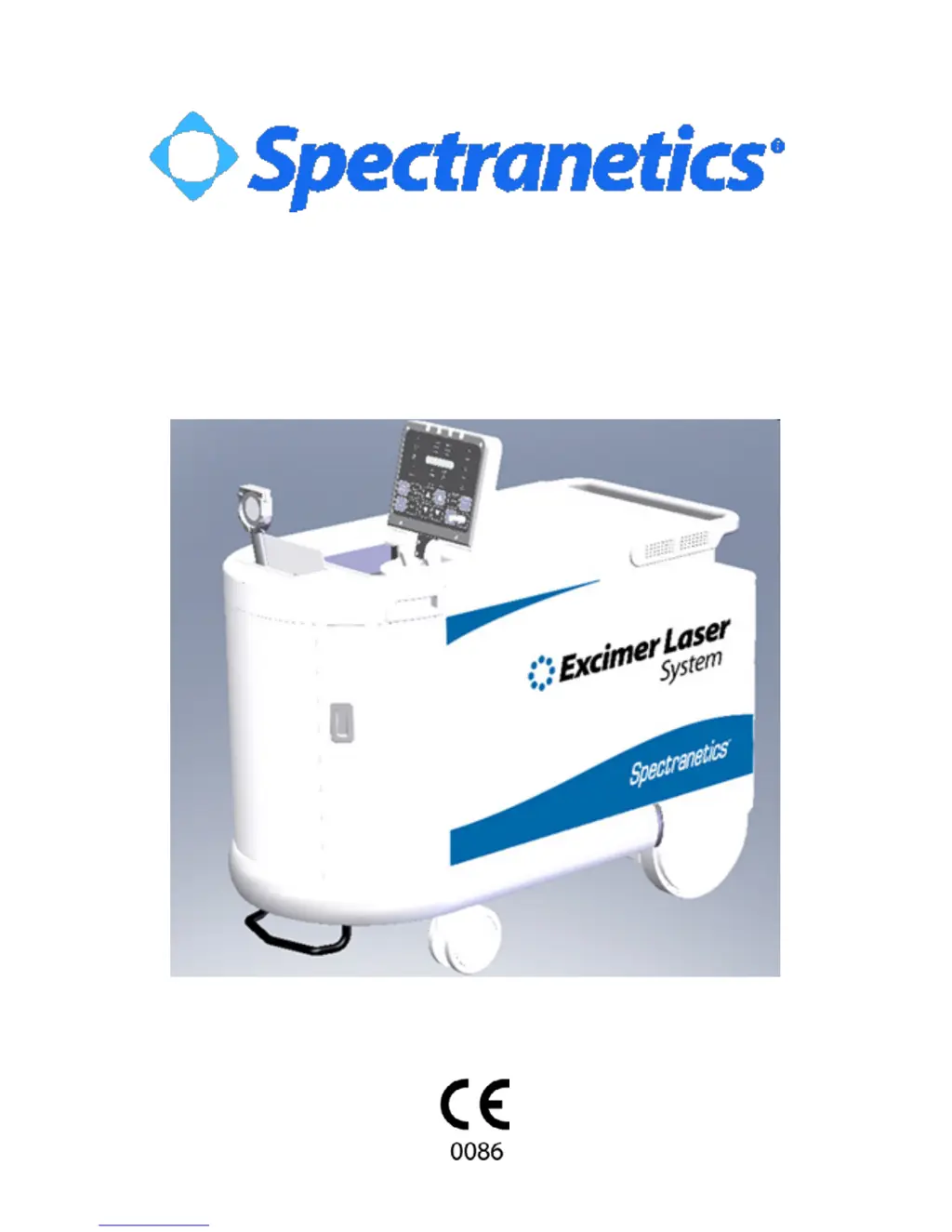
CVX-300®
CVX-300®-P
Excimer Laser System
Operators Manual
Version 26

Questions and Answers

  • C
    chad37Aug 13, 2025
    How to turn on Spectranetics Measuring Instruments CVX?300?
    • A
      Alicia MartinezAug 13, 2025
      If the keyswitch on your Spectranetics Measuring Instruments won't turn ON the CVX?300, make sure the power cord is properly connected. Check that the main circuit breaker on the lower back panel is in the ON position. Also, ensure the interlock plug is correctly inserted into its receptacle on the lower back panel. Release the emergency button by turning it clockwise. Allow the CVX?300 time to complete its warm-up. Insert a fiber optic catheter into the coupler, plug in the footswitch, and set the fluence and pulse repetition rate. Calibrate the system and depress and hold the footswitch down until lasing stops and the Cal OK indication is illuminated. Finally, try turning the keyswitch OFF and then ON again to reset the system.
  • C
    Craig RussellAug 17, 2025
    What to do if Spectranetics Measuring Instruments system reached 95% of maximum energy output?
    • A
      antoniomeltonAug 17, 2025
      If your Spectranetics Measuring Instruments system has reached 95% of its maximum energy output, typically, system operation isn't affected initially. Contact Spectranetics to schedule service. Test the system using the Reference Catheter. If the unit operates normally and calibration is successful, proceed with the desired fiber optic catheter. If calibration fails, record the Fault Code and contact Spectranetics Customer Service.
  • E
    Elizabeth LarsonAug 25, 2025
    Why is the fiber indicator illuminated on Spectranetics Measuring Instruments?
    • M
      mario99Aug 25, 2025
      If the Spectranetics Measuring Instruments fiber indicator is illuminated, ensure that the fiber optic catheter handle is fully inserted into the coupler.
  • W
    wilsoncolleenAug 31, 2025
    What to do if Spectranetics Measuring Instruments detects a system error?
    • K
      Kirk GloverSep 1, 2025
      If the Spectranetics Measuring Instruments detects a system error, record the Fault Code and call Spectranetics Customer Service.
  • J
    James JohnsonSep 4, 2025
    What to do if Spectranetics Measuring Instruments says fiber optic catheter handle improperly inserted?
    • A
      Andrew ScottSep 4, 2025
      If the Spectranetics Measuring Instruments detects that the fiber optic catheter handle is improperly inserted, remove the fiber optic catheter and reinsert it. If the fault repeats, contact Spectranetics Customer Service.
  • L
    Lori AguilarSep 8, 2025
    How to fix no energy detected at detector head on Spectranetics Measuring Instruments?
    • L
      Lisa SmithSep 8, 2025
      To address the issue of no energy being detected at the detector head of your Spectranetics Measuring Instruments, begin by cleaning the fiber optic catheter tip. Then, recalibrate at the recommended settings (45/25 for ELCA devices; 60/40 for SLS devices), ensuring the device is pointed at the center of the energy detector, one to two inches away. If calibration is unsuccessful, try calibrating with the Reference Catheter. If that works, try a new fiber optic catheter. If calibration of the Reference Catheter is unsuccessful, record the Fault code and call Spectranetics Customer Service.
  • E
    Eric CookeNov 19, 2025
    What to do if Spectranetics Measuring Instruments detects internal energy deviation?
    • P
      Phillip PattersonNov 20, 2025
      If your Spectranetics Measuring Instruments display the 'Internal energy deviation detected' message, first, remove the fiber from the treatment area and aim it at the center of the detector, ensuring it's one to two inches away. Depress the footswitch and lase for up to 10 seconds. If the Power Error indicator turns off, reintroduce the fiber device and continue; report the incident to Spectranetics after the case is complete. If the Power Error indicator remains illuminated, turn the unit OFF and then ON again, bypassing the warm-up period by pressing the RESET and STANDBY buttons simultaneously (only if the system hasn't been OFF for more than 30 seconds). Attempt to calibrate with the Reference Catheter, and if successful, calibrate the fiber optic catheter to be used in the patient. P...
  • A
    Amber MorrisonNov 27, 2025
    What to do if Spectranetics Measuring Instruments calibration did not occur within the unit’s pre-set pulse limit?
    • T
      Timothy DavidsonNov 27, 2025
      If your Spectranetics Measuring Instruments calibration did not occur within the unit’s pre-set pulse limit, with the beam attenuator at maximum opening and a Fiber Power Monitor test error, clean the Energy Detector Surface with an alcohol prep. Clean the fiber optic catheter tip and recalibrate at the recommended settings (45/25 for ELCA devices; 60/40 for SLS devices), ensuring the device is pointed at the center of the energy detector, one to two inches away. If calibration is still unsuccessful, attempt to recalibrate the device at a lower fluence setting (40/25 for ELCA devices; 50/40 for SLS devices). If calibration is successful, proceed and report the incident to Spectranetics after the case is complete. If calibration is unsuccessful, turn the system OFF, then back ON. Attempt to...

Summary

Warranty

Warnings and Responsibility

Specifications

Safety Precautions

Nominal Ocular Hazard Distance (NOHD)

CVX-300-P Components

Control Buttons

Advisory, Indicator, and Status Lights

Aim Fiber Energy and Millijoules

Indicates system status during calibration or energy reading.

Calibrate Button

Indicates when the system is in Calibrate mode.

Calibrate Light

Indicates that the system requires calibration.

Setup Mode

Testing Mode

Warm-up Mode

Standby Mode

Calibrate Mode

Ready Mode

Power Down

Maintenance

Verification of Calibration

Energy Monitor Verification Procedure

Step-by-step guide for verifying the energy monitor calibration on the CVX-300 system.

Troubleshooting

Spectranetics CVX-300 Specifications

General IconGeneral
BrandSpectranetics
ModelCVX-300
CategoryMeasuring Instruments
LanguageEnglish

Related product manuals