36
7030-0068-26
28Jul16
Customer Service, Canada/US (719) 633-8333 / (800) 231-0978
Customer Service, Europe +31 33 434 7050
CVX-300
®
Excimer Laser System Version 26 Operator’s Manual
English / English
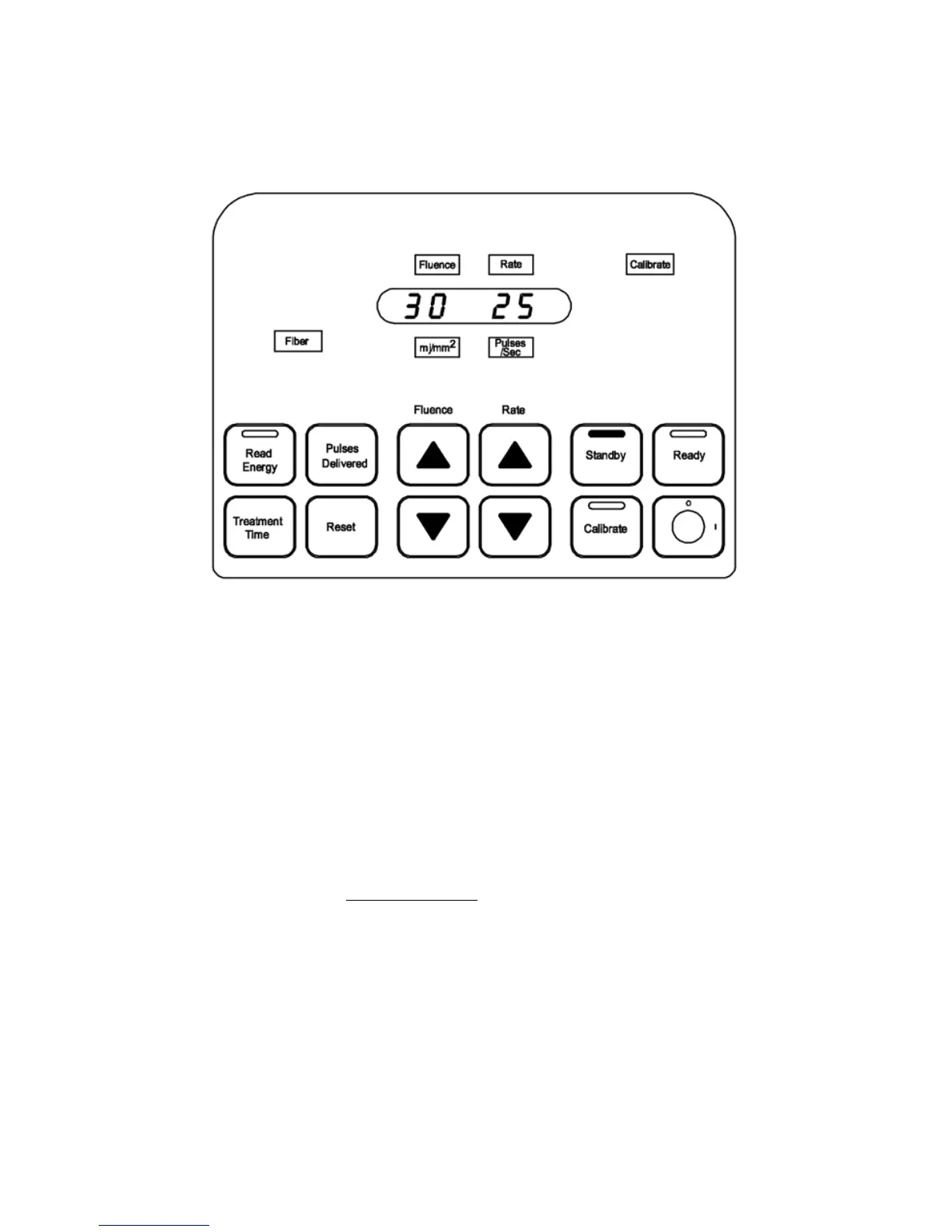
If a ber optic catheter is not installed, the Fluence and Rate can only be set to their
minimum values, 30mJ/mm
2
and 25Hz respectively, and the Fiber light will remain
illuminated. (Figure 4)
Figure 4
Standby
3. When the Excimer Laser System is in Standby mode for the rst time after being
powered up or a ber optic catheter is changed, depressing the Calibrate button
causes the system to enter Calibrate mode.
Calibrate Mode
1. Insert the coupler, on the proximal end of the ber optic catheter, into the center of the
connector on the CVX-300.
2. The appropriate calibration values will be displayed for the device in use. (Figure5)
Note: Calibration settings may vary between devices. The recommended settings are
located in the device’s Instruction for Use.


 To Next Page