37
7030-0068-26
28Jul16
Customer Service, Canada/US (719) 633-8333 / (800) 231-0978
Customer Service, Europe +31 33 434 7050
CVX-300
®
Excimer Laser System Version 26 Operator’s Manual
English / English
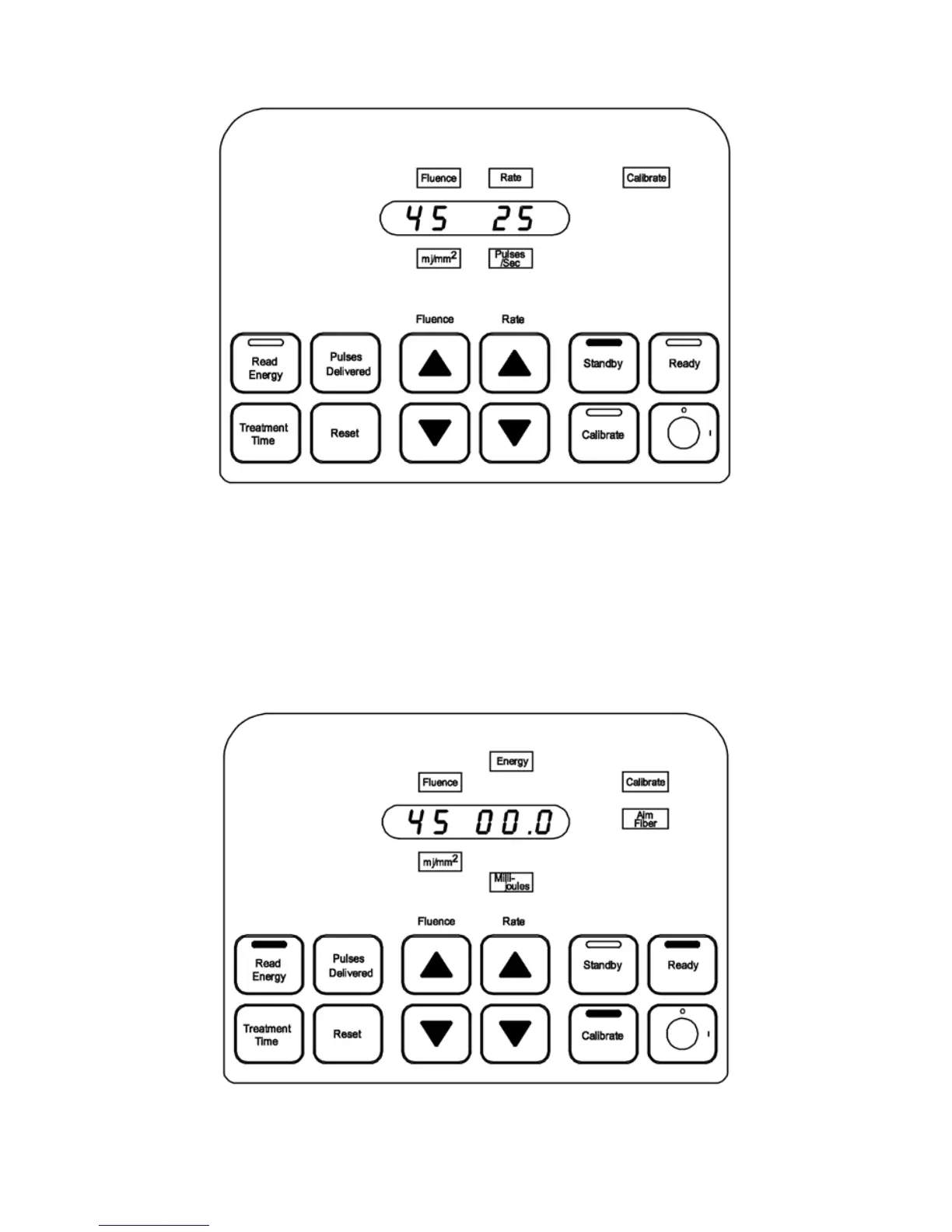
Figure 5
Calibrate
3. Allow the CVX-300 time to complete the ve-minute warm-up period and enter the
Standby mode.
4. Clean the face of the energy detector with an alcohol prep before and after eachuse.
5. Depress the Calibrate button to enter Calibrate mode.
6. The yellow Ready status on the top of the control panel, Aim Fiber, Energy,
Millijoules, Calibrate, Calibrate button, and Ready button lights are illuminated.
The display window shows 00.0 on the three rightmost digits. (Figure 6)
Figure 6
Calibrate –Read Energy


 To Next Page