39
7030-0068-26
28Jul16
Customer Service, Canada/US (719) 633-8333 / (800) 231-0978
Customer Service, Europe +31 33 434 7050
CVX-300
®
Excimer Laser System Version 26 Operator’s Manual
English / English
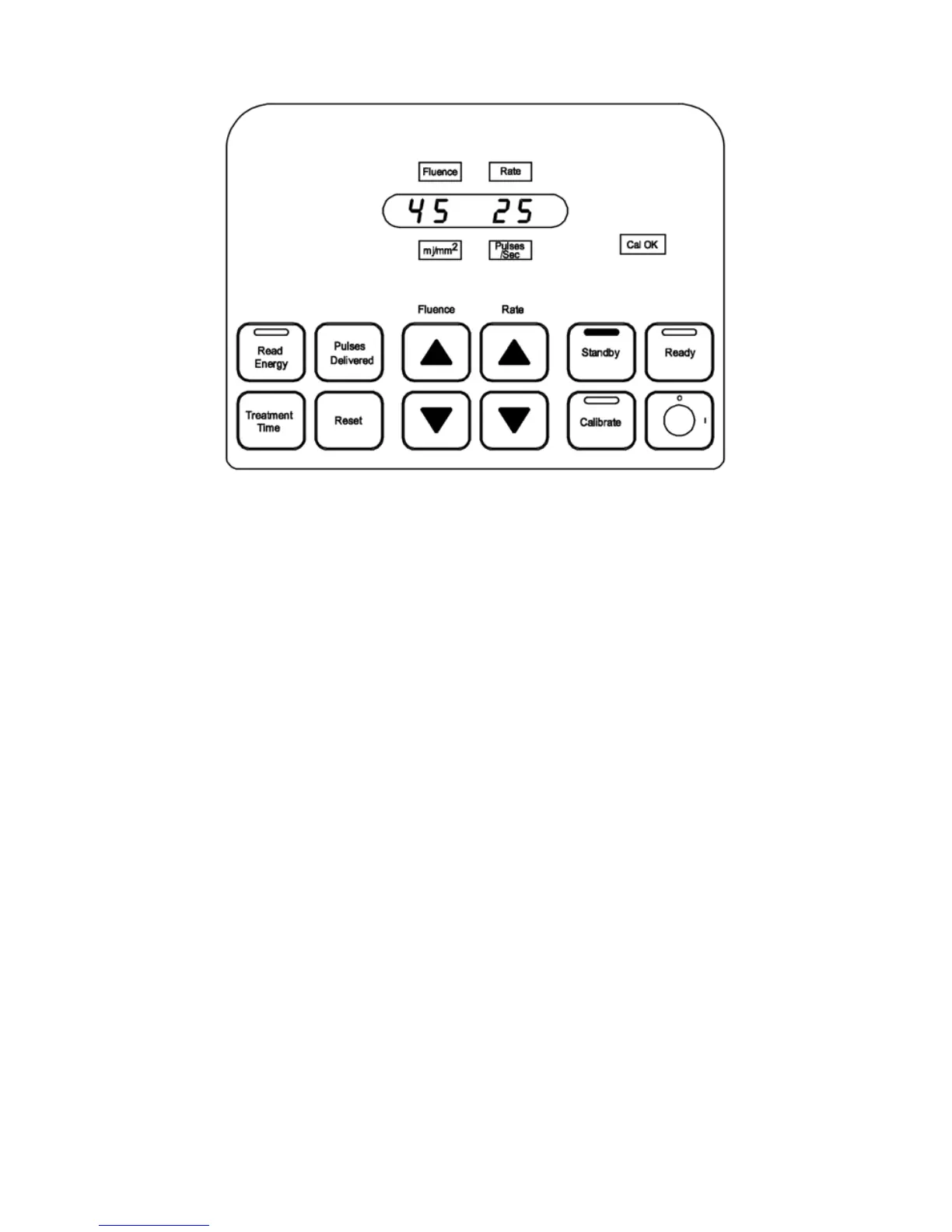
Figure 7
Standby
11. If the calibration energy value indicated in the display window does not compare
properly with the energy range listed on the pouch, repeat the calibration of the ber
optic catheter at its recommended uence setting. If the energy values do not compare
after the second calibration, the ber optic catheter should not be used and a new ber
optic catheter should be obtained.
12. If a problem occurs during the calibration process, the CVX-300 will return to the
Standby mode and the fault light will be illuminated. A numeric code will also appear
in the display. Refer to the Troubleshooting section of this manual.
13. If a second calibration attempt is unsuccessful, call Spectranetics Customer Service for
assistance.
14. The CVX-300 returns to the Standby mode if calibration is not completed within one
minute.
15. If the Fault advisory light illuminates and a numerical fault code is displayed, refer to
the Troubleshooting section of this manual. Always record the fault code number and
report it to Spectranetics Customer Service.
Standby Mode (Returning from Calibrate Mode)
The Standby mode is automatically entered a few seconds after the Cal OK lamp
isilluminated.
1. Standby mode is entered from the Calibrate mode by depressing the Standby
button. (Figure 8)
2. The Standby button and green status light on the top of the control panel
areilluminated.
3. The uence value and pulse repetition rate appear in the display window.
4. The Cal OK advisory light remains illuminated.


 To Next Page