40
7030-0068-26
28Jul16
Customer Service, Canada/US (719) 633-8333 / (800) 231-0978
Customer Service, Europe +31 33 434 7050
CVX-300
®
Excimer Laser System Version 26 Operator’s Manual
English / English
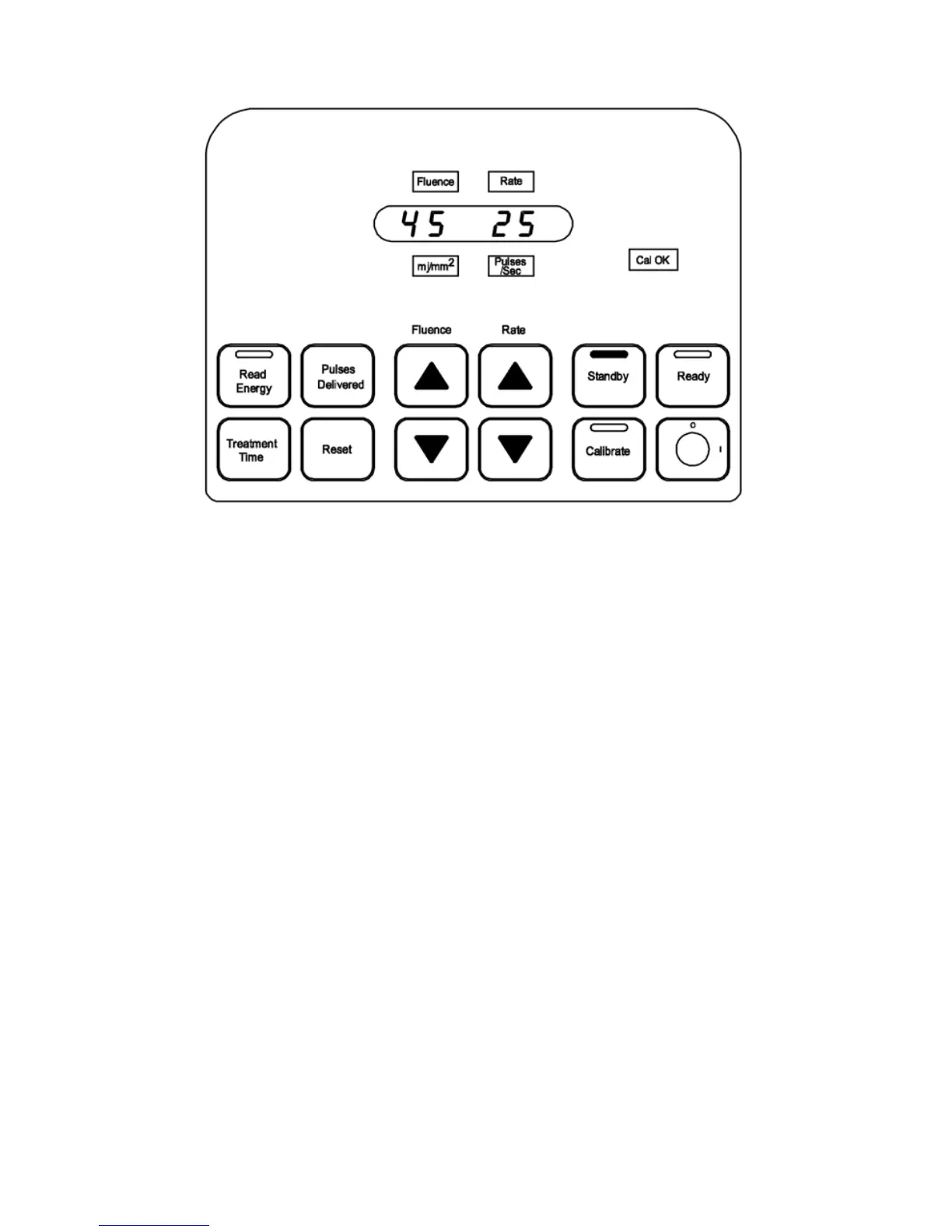
Figure 8
Standby
Standby Mode (Returning from Ready Mode)
1. Standby mode is entered from Ready mode by depressing the Standby button.
2. The Standby button and green status light on the top of the control panel
areilluminated.
3. The uence value and pulse repetition rate appear in the display window.
4. The Cal OK advisory light remains illuminated. (Figure 8)
Ready Mode
1. Ready mode is entered from Standby mode by depressing the Ready button. (Figure
9)
2. The Ready button, Cal OK light and yellow status light on the top of the control panel
are illuminated.
3. The uence value and pulse repetition rate may be changed by depressing a Fluence
or Rate button. After a change to either value, it is not necessary tore‑calibrate.


 To Next Page