49
7030-0068-26
28Jul16
Customer Service, Canada/US (719) 633-8333 / (800) 231-0978
Customer Service, Europe +31 33 434 7050
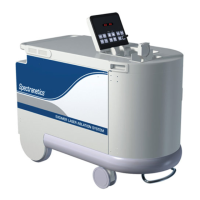
CVX-300
®
Excimer Laser System Version 26 Operator’s Manual
English / English
Troubleshooting
The keyswitch will not turn ON ( | )
the CVX‑300.
• Ensure the CVX‑300 power
cord is connected to the
proper source.
• Ensure the main circuit breaker,
located on the lower back
panel, is in the ON ( | ) position.
• Ensure the interlock plug is
inserted into the receptacle
located on the lower
back panel.
The buzzer sounds when
CVX‑300 power cord
is plugged in.
• Release the emergency
button by turning it in
a clockwise direction.
The CVX‑300 will not enter
the Calibrate mode.
• Allow the CVX‑300 time to
complete the warm‑up mode.
• Insert a ber optic catheter
into the coupler.
• Plug in the footswitch.
• Set the uence and pulse
repetition rate.
Alarm sounds when the ready
button is depressed.
• Calibrate the system.
The CVX‑300 does not
complete calibration.
• Depress and hold the
footswitch down until lasing
stops and the Cal OK indication
is illuminated.
Keyswitch is ON ( | ) but the
CVX‑300 will not come on after
the emergency button has
been reset.
• Turn the keyswitch to the
OFF ( ) position and then
to the ON ( | ) position to reset
the system.
Fiber indicator is illuminated. • Ensure the ber optic catheter
handle is fully inserted into
the coupler.
Service indicator is illuminated. • Call Spectranetics Customer
Service for assistance.


 To Next Page