33
7030-0068-26
28Jul16
Customer Service, Canada/US (719) 633-8333 / (800) 231-0978
Customer Service, Europe +31 33 434 7050
CVX-300
®
Excimer Laser System Version 26 Operator’s Manual
English / English
Testing Mode
1. The system executes an internal test which takes approximately 30 seconds.
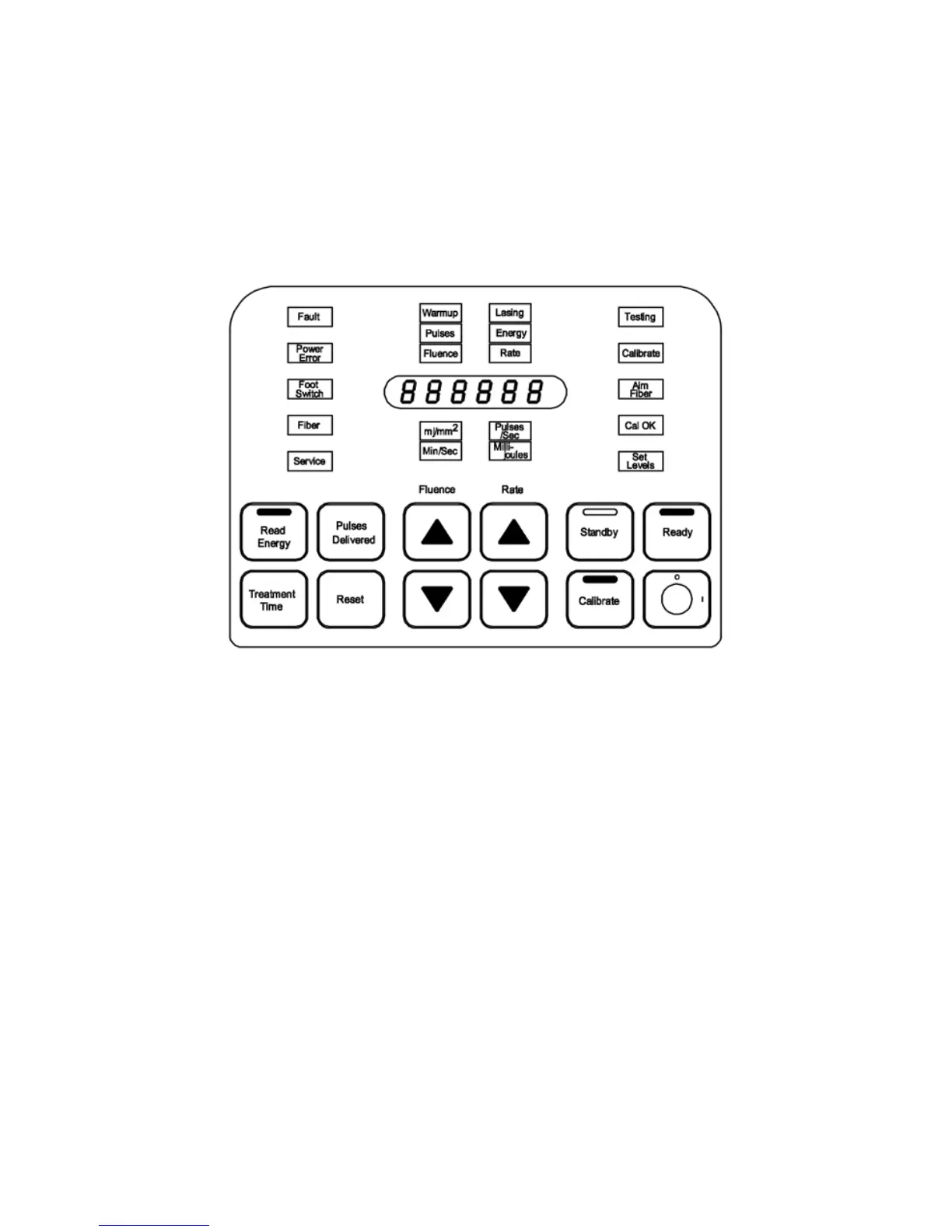
2. The rst part of self-test is a control panel lamp test in which all status buttons and
advisory lights, except standby, and green status light on top of the control panel are
illuminated simultaneously for approximately 5-7 seconds. Six number eights (8) are
visible in the display window. (Figure 1)
Figure 1
Lamp Test
3. At the end of the lamp test, Standby and Testing are illuminated (Figure 2).
Thesoftware version number will displayed following the lamp test.
During the test cycle, it is normal to hear a “clicking” sound inside the unit as the safety
shutter is tested. The Power Error lamp will also ash several times during this test.


 To Next Page