35
7030-0068-26
28Jul16
Customer Service, Canada/US (719) 633-8333 / (800) 231-0978
Customer Service, Europe +31 33 434 7050
CVX-300
®
Excimer Laser System Version 26 Operator’s Manual
English / English
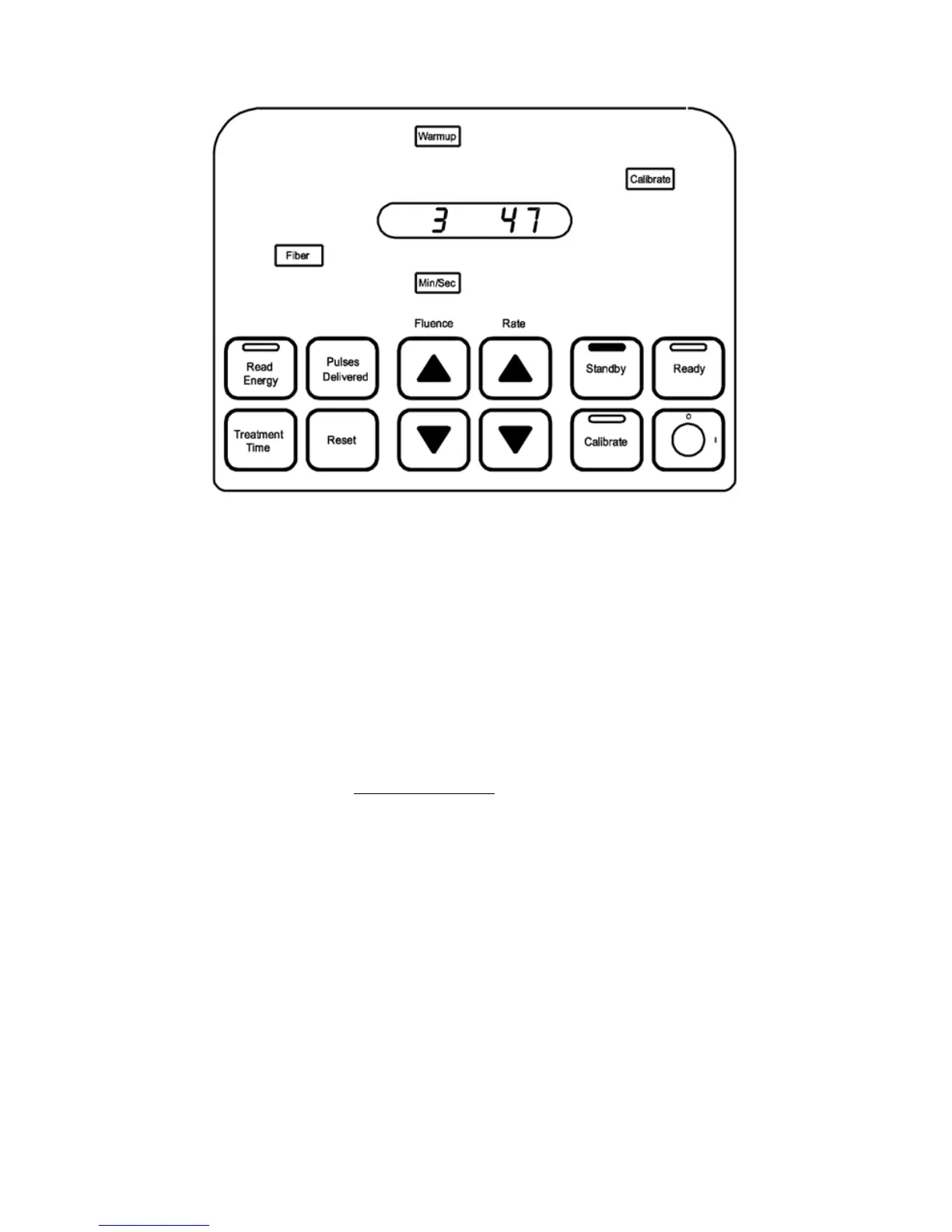
Figure 3
Warm-up
2. The Warm‑up mode continues for ve minutes. The display window shows the
remaining time in the Warm‑up mode. The warm-up period allows various components
inside the unit to reach normal operating temperatures.
3. The Excimer Laser System automatically checks for proper connection of both the
footswitch and the ber optic catheter. If either component is improperly connected or
not connected at all, the appropriate advisory light, Fiber or Footswitch, illuminates.
4. The recommended calibration settings will automatically appear in the display when
the ber optic catheter is inserted. (Some devices may have dierent Calibration
settings than are displayed – always verify these settings with the recommended
settings in the device’s Instructions for Use documentation.) The remaining warm-up
time is normally visible in the display window. Brieydepressing a Fluence or Rate
increment or decrement button enables the uence value and pulse repetition rate to
be visible on the display window. Four seconds after releasing the button, the display
reverts to the warm-up timer. Abrief push of either button will not cause a change in
the values, but will display the currentsetting.
5. When the ve minute warm-up period is complete, the system enters Standbymode.
Standby Mode
1. The Standby button and the green status light on the top of the control panel are
illuminated.
2. Depressing a Fluence or Rate button causes the uence value or pulse repetition rate
to change.


 To Next Page