16
RESET procedure
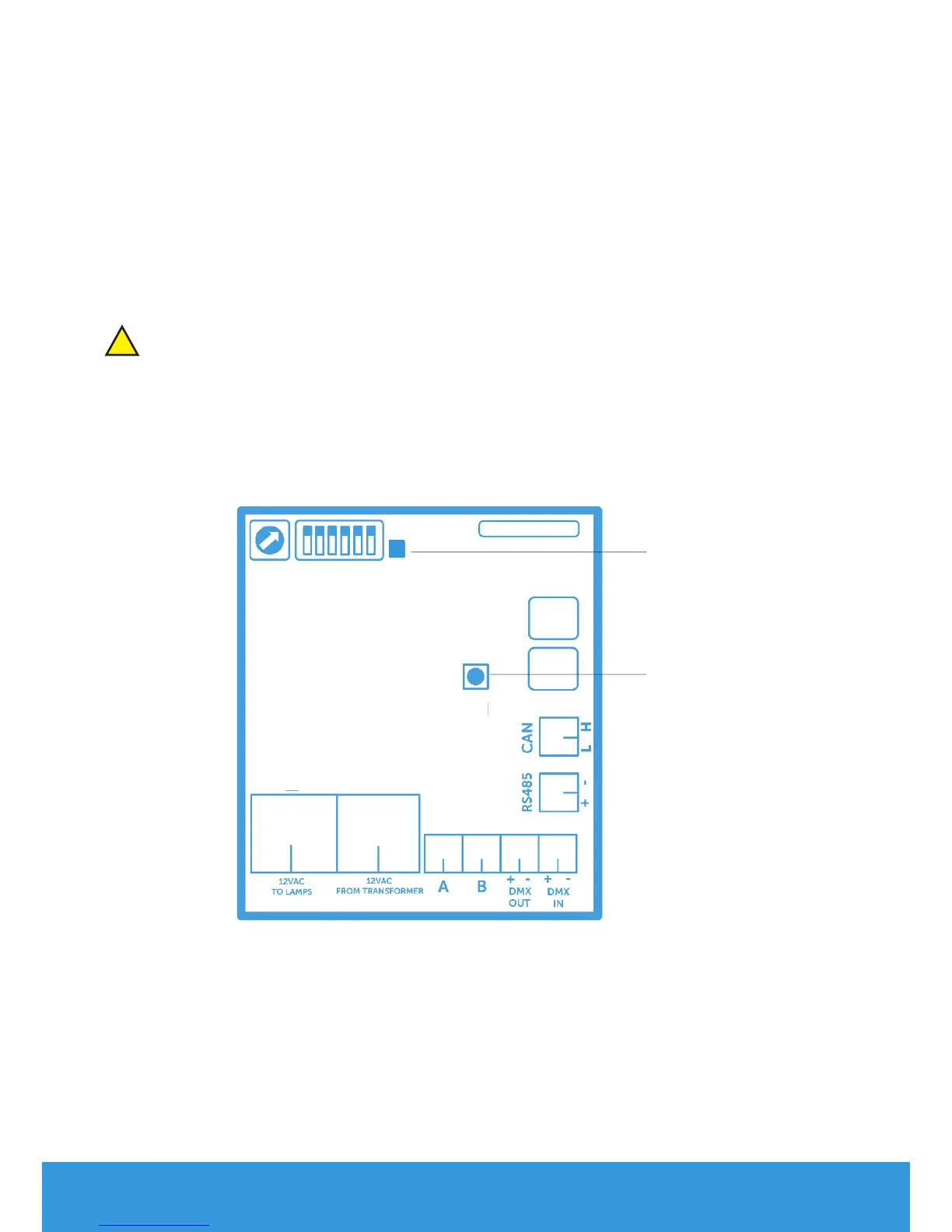
RESET procedure for the control board
1) Make sure the PLP-REM is powered ON
2) Press and hold the RESET button on the logic board
3) The blue LED will light up
4) Release the RESET button when the blue LED turns o
The control board has been RESET.
And all transmitters have been unpaired.
RESET
button
Blue
LED
DuraLink
!


 To Next Page