Spectrum Digital, Inc
2-15
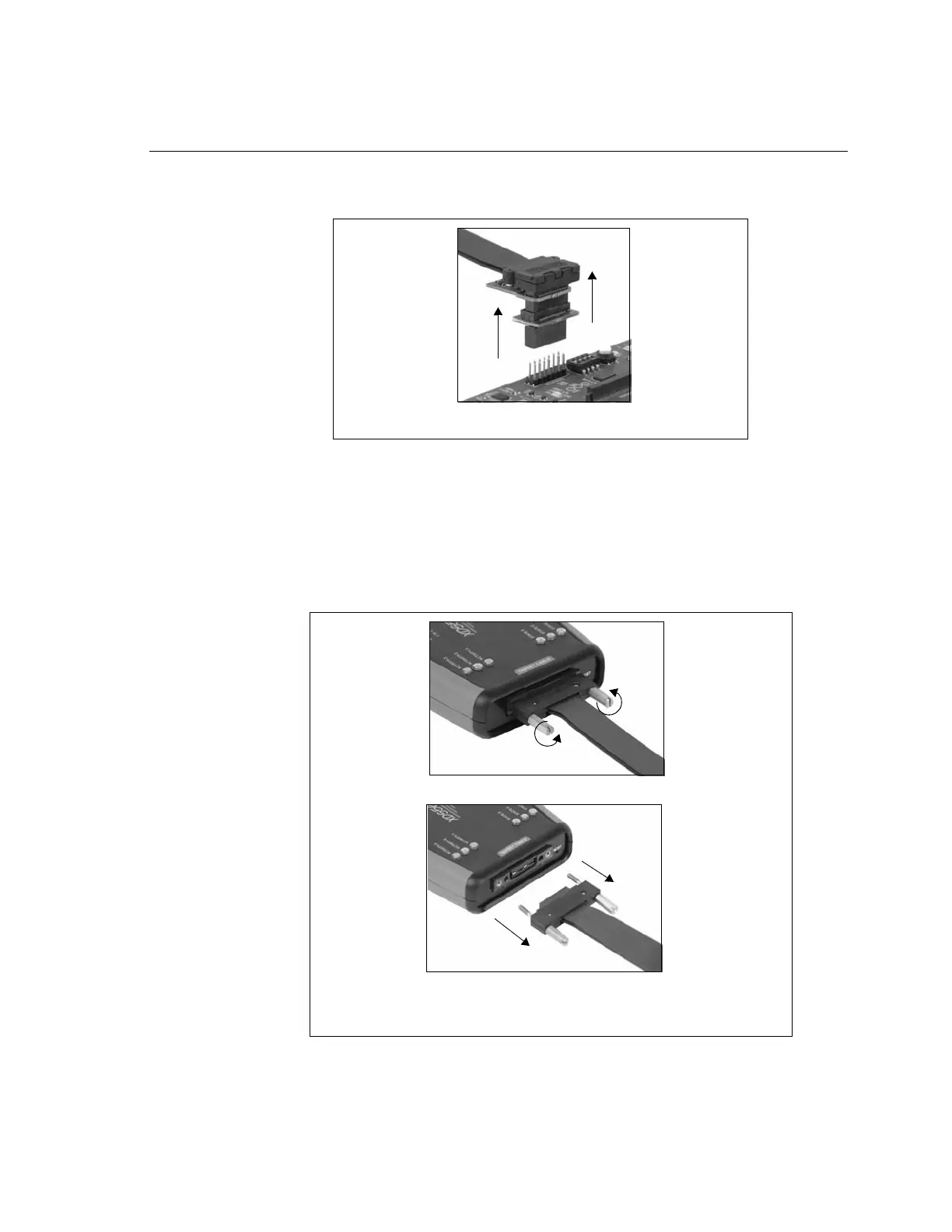
❏ Remove the JTAG Header end of the tail assembly from the target board by pulling
up on the entire assembly.
❏ Remove tail assembly from the XDS560v2 STM by unscrewing the 2 screws on each
side of the connector. These screws should be able to be loosened by turning the
screws counterclockwise. This can be done by hand but if necessary a flat blade
screwdriver may be used.
After both screws are free from the XDS560v2 STM enclosure grab the black
connector and gently pull it free from the enclosure.
Figure 2-16, Removing the Header From Target Board
Figure 2-17, Removing the Tail Assembly From XDS560v2 STM
Loosen Screws by Turning Counterclockwise
Gently Pull Free From Enclosure



 To Next Page