Spectrum Digital, Inc
2-16 XDS560v2 STM JTAG Emulator Technical Reference
2.5.2 Installing The Emulator Tail Assembly
The checklist below provides instructions on how to install the tail assembly and
header.
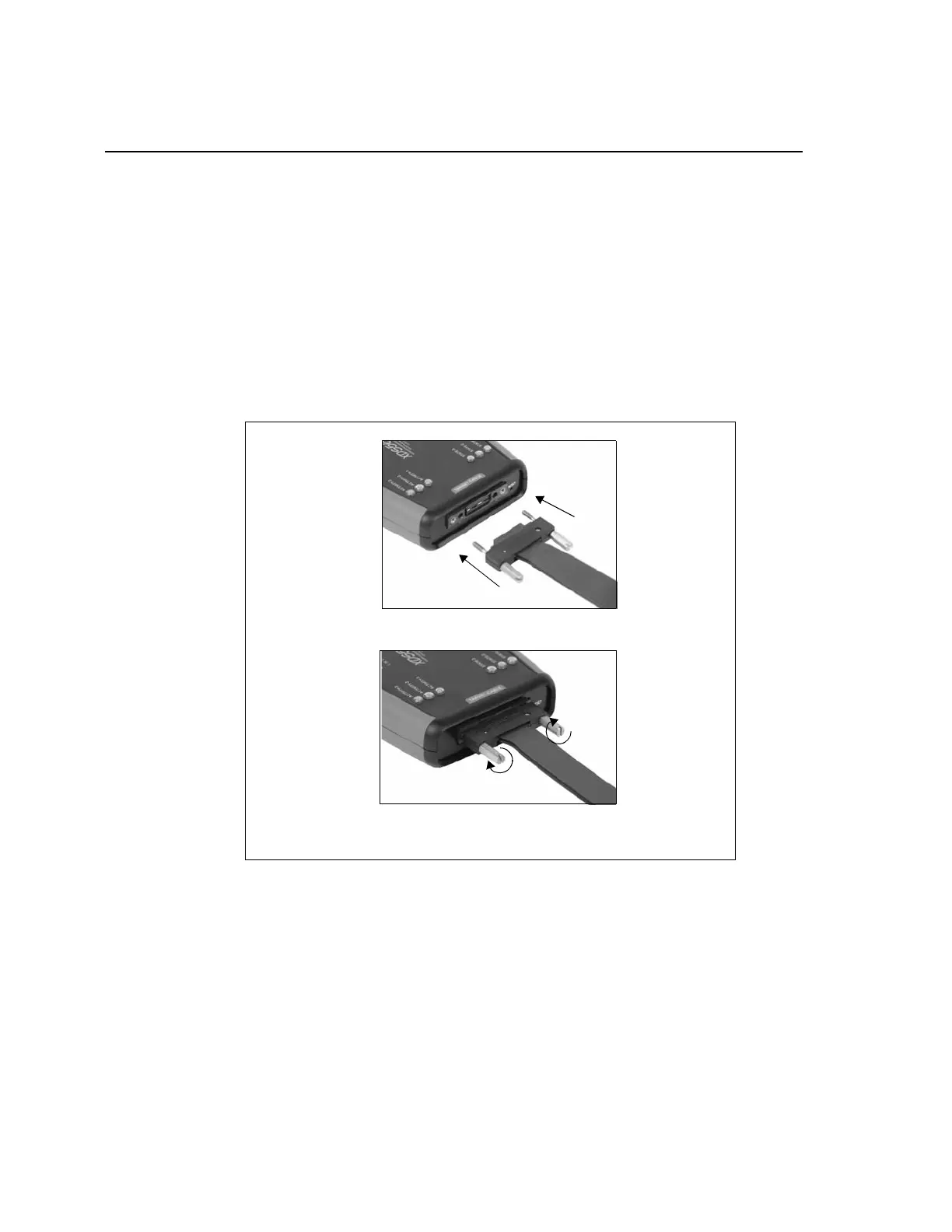
❏ Align the black connector on the tail assembly with the connector on the XDS560v2
STM. This is a keyed connector with the notched corners on the bottom side of the
connector. Gently insert the black connector into the XDS560v2 STM.
Secure the connector to the XDS560v2 STM by tightening the two screws on each
side of the connector by turning them clockwise. The best procedure is to turn both
screws at the same time for even seating of the connector. Do NOT over tighten. You
should be able to tighten these screws by hand.
Figure 2-18, Attaching the Tail Assembly To the XDS560v2 STM
Tighten Screws by Turning Clockwise
Gently Insert Tail Connector Into XDS560v2 STM Connector



 To Next Page