Spectrum Digital, Inc
2-17
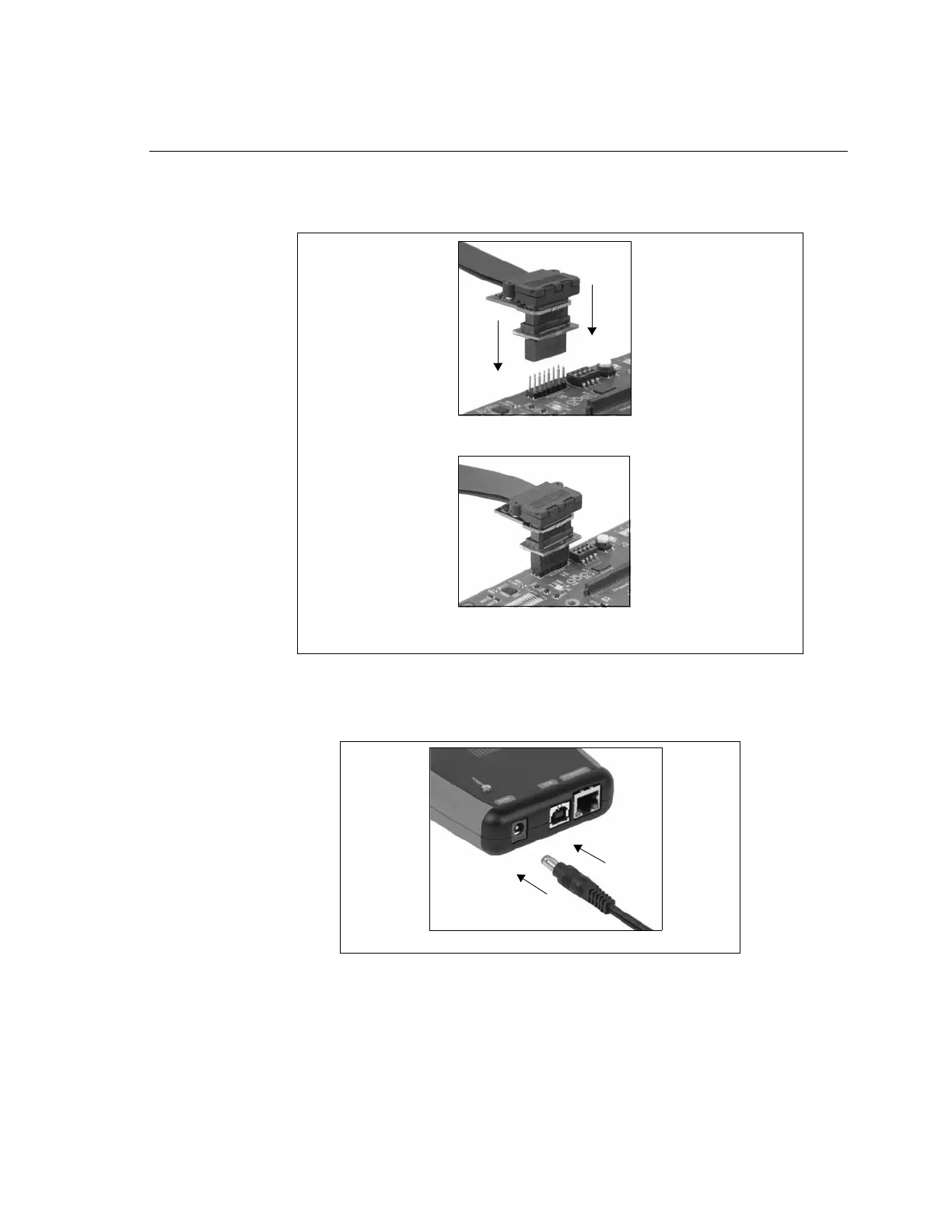
❏ Now connect the tail of the emulator to the JTAG header on your target board. If your
target board requires a different interface than the generic 60 pin header on the tail,
attach one of the header adapters as required.
❏ Plug the XDS560v2 STM power supply into the wall power outlet.
❏ Plug the power connector into the XDS560v2 STM.
❏ Make sure you USB or Ethernet connection is connected properly.
❏ Apply power to the target board.
❏ You may now bring up the debug environment on the PC.
Figure 2-19, Attaching the XDS560v2 STM Emulator Tail To Target
Align the emulator tail over the target connector, then push down
Emulator tail attached to target
Figure 2-20, Applying Power To The XDS560v2 STM



 To Next Page