English-11
1.A compatible Android phone with an active data plan.
2.5GHz Wi-Fi support.
3.The latest version of the Android Auto app.
1. Any phone with Android 11.0.
2.A Google or Samsung phone with Android 10.0.
3.A Samsung Galaxy S8, Galaxy S8+, or Note 8, with Android 9.0.
Note
What you need:
Wireless projection is compatible with these Android versions:
3.3.2 Android Auto Wireless Connect
Android
1.An Android phone with Android 8.0 (Oreo) and up, an active data
plan, and the latest version of the Android Auto app.
2.An original USB cable.
Note
What you need:
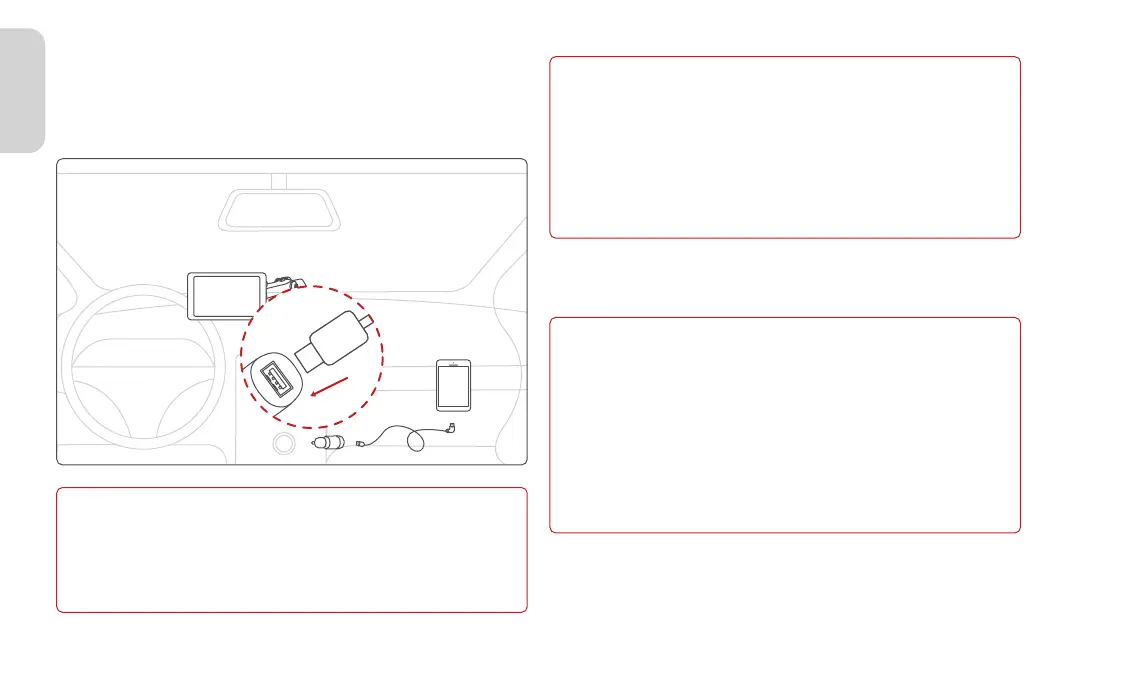
1.Plug a USB cable into the USB port on cigarette charger, plug the
other end of the cable into your mobile phone.
2.Your phone might ask you to download the Android Auto app or
update to the newest version of the app.
3.Follow the on-screen instructions to complete setup.
For more details visit: https://www.android.com/auto
Before you connect your phone for the first time, turn on your car.
Make sure your car is in park (P) and allow time to set up Android
Auto before you start your drive.
3.3 Android Auto
3.3.1 Android Auto Connect With USB Type-C Cable (Op-
tional)



 To Next Page