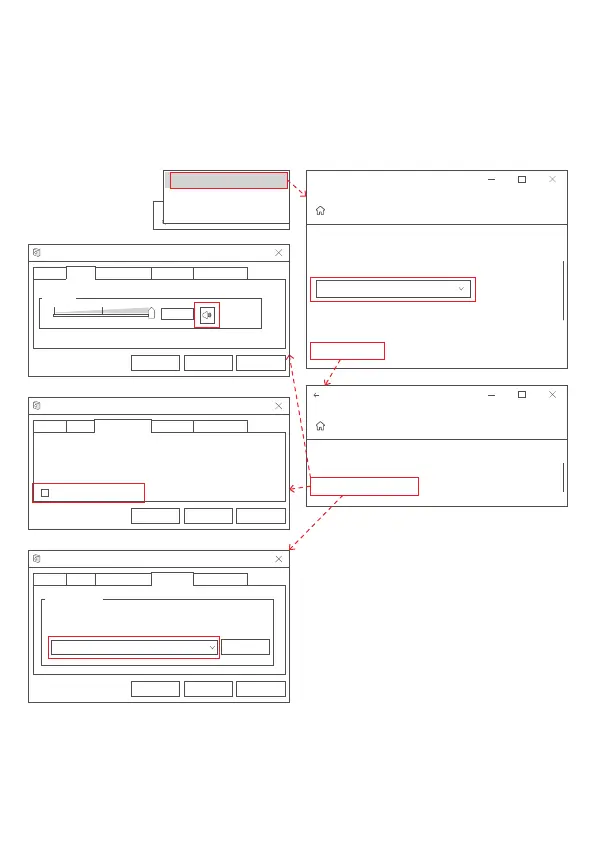
Open Sound settings
Sounds
Troubleshoot sound problems
Output
Choose your output device
Certain apps may be set up to use different sound devices than
one selected here.Customize app volumes and devices in
advanced sound options.
Device properties
High Definition Audio Devive
Settings
Sound
Related Settings
Addition device properties
Settings
Device Properties
5. Click the "Enhanced" option panel, and make sure to check "Disable all
sound effects";
6. Click the "Advanced" option panel, "Default Format" is recommended
not to select a sound quality similar to that of the microphone. For
example, the preferred sound quality is above 24 bits and higher than
192000Hz.
OK Cancel Apply
Speaker Properties
General
Speaker
100
Enhancements Advanced
Levels
Spatial sound
OK Cancel Apply
Speaker Properties
Select the sample rate and bit depth to be used when running
in shared mode.
24bit, 192000Hz(Studio Sound Quality)
Default Format
▶Test
General Enhancements
Advanced
Levels
Spatial sound
OK Cancel Apply
select the enhancements to apply for your current speaker
configuration.Changes may not take effect until the next time you
start playback.
Disable all enhancements
Speaker Properties
General
Enhancements
AdvancedLevels Spatial sound
01 02 03 04
05 06 07 08 09
10
11 12 13 14
15 16 17 18 19



 To Next Page