EasyManua.ls Logo

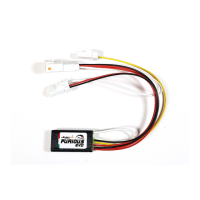
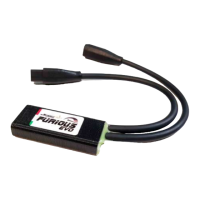
SpeedFun FURIOUS - User Manual

SpeedFun FURIOUS
4 pages
Print Icon
To Next Page IconTo Next Page
Loading...
ISTRUZIONI USO E MONTAGGIO
USE AND ASSEMBLY INSTRUCTIONS
FURIOUS for Panasonic GX0 model year 2019
(E-Bike: Flyer Uproc 7)
IL DISPOSITIVO NON E’ STAGNO
Evitare qualsiasi contatto con l’acqua !!
NON ESERCITARE PRESSIONE sul
dispositivo chiudendo il Carter o il Motore !!
Rimuovere le viti che fissano la protezione sotto-motore
Remove the screws that secure the protection under the
engine
Rimuovere le due viti che fissano il carter laterale in plastica
Remove the two screws that secure the plastic side cover
Rimuovere la vite che fissa la pedivella
Rimuovere la pedivella con l’apposito estrattore per
perno isis
Remove the screw that secures the crank arm
Remove the crank arm with the appropriate extractor
for isis pin
Pagina 1/4
RIMUOVERE LA BATTERIA dall’ E-BIKE
REMOVE THE BATTERY from the E-BIKE
LATO SINISTRO
LEFT SIDE
Question and Answer IconNeed help?

Do you have a question about the SpeedFun FURIOUS and is the answer not in the manual?

Summary

Component Removal and Preparation

Remove Crank Arm Screw

Remove the screw that secures the crank arm for the ISIS pin.

Remove Plastic Side Cover Screws

Remove the two screws that secure the plastic side cover.

Remove Under-Engine Protection Screws

Remove the screws that secure the protection under the engine.

Motor Detachment and Chainring Removal

Remove Crank Arm Screw (Right Side)

Remove the screw securing the crank arm from the right side.

Remove Chain and Chainring

Remove the chain and chainring using the appropriate sector wrench.

Unscrew Motor Mounting Screws

Unscrew motor mounting screws on both sides.

Gently Pull Motor Down

Carefully pull the motor down, avoiding damage to wires.

Connector Identification and Wire Preparation

Identify Speed Sensor and Light Connectors

Identify the GREEN arrow connector for speed sensor and RED arrow for lights.

Connect Speed Sensor

Press tab to open speed sensor connector and attach Furious connectors.

Prepare Light and Furious Wires

Cut and strip the red wire for lights and the yellow Furious wire.

Wiring Connections and Device Reassembly

Solder Red and Yellow Wires

Solder the red wire to the yellow wire and insulate with heat shrink tubing.

Connect to Ebike Lights (If Applicable)

If red wire connects to ebike lights, solder and insulate as shown.

General Connections Overview

View of the general wiring connections.

Device Placement and Reassembly

Place the device to avoid pinching wires during casing closure. Reassemble in reverse.

SpeedFun FURIOUS Specifications

General IconGeneral
BrandSpeedFun
ModelFURIOUS
CategoryFitness Equipment
LanguageEnglish

Related product manuals