VAJRA80 Rotorcraft User's manual
24 / 36
8.FPV display with 5.8G receiver
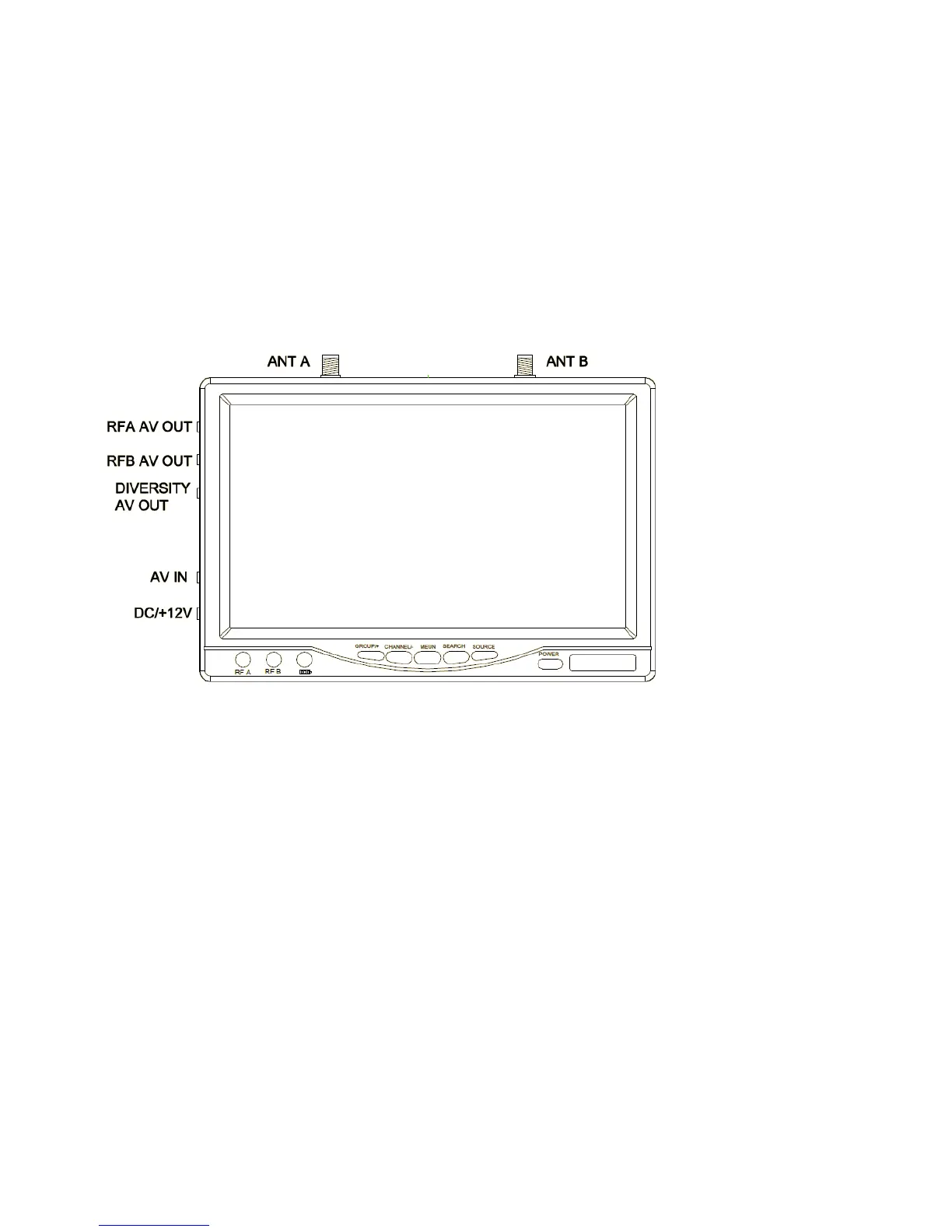
Image 16 FPV button of camera
(1)GROPU/+:
Default mode , click the GROUP option , A, b, c, d cycle selection ; MEUN pressed , this button is used as number +;
(2)CHANNEL/-:
Default mode , click the option for the CH 1-8 cycles ; MEUN pressed , this button is used as the value - ;
(3)MEUN:
LCD display parameter adjustment , where the parameters using + , - to adjust , click MEUN, choose a different adjustment items ;
(4)SEARCH:
Press this button to enter the signal search , it will automatically search for the signals to a certain signal strength and stops
on that channel , the signal is not found , will be on the channel before starting the search stopped ; searching process, all the



 To Next Page