EN
7
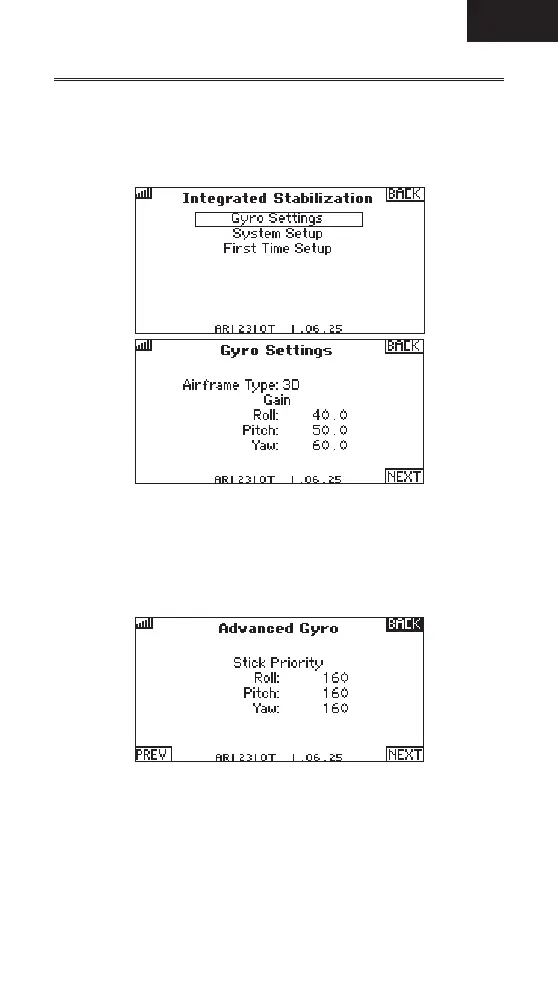
1. Select Gyro Settings to reset the maximum gain values appropriate for the
model type.
2. Manually adjusted Roll, Pitch, and Yaw maximum gains as desired.
3. Press next to adjust Stick Priority.
Stick Priority
Stick priority reduces the amount of gyro gain as you move the control stick
away from center. 0 means the gain does not reduce as the control stick is
moved. At 100, the gain goes to 0 when max stick de ection is reached.
The default setting is 160, which means the gain goes to 0 at 40% stick input.
The maximum setting is 200, which means the gain goes to 0 just off of center
stick position.
1. Stick Priority can be adjusted for all 3 axes independently.
2. Press NEXT to select the Heading.
Gyro Settings



 To Next Page