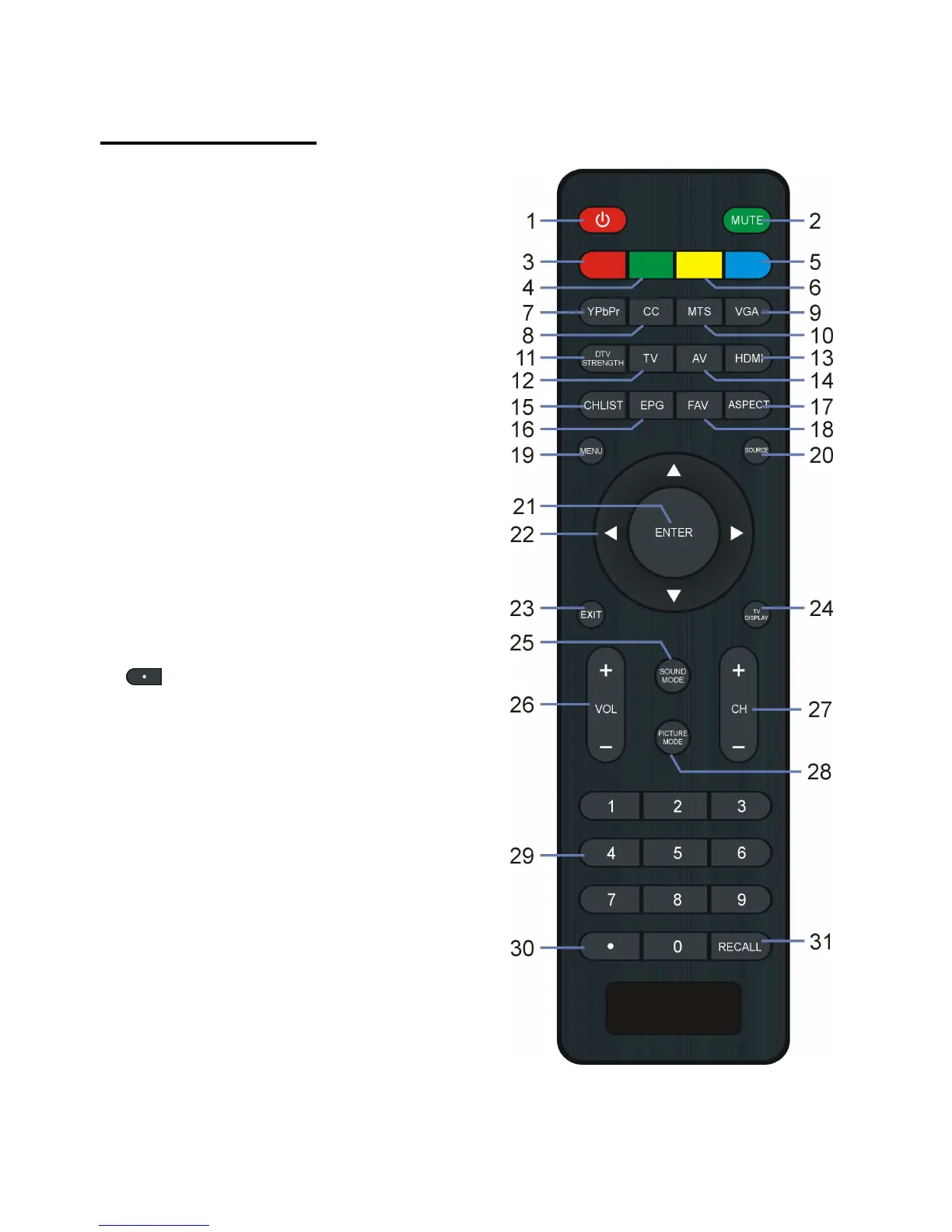
21. ENTER: To confirm a selection.
22. UP/DOWN/LEFT/RIGHT navigation
23. EXIT: To exit menu page.
24. TV DISPLAY: To display program
25. SOUND MODE: To switch the sound mode.
26. VOL +/-: To increase/decrease the volume
27. CH +/-: To watch next/previous program.
28. PICTURE MODE: To switch the picture
29. NUMBER BUTTONS (0-9): To input the
number information, such as channel number
30. : To select additional channels (digital)
being broadcast by the same station. For
example, to select channel “15-3”, press “1”
and “5”, then press “-/--” and “3”.
31. RECALL: To return to previous channel.


 To Next Page