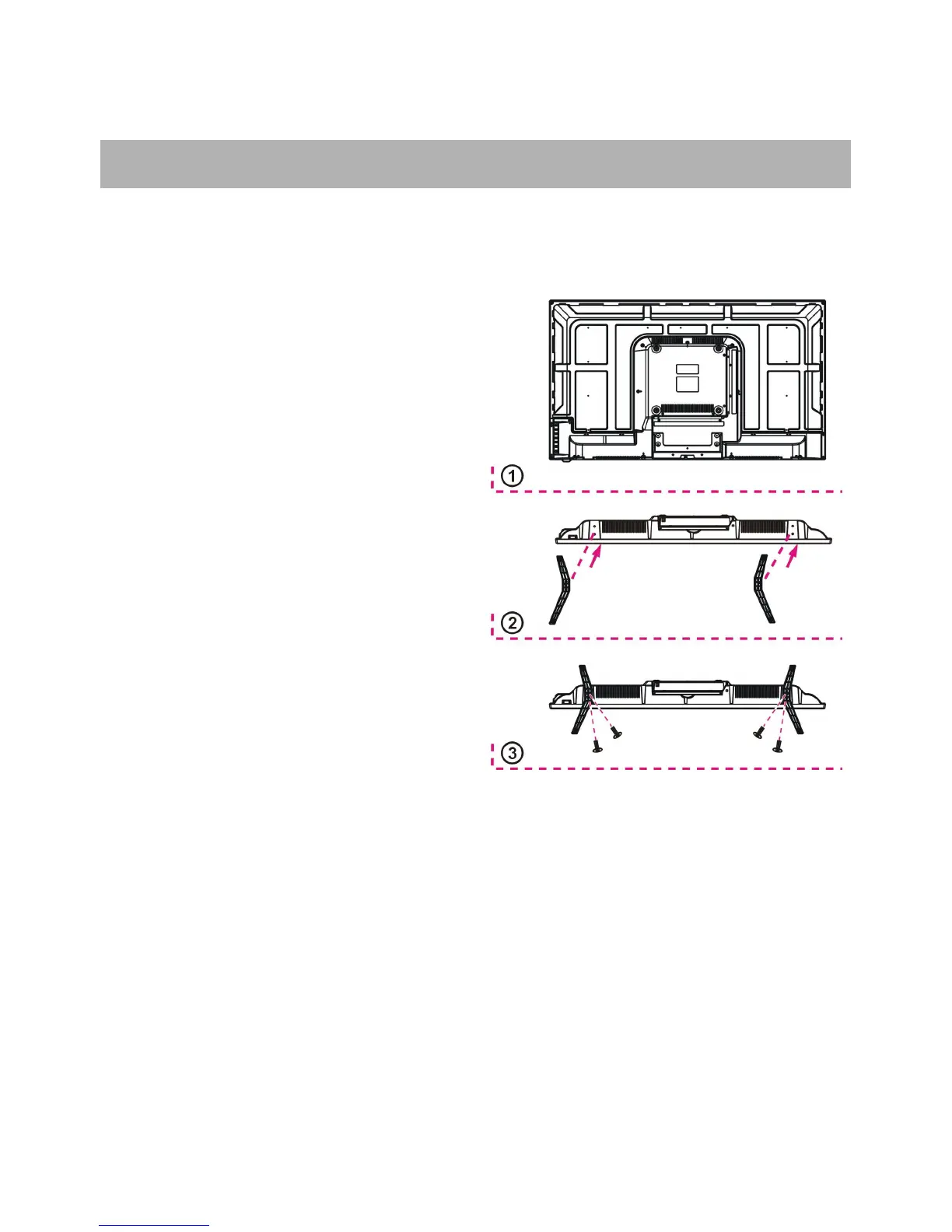
Your TV may be packaged with the Stand and the Cabinet separated. Before enjoying this
TV, please carry out the Stand Installation according to the instructions below.
Place the TV faced down on a soft cloth or
cushion to prevent the panel from being
Align the screw holes on stand and TV
Tighten the included screws with a screw
- Unplug the power plug first when installing
or removing the TV Stand.
- To avoid any damage to this TV, contact one
or more partner for assistance when
installing or removing the TV stand.


 To Next Page